What should you look for when buying?
First, check reception for your programme where you plan to use the radio. Then compare ease of use and sound, and decide whether it will stay in one place or travel with you.
| Buying priority | What to check | Who is this especially important for? |
|---|
| Programme and reception |
Check the regional DAB+ programme map and the location-based indoor reception forecast from DAB+ More Radio. The forecast cannot guarantee conditions in an individual room. |
If I want to listen to a particular music programme, the first thing that matters is whether it’s available where I work. Around 31% of consumers say programme choice and reception are their top priorities. |
| Sound for listening to music |
Compare mono or stereo playback and how much space the radio takes up; the number of channels alone doesn’t tell you how a particular device will sound. |
If I listen to music through the built-in speakers for long periods, I pay particular attention to the sound and how much space the radio takes up. Around 25% of consumers say sound is their top buying priority. |
| Quick access to stations |
Look for direct preset buttons, an easy-to-navigate menu and a display that’s easy to read where you plan to put the radio. Hama describes the DR2002 as having four direct preset buttons for saved stations. |
If I want to quickly return to my usual programme while I’m working, simple controls are essential. Around 19% of consumers prioritise quick access. |
| Listening without disturbing others |
Check for a headphone output or a clearly documented headphone transmission function. Receiving Bluetooth audio from a smartphone doesn’t mean the radio can output audio to Bluetooth headphones. |
If other people are working or on the phone in the room, I want to listen to the programme without switching on the speakers. Around 13% of consumers say private, undisturbed listening is their top priority. |
| Moving the radio between rooms |
Check battery operation, charging and reception in the other locations. The manufacturer’s battery life figures depend on how the radio is used. |
If I want to take my programme with me when I move to another workspace, I need a portable device and will have to check reception in the new spot. Around 12% of consumers prioritise portability. |
DAB+ radios at Joybuy
The selection includes portable DAB+ radios for flexible workspaces, tabletop radios for a dedicated listening spot and models with internet radio as an extra feature.
 No image available
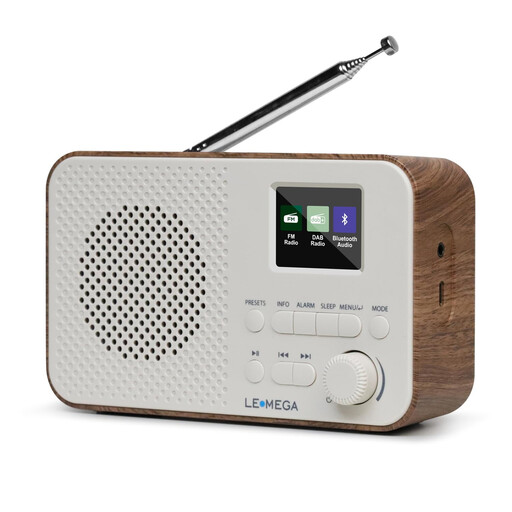
LEMEGA DAB Go DAB+/FM Radio, Walnut
A good choice if you want a battery-powered radio you can take between workspaces.
The product name specifies a 2200-mAh battery, USB-C charging, a headphone socket and 40 station presets.
View at Joybuy
 No image available
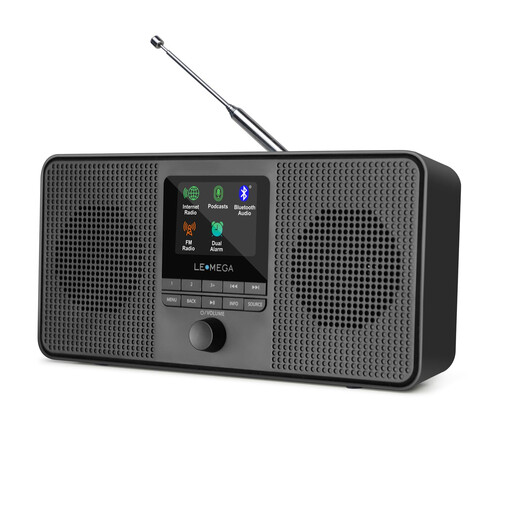
LEMEGA IR4S Internet Radio, DAB & FM Stereo, Black
A good choice if you want to listen to internet stations or podcasts as well as DAB+.
The product name lists DAB, FM, stereo and podcasts. Check that a suitable internet connection is available where you plan to use it.
View at Joybuy
 No image available
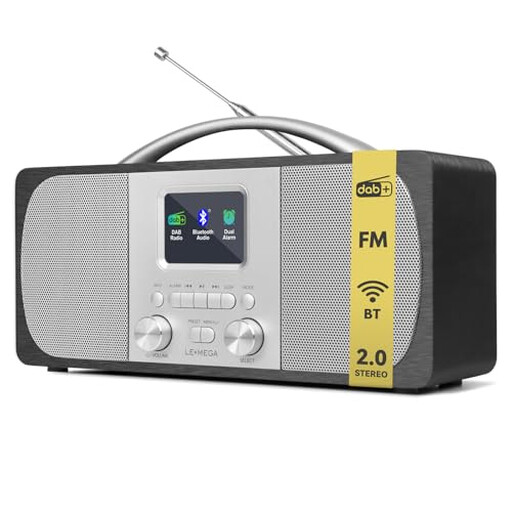
LEMEGA DR6 Stereo DAB Radio
A good choice if the radio will mainly stay in one place and you want to listen to music through its speakers.
Features include two stereo speakers, Bluetooth, a headphone socket and 40 presets, including 20 for DAB. According to the description, battery operation requires four AA batteries, which are not included.
View at Joybuy
 No image available
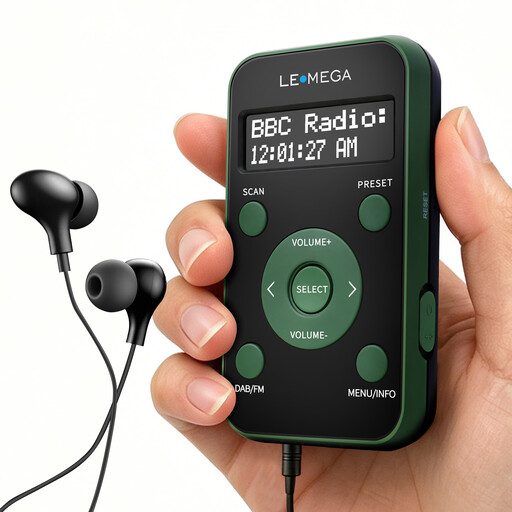
LEMEGA PR1 Pocket DAB/DAB+ & FM Radio, Green/Black
A good choice if you’re looking for a compact battery-powered radio with earphones included.
The product name specifies 20 presets and an LCD display. According to the description, the supplied earphones also act as the radio antenna.
View at Joybuy
 No image available
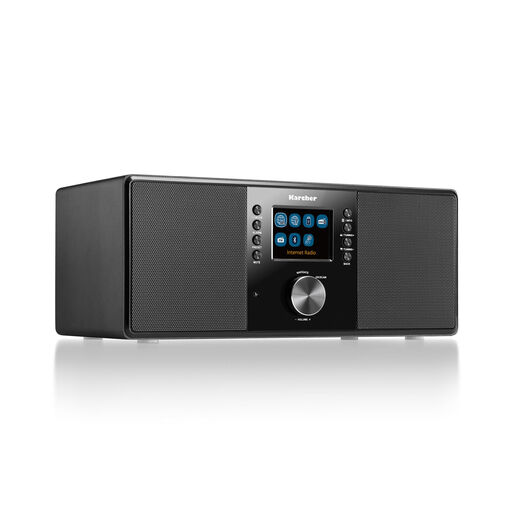
Karcher DAB 7000i Internet Radio, Black
A good choice if you want to combine DAB+ with internet radio at a dedicated listening spot.
Features include stereo speakers, a headphone socket, a colour display and a remote control. You’ll need a suitable internet connection to listen to internet stations.
View at Joybuy
Frequently asked questions
How can I check whether my music programme is available via DAB+ in my home office?
Find the station on the regional DAB+ programme map, then check your postcode using the indoor reception forecast from DAB+ More Radio. Without the station and your location, it isn’t possible to assess reception for a specific programme. Conditions in your room may differ from the forecast.
What can I do if the station isn’t available after I’ve set up the radio?
Extend the radio’s antenna and run a new DAB+ station scan, following the instructions for your model. Bayerischer Rundfunk also recommends rescanning if the station line-up has changed.
Can I connect Bluetooth headphones to any DAB+ radio?
No. Bluetooth reception alone doesn’t mean the radio can send audio to Bluetooth headphones. Check the specific model for a headphone output or a clearly documented Bluetooth transmission function.
Are the Pure Classic H4 and Classic H4i the same radio?
No, the models differ in their reception features. Pure describes the Classic H4 as a DAB+/FM mono radio, while the Classic H4i also offers internet radio and podcasts. Check the full model name against your requirements.
Does a DAB+ reception forecast mean the radio is guaranteed to work in my room?
No. A location-based forecast can’t guarantee reception everywhere inside a building. Check the forecast for your location and, if possible, test the radio where you plan to listen.


