Who is this selection for?

Listeners who need regional traffic updates

If you want to hear updates for a particular region before setting off, check which stations are available and how well they come through indoors at your location. The DAB+ More Radio programme guide and coverage prediction can help you narrow down your options.

Listeners sitting further from the radio

If you want to hear announcements from a seat some distance away, assess the sound from your usual listening spot rather than comparing wattage alone.

Listeners who want more than one way to tune in

If you want to listen to online stations as well as terrestrial radio, check whether the radio has a network connection and whether the station you want is actually available.

What should you look for when buying?

Standalone DAB+ table radio

A good fit if: the station you want is available where you plan to put the radio and you want to listen through built-in speakers without Wi-Fi.

The trade-off: DAB+ and FM do not give you access to additional internet radio stations; wattage figures do not show how clear speech will sound in your room.

DAB+ radio with internet radio

A good fit if: you also want to listen to online stations and have a suitable network at home.

The trade-off: internet radio needs a network connection and cannot make up for a lack of terrestrial DAB+ reception.

DAB+ receiver with audio output

A good fit if: you already have compatible active speakers or a hi-fi system and want to play radio through them.

The trade-off: the outputs and inputs need to be compatible. Additional equipment takes up space and cannot tune in a station that is not available in your area.

Priority What to check when buying Who is it important to?
Regional stations and indoor reception Check stations for your travel area, the postcode-based indoor coverage prediction and reception where you plan to put the radio. If I need updates for the area I’m travelling to, I want to be able to tune in to the right station indoors too. Around 36 % of consumers prioritise regional reception.
Clear announcements Assess the speaker layout and sound from your usual listening spot, especially if it is some distance away. If I’m not sitting right next to the radio in a large living room, I want announcements to remain clear from where I’m sitting. Around 29 % of consumers prioritise clear speech throughout the room.
Quick access to stations Compare direct-access buttons, station presets and, where applicable, the remote control on the specific model. If I regularly tune in to the same station before setting off, I want to find it without searching through menus. Around 21 % of consumers prioritise quick access to stations.
Additional stations and audio sources Check DAB+, FM, internet radio and any required inputs or outputs against the model specifications, one by one. If I want to use online stations or other audio sources as well as my local station, I need the right ways to tune in and the right connections. Around 14 % of consumers prioritise additional stations or sources.

Common misconceptions

  • “DAB+” doesn’t automatically mean local traffic updates

    The stations available and the chance of receiving them indoors depend on your location. The station also needs to provide updates for the region you want.

    Check the station’s content, the regional programme guide and the coverage prediction for your location separately.

  • More watts don’t guarantee clearer announcements

    Manufacturer figures for output power and listening impressions of individual models don’t tell you how clearly speech will sound from your own listening spot.

    Assess the sound from your usual seat, and don’t assume that tests of one model apply to other versions.

  • Internet radio and Bluetooth don’t replace every connection

    Internet radio needs a network connection. Bluetooth audio reception and audio outputs serve different purposes.

    Check that the radio supports the way you want to tune in and has every input or output you need, based on the specifications for the specific model.

Key brands at a glance

Kenwood

Kenwood’s CR-ST85DAB is a compact radio with DAB+, FM and built-in stereo speakers.

  • For the CR-ST85DAB-B version, Kenwood specifies two speakers with a combined output of 2 × 10 W RMS, station presets and a remote control.
  • The power rating doesn’t tell you how clear announcements will sound from your seat.

Hama

The DR2002 is a table radio with DAB+, FM and Bluetooth audio reception.

  • Hama lists DAB+, stereo and Bluetooth RX for the DR2002.
  • Bluetooth RX means the radio can receive audio from another device; it doesn’t mean you can transmit audio to Bluetooth headphones.

TechniSat

The DIGITRADIO 550 IR is listed as a hybrid radio with DAB+, FM and internet radio.

  • Internet radio gives you another way to tune in alongside terrestrial reception, provided you have a network connection and the online station you want is available.
  • This additional feature doesn’t remove the need to check regional DAB+ reception where you plan to put the radio.

Karcher

Karcher offers table radio models such as the DAB 5000+ and DAB 7000i.

  • The manufacturer’s description of the DAB 7000i lists Wi-Fi internet radio alongside DAB+ and FM.
  • The listed features don’t confirm reception where you’ll be listening or how clear speech will sound in your living room.

Medion

Some LIFE P85 models from Medion combine DAB+ and FM with Wi-Fi and built-in stereo speakers.

  • Medion specifies 2 × 6 W RMS for the LIFE P85333 and 2 × 10 W RMS for the LIFE P85027.
  • These are manufacturer figures for different models, not like-for-like measurements of speech clarity from your listening spot.

Joybuy radios for traffic updates

This selection includes radios for DAB+ reception, models with additional audio sources and a compact system. If DAB+ isn’t explicitly listed, check that it’s supported before buying.
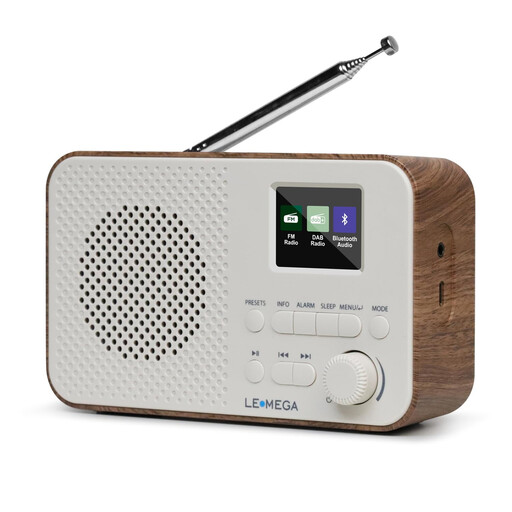
LEMEGA DAB Go DAB+/FM radio with battery, Bluetooth and 40 station presets

LEMEGA DAB Go DAB+/FM radio

If you regularly listen to the same stations, the product title lists 40 presets. DAB+ and FM are explicitly specified.

The title also lists Bluetooth, a headphone socket, USB-C charging and a rechargeable 2200 mAh battery.

View at Joybuy
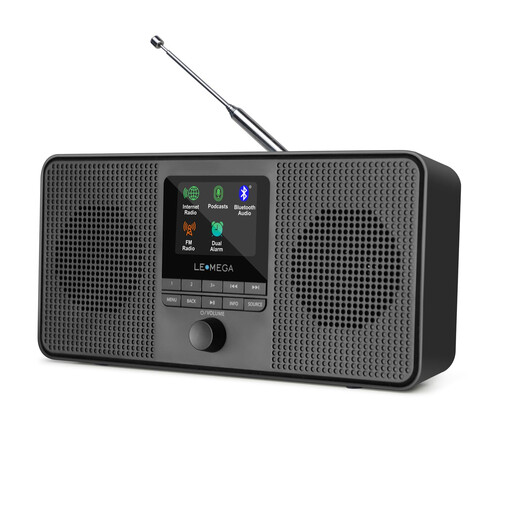
LEMEGA IR4S internet radio with podcasts, Bluetooth and stereo sound

LEMEGA IR4S internet radio

If you’d also like to listen to online stations, the title lists internet radio, podcasts and Bluetooth.

The title lists DAB and FM but doesn’t explicitly confirm DAB+. Internet radio requires a network connection.

View at Joybuy
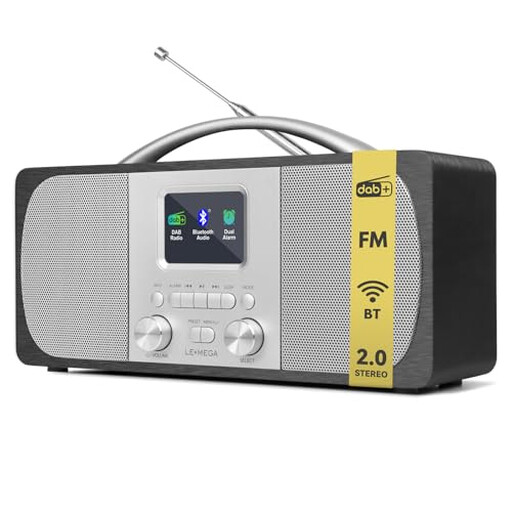
LEMEGA DR6 stereo DAB radio with DAB+, FM and 40 station presets

LEMEGA DR6 stereo DAB radio

For listening at home, the description lists DAB+, FM, built-in stereo speakers and a Speech EQ mode.

It also lists 40 presets, two 2.5-inch speakers and a headphone socket.

View at Joybuy
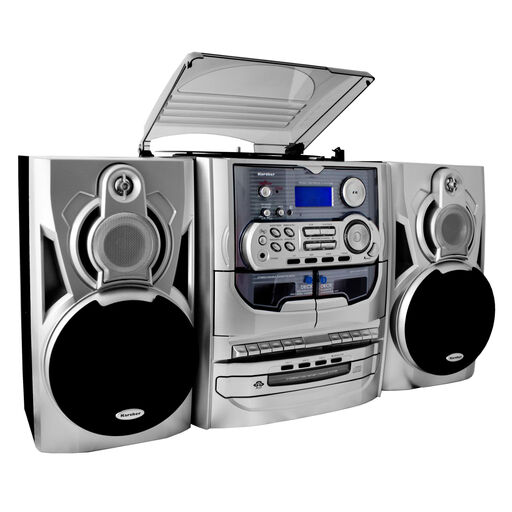
Karcher KA 5300 compact system with CD player, turntable, cassette deck and radio

Karcher KA 5300 compact system

The product title lists a CD player, turntable, cassette deck and radio as playback sources.

DAB+ isn’t listed in the title. Check that it’s supported before choosing this system for terrestrial DAB+ traffic updates.

View at Joybuy
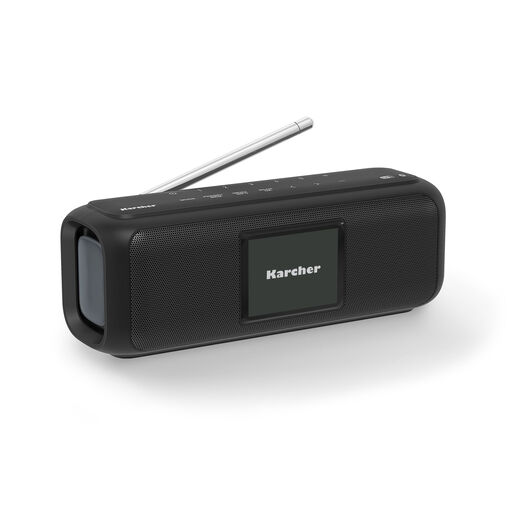
Karcher DAB Go portable Bluetooth speaker with DAB+ and FM

Karcher DAB Go portable Bluetooth speaker

For terrestrial radio reception, the product title lists DAB+ and FM. It also describes a portable, battery-powered device with USB-C.

The title lists stereo sound, a 2.4-inch colour display and up to 8 hours of playback.

View at Joybuy

Frequently asked questions

How can I find a station with updates for my route?

First, check whether a station in your region provides relevant traffic updates. Then look for it in the regional DAB+ programme guide and check the indoor coverage prediction for your postcode. Reception can only be assessed for the specific station and location.

What can I do if the signal keeps dropping out after I’ve set up the radio?

Try moving the aerial and the radio to a different position, perhaps near a window, then run a station scan. DAB+ More Radio recommends placing the radio near a window, but a coverage prediction is still no substitute for testing reception in your own room.

Do I need Wi-Fi or a radio subscription for DAB+?

You don’t need an internet connection to receive terrestrial DAB+. DAB+ More Radio says there are no additional reception costs; internet radio is a separate way to tune in and requires a network connection.

What should I check about labelling and faults?

The Federal Network Agency advises retailers to check, among other things, the CE marking, device identification and the availability of German-language instructions. If a product is faulty, statutory consumer rights against the seller are separate from any additional manufacturer’s warranty. The consumer advice centre says new goods are generally covered by a two-year statutory guarantee.

Are automatic DAB+ alerts the same as traffic announcements?

No. Kenwood describes the CR-ST85DAB’s ASA feature as an emergency alert function and says you need to enter a location code during setup. This doesn’t confirm that the radio provides regular traffic updates or that a particular regional station is available.