What matters when buying?
For live radio plays, the first thing to check is whether the programme you want is available at the radio’s intended location. After that, consider clear dialogue, ease of use and the right playback option.
| Buying priority |
What to check |
Who it matters most to |
| Reception of the radio play you want |
Check the station and the DAB+ indoor reception forecast for your postcode. Once the radio is in place, test reception where you plan to use it. |
If I want to listen to a particular radio play live, its station needs to be available at my location. Around 31% of consumers prioritise reception of the programme they want. |
| Clear dialogue |
Listen to a spoken passage from the seats you plan to use, at a typical room volume. Check the speaker position and volume control. |
When listening together, I want to follow the dialogue clearly from my seat. Around 25% of consumers put clear voices from multiple seats first. |
| Easy to use together |
Check the labels, preset buttons and controls on the specific model. If relevant, consider how it works with the remote control too. |
If several people will be changing stations, I want to find programmes again without a long search. Around 19% of consumers prioritise straightforward operation for different users. |
| Private listening |
Check that the specific model has a suitable headphone output or an explicitly stated Bluetooth transmit function. |
If other people in the room shouldn’t hear what I’m listening to, I need a suitable way to connect headphones. Around 13% of consumers prioritise listening privately without sound from the radio’s speakers. |
| Playback outside broadcast times |
First check whether the radio play is available. Then see if a CD player, Bluetooth receiver or suitable input works with the source. |
If I want to listen to an episode later, it needs to be playable from an available source. Around 12% of consumers prioritise listening to radio plays at a later time. |
Joybuy products
The radios below offer DAB+ live reception and, depending on the model, extra playback sources or ways to listen privately. Check reception where you plan to use the radio and make sure the listed connections suit the way you want to listen to radio plays.
 No image available
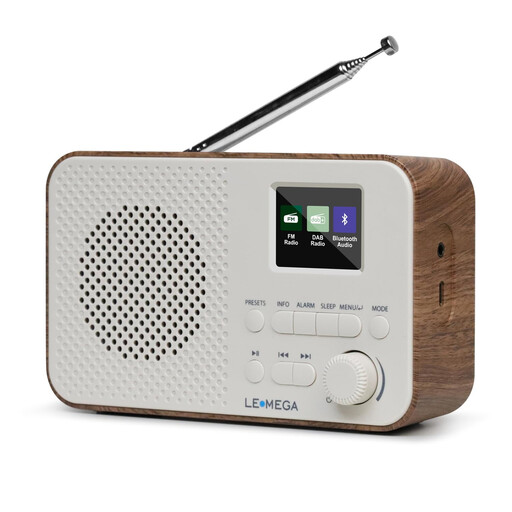
LEMEGA DAB Go DAB+/FM radio, walnut finish
For live radio plays on DAB+ or FM. The headphone socket lets you listen privately with compatible headphones.
- DAB+ and FM
- 40 station presets
- Bluetooth and AUX
- Headphone socket
- 2200 mAh rechargeable battery, USB-C charging
- LCD display
View at Joybuy
 No image available
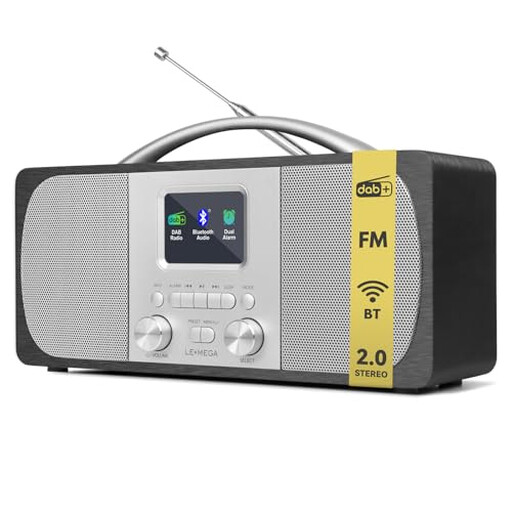
LEMEGA DR6 stereo DAB radio, mains-powered
For listening together to live programmes, if you’re looking for a mains-powered radio with easy-access station presets.
- DAB+ and FM
- 40 station presets
- Bluetooth
- Simple controls, according to the product name
View at Joybuy
 No image available
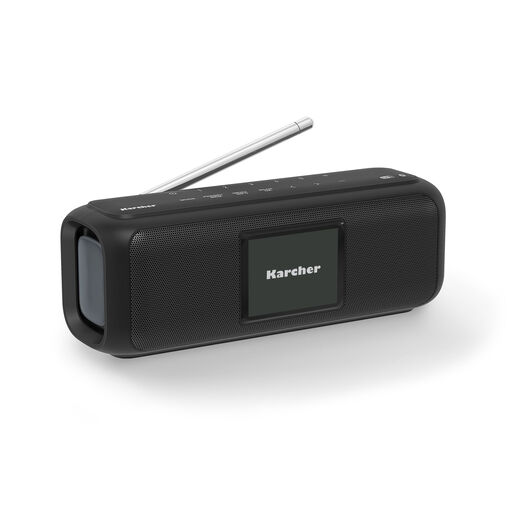
Karcher DAB Go portable digital radio
This portable radio could suit live listening or Bluetooth playback from a compatible external source.
- DAB+ digital radio
- Bluetooth
- 2.4-inch colour display
- Up to 8 hours of playback, according to the product name
- Battery and USB-C
View at Joybuy
 No image available
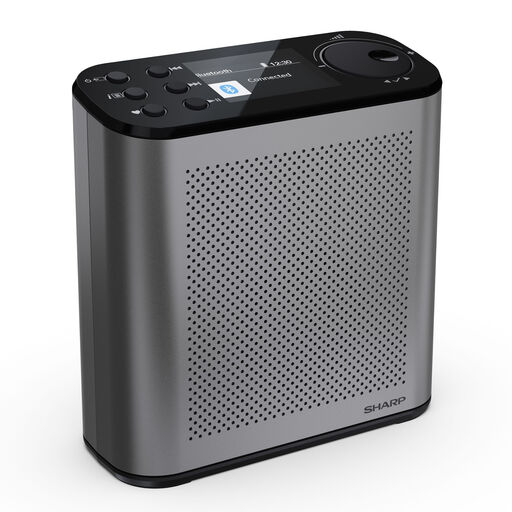
SHARP DR-P530(GY) Osaka digital radio
For live programmes on DAB+ or FM. Bluetooth is also listed for playback from a compatible external source.
- DAB+ and FM
- 120 station presets
- Bluetooth 5.3
- USB-C charging
- Up to 15 hours of battery life, according to the product name
- 2.4-inch colour display
View at Joybuy
 No image available
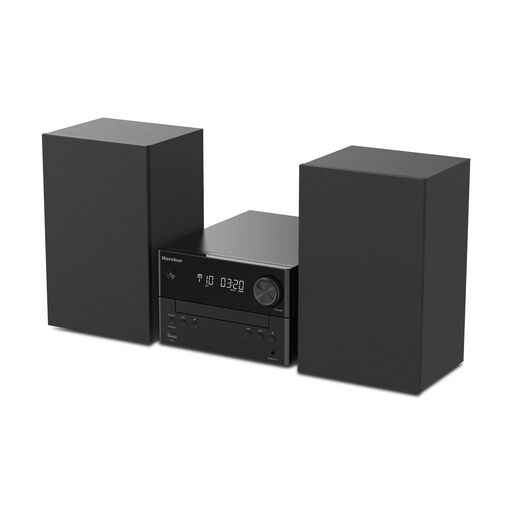
Karcher MC 6475D stereo compact system
For DAB+ live reception and radio plays from compatible sources such as a CD or connected device.
- DAB+ and FM
- CD player and MP3 playback
- Bluetooth, USB and AUX input
- Aerial input and speaker output
- 20 W, according to the product name
View at Joybuy
Frequently asked questions
Does a DAB+ radio need Wi-Fi for live radio plays?
No, DAB+ reception doesn’t require an internet connection. Bayerischer Rundfunk points out that radio plays from an app or other online service are subject to the requirements of that particular source.
How can I check before buying whether my radio play station is available in the room?
Check the station and indoor coverage using a location-specific DAB+ reception forecast. Once you’ve set up the radio, test it where you intend to use it too, as a forecast can’t account for every feature of a particular room.
What should I do if a saved station can no longer be found?
Scan for stations again after a change to the programme line-up. Bayerischer Rundfunk recommends this step; you may then need to save stations to the preset buttons again.
What are my rights if the radio isn’t suitable for the room or is faulty?
Online purchases generally come with a 14-day right to cancel, although exceptions apply and you should check when the cancellation period starts. If a product is faulty, you have statutory rights against the seller. Verbraucherzentrale distinguishes these from a voluntary guarantee offered by the manufacturer or retailer.
Does having a radio in a shared space automatically mean paying an extra broadcasting fee?
No, buying an additional radio doesn’t automatically mean an extra fee is due. ARD ZDF Deutschlandradio Beitragsservice distinguishes between private homes and chargeable business premises at certain public-benefit organisations; the rules that apply depend on the type of room.


