What should you look for when buying?
First, check whether you can receive your preferred station where you plan to use the radio. DAB+ Mehr Radio’s coverage forecast for your location is a useful guide, but reception in the room may differ.
DAB+/FM desk radio
A good fit if: the coverage forecast shows your preferred station is available at your location and you want to tune in to a preset station quickly in the morning.
The trade-off: DAB+ doesn’t need an internet connection, but reception can still drop out indoors. FM is only an option if the station is available on it.
DAB+ and internet radio combination
A good fit if: you can listen to your preferred station over an available internet connection, or access to more internet stations is important to you.
The trade-off: internet radio depends on your network and internet access. The extra features may be unnecessary if you only want to listen to news on DAB+.
Radio with a headphone socket
A good fit if: you want to listen without disturbing others in a shared workspace and the specific radio has a compatible headphone socket.
The trade-off: headphones let you listen discreetly, but they won’t fix reception problems. Keep the volume at a sensible level.
| Priority |
What to check when buying |
Who is it important for? |
| Reliable reception |
Look for your preferred station in the indoor coverage forecast and position the aerial at your actual workspace. |
If I want to listen to the news at my regular desk without interruptions, I check reception right where I’ll be using the radio. Around 36% of consumers put reliable reception first. |
| Quick station selection |
Check that the specific model has easy-to-reach preset buttons or a favourites list. |
If I want to start listening in the morning without searching for the station again, I need direct access to my programme. Around 29% of consumers prioritise quick access to the morning news. |
| Listening without disturbing others |
Check for a headphone socket or an explicitly stated wireless headphone function. |
If I want to listen during meetings without disturbing anyone else in the room, I need a suitable headphone option. Around 21% of consumers prioritise listening without disturbing others. |
| Power without internet |
Check whether a mains adaptor is included and, if relevant, whether the radio can run on a rechargeable battery or disposable batteries. Internet radio needs an internet connection. |
If I want to listen without Wi-Fi or place the radio wherever suits me, I look for DAB+ reception and a suitable power supply. Around 14% of consumers prioritise listening without a network connection or having flexible power options. |
Joybuy radios for morning news
The radios featured here range from DAB+/FM models for terrestrial reception to models with internet radio. Depending on the model, you’ll also find a headphone socket and rechargeable battery, disposable battery or mains power options.
 No image available
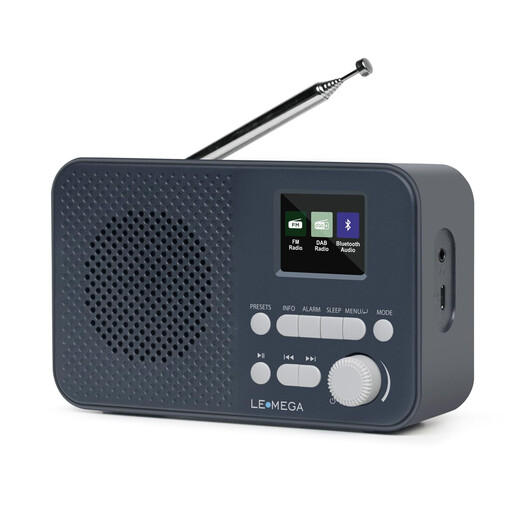
LEMEGA DAB Go DAB+/FM radio
Listen to the morning news on DAB+/FM, with presets for quick station selection and the option to use headphones.
- 40 station presets
- Headphone socket and Bluetooth
- Rechargeable 2200-mAh battery; charged via USB-C
View at Joybuy
 No image available
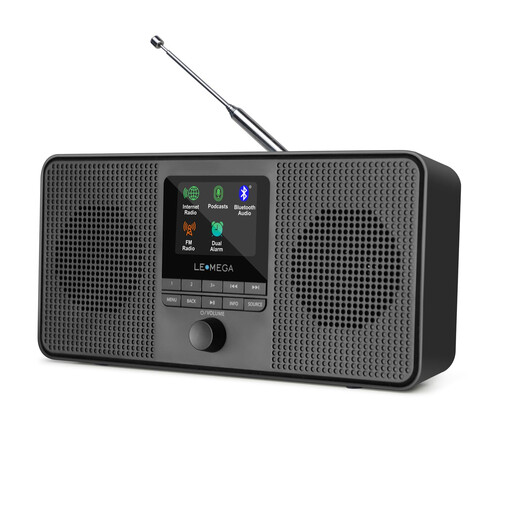
LEMEGA IR4S internet radio
If you want to listen to internet radio or podcasts as well as DAB and FM, this model gives you several ways to tune in and listen.
- Internet radio and podcasts
- DAB and FM stereo
- Bluetooth
View at Joybuy
 No image available
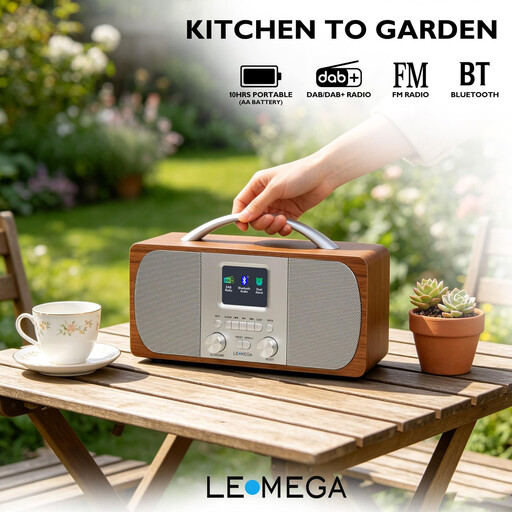
LEMEGA DR6 Stereo DAB Radio
Listen to the news on DAB+/FM and tune in quickly with presets. According to the product name, this model can run on mains or batteries.
- 40 presets
- Headphone socket and Bluetooth
- Mains or battery powered
- Dual alarm and sleep timer
View at Joybuy
 No image available
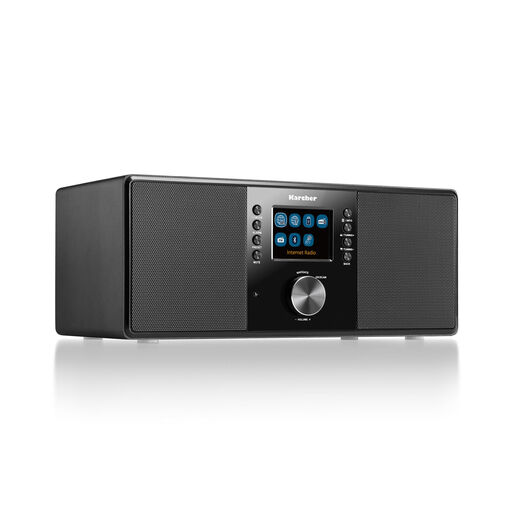
Karcher DAB 7000i internet radio
Choose between DAB+ and internet radio at your desk, and connect headphones when you need to listen privately.
- Wi-Fi, Bluetooth, DAB+ and FM
- RDS and 2.4-inch colour display
- USB, AUX-in, line-out and headphone socket
- Alarm, remote control and 14 W
View at Joybuy
 No image available
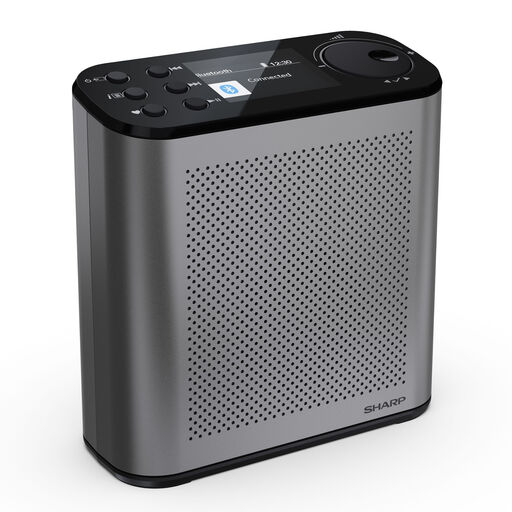
SHARP DR-P530(GY) Osaka portable digital radio
Listen to the news on DAB+/FM with a portable radio that offers plenty of station presets and a rechargeable battery.
- 120 station presets
- Bluetooth 5.3
- USB-C charging and up to 15 hours of battery life
- 2.4-inch colour display
View at Joybuy
Frequently asked questions
Can I receive Deutschlandfunk via DAB+ at any desk when working from home?
No, reception at your specific desk isn’t guaranteed. DAB+ Mehr Radio lists Deutschlandfunk as a nationwide station. Check the indoor coverage forecast for your location and reception at your actual desk too, as local conditions may differ.
What can I do if reception drops out after I set up the radio?
Try moving the aerial, and if necessary, placing the radio closer to a window. Tune in to stations again by following the instructions for your specific model. If the problem persists, check whether your preferred station is available through another reception method.
Does DAB+ need Wi-Fi when I’m working from home?
No, DAB+ receives radio stations via an aerial, so it doesn’t need Wi-Fi. You only need an internet connection for internet radio. A radio with both reception methods may offer an alternative, depending on whether your preferred station is available.
Does Bluetooth on a radio automatically mean it works with headphones?
No, receiving Bluetooth audio and transmitting audio to wireless headphones are different functions. Check whether the specific model has a headphone socket or explicitly supports Bluetooth transmission.
What type of power supply is right for a desk radio?
Mains power may suit a radio that stays in one place, provided there’s a socket nearby. If you want to move it around, a rechargeable battery or disposable batteries may be an option, depending on the model. Check the product details to see which power supply it uses and whether the required mains adaptor is included.


