What to look for when buying
Start by working out the image width you need and where the lens can go. Then consider ambient light, the input signal and sound as separate requirements.
| Consideration |
What to check before buying |
Who it matters most to |
| Image size and setup |
Measure the screen width and the distance from the lens to the screen. Check both against the throw ratio of the specific model; Epson and BenQ explain how to calculate this. |
If I need a clear picture from the back row, I plan the image width and line of sight together. For around 36% of consumers, visibility from the furthest seat comes first. |
| Visibility in ambient light |
Take the screen area and the light falling on the projection surface into account. Compare brightness figures only on the same measurement basis; a lumen figure alone can’t guarantee visibility in the room. |
If I can’t darken the room, I want to assess the planned image area under the lighting conditions I’ll have during the event. Around 29% of consumers prioritise a visible picture in ambient light. |
| Movement and picture detail |
Check native resolution separately from supported input signals and the broadcast format. A projector’s Full HD resolution doesn’t tell you how much detail the source material contains. |
If I want to make out dance moves and on-screen information, the signal and projector need to suit the broadcast. Around 21% of consumers focus on picture detail and movement. |
| Sound and operation |
Check the connections for your playback device and, if needed, an external sound system. If you’re considering a lamp projector, also check the maintenance information for that specific model. |
For music and announcements at a group event, what matters to me is whether they’re clear at the furthest seat. For around 14% of consumers, sound and the running of the broadcast come first. |
Joybuy projectors for different setups
Depending on the model, these Joybuy projectors may suit mobile screenings or flexible placement. If you’re using a large screen, check in particular that the image width and actual projection distance suit the room.
 No image available
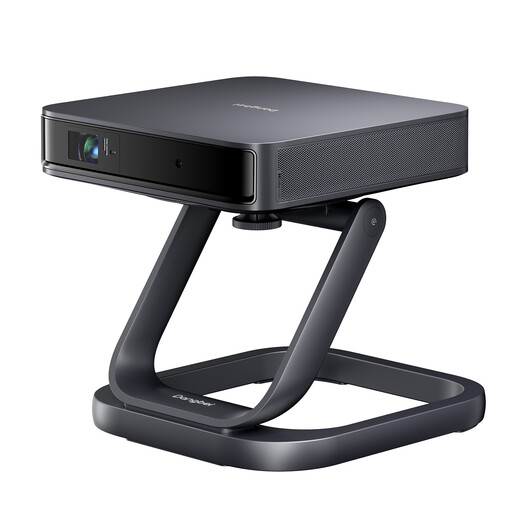
Dangbei Atom portable laser projector with desktop stand
The portable design may be useful for a mobile screening, but the image width and projection distance still need to suit the room.
Laser light source; portable design; desktop stand listed as a gift in the product title.
View at Joybuy
 No image available
Projector with automatic picture correction and 180° rotation
If you need flexibility when positioning the projector, the product title lists 180° rotation and automatic picture correction. Check whether you can achieve the image width you want from the chosen position.
Listed in the title: 50–200-inch picture size, 50–100% digital zoom, HDMI compatibility and 180° rotation.
View at Joybuy
 No image available
XGIMI Vibe One portable mini projector
For a changing setup, the product title lists an integrated 160° stand. For a dance broadcast, check that the input format and image area you need suit your setup.
Listed in the title: 1080p, 250 ISO lumens, Bluetooth and Wi-Fi.
View at Joybuy
 No image available
XGIMI Elfin Flip laser projector
If you want to set up the projector in different locations, the product title lists a foldable design. Check that the stated brightness and image width you need suit the room’s lighting conditions.
Listed in the title: 1080p, 1.600 ISO lumens and RGB triple-laser light source.
View at Joybuy
 No image available
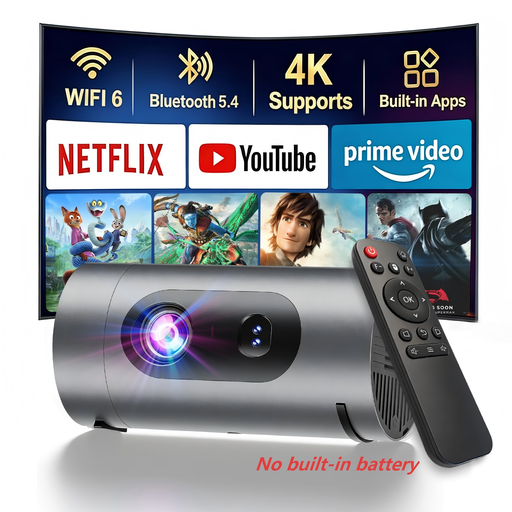
XBJ 1080P portable mini projector
For a mobile screening, the product title describes a portable projector that can run from a power bank. Check in advance that the intended image size and projector position suit the room.
Listed in the title: native 1080p resolution, supported 4K decoding, 800 lumens and power-bank operation.
View at Joybuy
Frequently asked questions
Is the distance from the audience to the screen also the required projection distance?
No. For the setup, what matters is the distance from the projector lens to the screen: divided by the image width, this gives you the throw ratio. First work out the image width you need, then check the permitted distance for the specific model.
How can I check that the picture will fit the room before installation?
Measure the image width you want and the available position for the lens, then compare them with the specifications or a throw distance calculator for the exact model. Epson offers a projection distance simulator; check the actual measurements and picture position before planning a permanent installation.
Is the built-in speaker loud enough for the back row?
You can’t tell for certain from the wattage alone. BenQ lists 10 W for the TH585P and ViewSonic lists 3 W for the PX704HD. Test music and announcements from the furthest seat, and check whether you can connect an external sound system if needed.
What maintenance should I plan for with a lamp projector?
For the specific model, find out how to source a suitable replacement lamp and fit it in line with the manufacturer’s instructions. ViewSonic notes that the replacement method varies by projector.
What should I consider when showing a dance competition in public?
Check the rights separately from your choice of projector. GEMA lists a tariff for sporting events where music is an integral or essential part, including dancing. This doesn’t give blanket permission to show any competition broadcast in public.


