What should you look for when buying?
First, decide how large you want your finished dance photo to be. Then check that the printer, paper feed and output fit the space you have in mind, and that the connection and consumables work for your day-to-day needs.
| Consideration |
What to check before buying |
Who is this especially important to? |
| Space needed while printing |
Allow for the printer body, paper cassette, feed and output tray together. Canon gives the dimensions of the PIXMA TS7750i with its trays retracted. |
If you’re short on desk space, you’ll want to load paper and collect your prints without constantly rearranging your workspace. Around 36% of consumers put available space first. |
| Finished dance photo size |
Compare the image area and supported paper size: Fujifilm lists 62 × 46 mm for the instax mini Link 3 and 62 × 99 mm for the Link WIDE 2; Canon lists 100 × 148 mm for the SELPHY CP1500. |
If you want the dancer or a sequence of movements to be easy to make out in the print, the actual image area matters. Around 29% of consumers prioritise the finished image size. |
| Direct printing from a mobile device |
Check that the app and connection work with your smartphone. Canon lists Wi-Fi, USB and a memory card slot for the SELPHY CP1500; the instax mini Link 3 requires a smartphone app. |
If you want to print photos straight from your smartphone, check in advance that the connection and app you plan to use work with your device. Around 21% of consumers prioritise direct mobile printing. |
| Consumables |
Compare only materials that are compatible with the model and format, such as film, paper-and-ink ribbon sets, cartridges or ink. Epson identifies the ET-8500’s yield figures as manufacturer claims. |
If you plan to print dance photos regularly, you’ll want to estimate the ongoing cost of consumables for the number of prints you have in mind. Around 14% of consumers focus on these costs. |
Mobile printers at Joybuy
This selection includes compact thermal printers for printing basic images from a smartphone. Before buying, check that the print format and level of detail are right for your dance photo.
 No image available
Mini thermal printer for smartphone photos and notes
Designed for printing smartphone images on the go; check whether the print format is large enough for your dance photos.
Bluetooth connection according to the product description.
View at Joybuy
 No image available
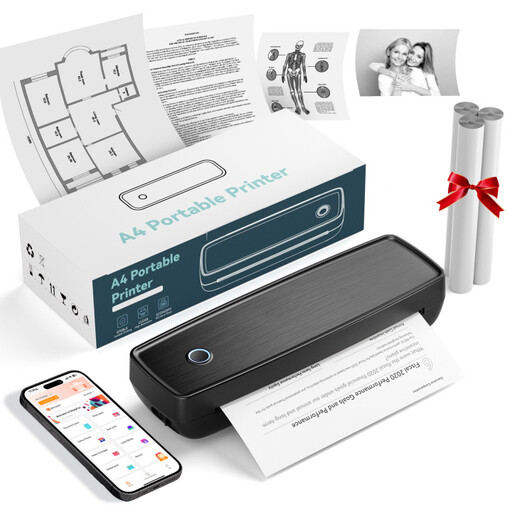
Portable thermal printer with Bluetooth and USB-C
Described as suitable for basic smartphone images and printing on the go; check whether the prints meet your needs for dance photos.
Bluetooth and USB-C are mentioned in the product name. The description lists thermal paper rolls and folded paper.
View at Joybuy
 No image available
Portable black-and-white thermal printer with Bluetooth
Described as a portable printer for smartphone images. The title specifically states that it prints in black and white, so check whether that suits your dance photos.
Bluetooth and a 1200 mAh battery are mentioned in the product name.
View at Joybuy
 No image available
Portable thermal printer for iOS and Android
Described as suitable for smartphone photos and labels; check in advance that the print format and image quality meet your needs.
The product details list Bluetooth and compatibility with iOS and Android.
View at Joybuy
 No image available
Phomemo T02-WH mini thermal printer
Described as suitable for printing from a smartphone on the go; compare the print format with the size you want for your dance photos.
The product description lists Bluetooth and thermal printing without ink cartridges or toner.
View at Joybuy
Frequently asked questions
Can I print dance photos from my smartphone and computer?
It depends on the model. Canon lists Wi-Fi or USB for computers, and Wi-Fi with the SELPHY Photo Layout app for compatible mobile devices, for the SELPHY CP1500. The instax mini Link 3 requires a smartphone app; check that it is compatible with your device.
How much desk space does the printer need?
Don’t base your decision on the printer’s dimensions when it’s closed alone. Canon gives dimensions of 374 × 350 × 208 mm for the PIXMA TS7750i with its trays retracted, and lists a rear paper feed. Check that you can load paper and collect your prints where you plan to put it.
What consumables do I need for more photos?
Consumables must be compatible with your printer and format. The SELPHY CP1500 uses paper and an ink ribbon from a compatible set; the instax mini Link 3 uses instax mini film, sold separately, while the Link WIDE 2 uses WIDE film. Check which consumables work with your specific model.
What are my rights in Germany if a product develops a fault after purchase?
If you buy a new product that is faulty, you generally have two years of statutory rights against the seller, as explained by Verbraucherzentrale. A voluntary manufacturer’s guarantee is separate; the fault and date of delivery are relevant to your individual case.
Can I put an old photo printer in the household bin?
No. The German Environment Agency explains that electrical and electronic waste must be disposed of separately from household rubbish. Find out about suitable return and collection points near you.


