What should you consider when choosing?
Start by deciding on the finished print size. Then consider how many prints you need, how the existing photos will look, and whether you want to add small pictures directly from your smartphone to the design.
| Priority |
What to check before buying |
Who is this important for? |
| Suitable print size |
Measure the space available for the image and compare it with the paper sizes and borderless printing supported by the specific model. |
If I want to arrange several recognisable dance shots on a project page, the print size needs to suit the space I have planned. Around 36% of consumers put the right format first. |
| Materials for multiple prints |
Check which photo paper and, depending on the printing technology, which ribbon, ink or film the model uses. |
If you’re planning several prints or test prints, you’ll want to factor in the paper and the right printing materials together. Around 29% of consumers prioritise the number of prints and the materials required. |
| How the photo looks |
Preview the cropped file before making a large print, and print a test copy in the planned size if needed. |
If the movement in the photo looks soft or blurred, I should check whether that’s the effect I want in the finished image. Around 21% of consumers focus mainly on how their existing photo looks. |
| Small smartphone prints |
Compare the image area and check the connection, app and compatible consumables for the specific model. |
For a collage of small pictures, I want to work directly from my smartphone if possible and am happy to accept a smaller image area. Around 14% of consumers prioritise this mobile mini-layout. |
Joybuy products
The Joybuy selection below includes portable thermal printers for images, with some models also supporting A4 printing. Check whether each model can produce the colours your project requires; the first printer is explicitly described as producing black-and-white prints.
 No image available
Portable Bluetooth thermal printer for photos, notes and labels
For small smartphone prints when black-and-white output is all your design needs.
Black-and-white thermal printing with Bluetooth connectivity for iOS and Android devices. According to the product details, ten rolls of thermal paper are included.
View at Joybuy
 No image available
Portable mini thermal printer for photos and notes
An option if you’re looking for a portable printer that connects to your smartphone.
Thermal printing; the product description lists Bluetooth and printing for photos and notes. Before buying, check whether it supports the colours you need.
View at Joybuy
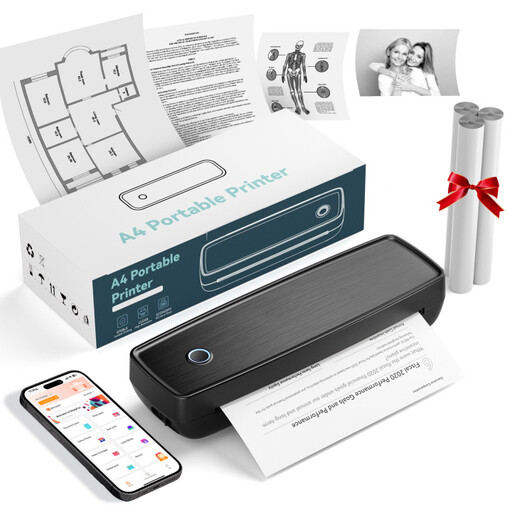 No image available
Portable thermal printer with Bluetooth and USB-C
For simple photo and document printing on the go, if Bluetooth or a USB-C connection suits the way you plan to work.
The product description lists Bluetooth, USB-C, paper rolls and folded paper. Check that the print size and colour output are suitable for your dance photos.
View at Joybuy
 No image available
RONGTA F11B portable A4 thermal printer
For printing images on A4 paper if your project calls for this size and thermal printing delivers the finish you want.
The product details list support for A4, A5 and B5, Bluetooth and USB, as well as 203 DPI and a print speed of 16 mm/s. Check that the colour output suits your specific project.
View at Joybuy
 No image available
RONGTA F12B portable A4 thermal printer
For A4 image printing if this size suits your project page and thermal printing meets your design requirements.
The product details list support for US Letter, A4, A5 and B5, as well as Bluetooth and USB. They also specify 203 DPI and a print speed of 16 mm/s. Check that the model can produce the colours you want.
View at Joybuy
Frequently asked questions
Will a small photo printer be enough for my dance photos?
Yes, if you’re planning to use small individual pictures in your finished project. Canon Deutschland lists 100 × 148 mm among the print sizes supported by the SELPHY CP1500. If you want a dance photo to fill an A4 page, choose a model that supports photo printing in that size.
How do I send photos to the printer, and what can I do about streaks?
Check the connection options supported by the specific model. Canon Deutschland lists Wi-Fi for mobile devices and computers, as well as an SD card reader, among the SELPHY CP1500’s features. If prints from an affected Epson EcoTank or Expression printer are pale or streaky, Epson Deutschland recommends checking the nozzles first, then cleaning the print head if necessary. Follow the guidance for your specific model.
Which consumables will I need, and what should I do if something is faulty?
Depending on the printing technology, you’ll need compatible photo paper and ribbon, ink or instant film. Verbraucherzentrale distinguishes between your statutory rights against the seller and a voluntary manufacturer’s guarantee. Online purchases generally come with a 14-day right to cancel, although the conditions depend on the individual circumstances.
Can I photograph classmates who are recognisable and show them the pictures?
Before taking or sharing photos, check with the school how they’ll be used and who will see them. You can’t assume that the same blanket permission applies to every school and every use. The Landesbeauftragte für den Datenschutz Niedersachsen requires explicit consent to publish photos of pupils on the website of a state school. This applies to the publication described in Lower Saxony and does not automatically apply to project work submitted solely for internal use in every federal state.


