
Lieferung heute & morgen

Qualitätsgarantie

Willkommens-Angebote freischalten: KOSTENLOSE Lieferung | Bis zu 80 % RABATT | Kostenlose 30-Tage-JoyPlus-Testphase
App herunterladen
Drivers of older vehicles know the problem: the built-in radio is outdated, there's no navigation, and modern features like Apple CarPlay or Android Auto are missing. A CarPlay Display with Dash Cam promises a quick and affordable upgrade. However, the market is flooded with devices of widely varying quality. Many buyers are frustrated by unstable connections, screens that are difficult to read, or unusable camera footage.
As a Joybuy Product Recommendation Officer, I analyse product data to provide you with objective decision-making tools. This guide highlights the three most common pitfalls when buying and explains which technical parameters you need to look for to make a future-proof choice.
Many devices advertise long feature lists, but the devil is in the details. Pay attention to these three points to avoid a bad purchase:
Wireless CarPlay is only convenient if the connection remains stable. Budget models often use outdated Bluetooth and Wi-Fi modules, leading to constant disconnects—which is especially frustrating when you're relying on navigation.To avoid these issues, you should check three core technical areas before buying. These define the real-world performance and user experience of a device.
An external CarPlay screen lives and dies by its wireless connection to your smartphone. Two technologies are critical here:
wireless CarPlay and Android Auto.The display is your primary interface. A 10-inch CarPlay display offers an excellent overview for navigation, but size isn't everything.
If you choose a CarPlay Display with Dash Cam, check the camera specifications carefully.
CarPlay with Reversing Camera increases safety when parking. The camera should offer at least 720p resolution and be waterproof to the IP67 standard. It's also important that the display automatically switches to the reversing camera as soon as you engage reverse gear.Based on these objective criteria, we have identified products that offer a suitable solution for different user profiles.
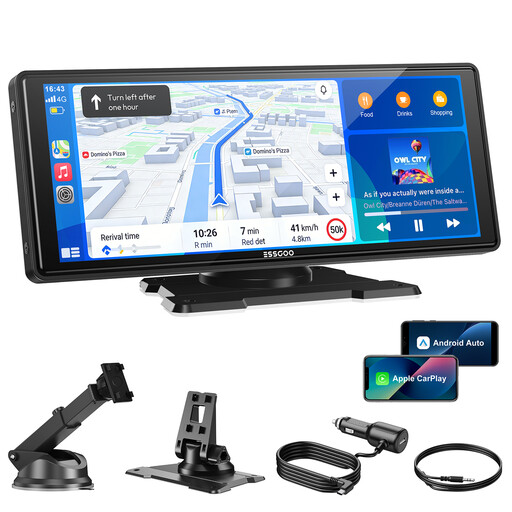
Why This Fits Their Persona: This model is ideal for users seeking a reliable, large display for wireless CarPlay and Android Auto without paying extra for an integrated dash cam. It provides all the core features for a modern driving experience.
Thanks to dual-band Wi-Fi (2.4/5 GHz) and Bluetooth 5.3, it avoids the unstable connections common in cheaper devices.
Large 10.26-inch HD display (1600x600) for clear visibility and four different audio output options (AUX, FM, Bluetooth, internal speaker) for maximum flexibility.

Why This Fits Their Persona: The perfect choice for drivers looking for a fully integrated solution. This device combines a high-quality CarPlay display with a powerful 4K front dash cam and a 1080p reversing camera.
Unlike many combo devices, the dash cam's 4K resolution actually delivers usable video footage. The included 64 GB card also avoids hidden follow-up costs.
A true 2-in-1 solution with a 4K front camera, 1080p reversing camera, and loop recording. The 64 GB memory card is already included in the package.
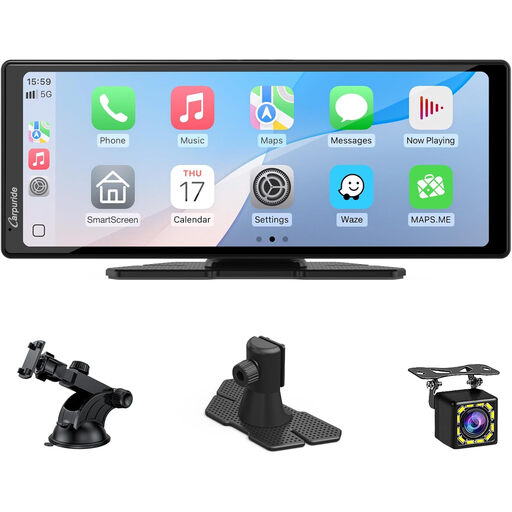
Why This Fits Their Persona: Ideal for drivers of larger vehicles (e.g., SUVs, vans) or anyone specifically looking to retrofit a reliable parking assistance system, combined with the benefits of CarPlay and Android Auto.
The included reversing camera ensures compatibility and saves you the trouble of searching for a suitable camera separately, which often leads to issues.
The package includes a 720p reversing camera. The large 10.26-inch display provides an excellent, clear view when reversing and parking.
We have compiled a complete, up-to-date list of products that fully meet these strict selection criteria and rigorous safety standards.
Most of these devices are designed as Plug and Play CarPlay solutions. Installation is simple and typically does not require a trip to the workshop:
Yes, there are typically four ways to do this:
Reliability heavily depends on the technology used. Models with dual-band Wi-Fi (2.4 GHz and 5 GHz) offer a significantly more stable and faster connection than devices that only use the crowded 2.4 GHz band. A stable connection is crucial for navigation, music streaming, and calls to function without interruption.