Students working by a bright window
You read and code in daylight, and want to weigh up reflections, display quality and the rest of the specification.


For data science work by a bright window, start by choosing a display whose finish and brightness suit the light you actually work in, then match the memory to your local datasets. A dedicated GPU is particularly important if your course software or projects require a specific acceleration route. Neither a matte finish nor a brightness rating guarantees good visibility in direct sunlight.
You read and code in daylight, and want to weigh up reflections, display quality and the rest of the specification.
You mainly process data on your own laptop and want to make sure you have enough memory, while considering whether you might be able to upgrade it later.
Your course or project may require a particular acceleration route; the specific software requirements will determine which GPU is suitable.
Start with the light where you work and the amount of data you process locally. Choose a GPU for the software you need to run, not simply because of your subject.
| Priority | What to check when buying | Who it matters most to |
|---|---|---|
| Visibility by a window | Consider the anti-glare finish and brightness of the exact display variant together; if possible, view it in similar lighting. | If I read and code right by a bright window, I want the screen to remain easy to see in daylight. Around 36% of consumers put visibility by a window first. |
| Memory | Check the RAM in the version available to order, and whether it is soldered or fitted in slots. | When working with local datasets, I want enough RAM and to know whether I can upgrade it later. Around 29% of consumers prioritise memory for local data work. |
| Portability | Compare the weight, ports and actual keyboard layout for the full model number. | If I take my laptop between lectures and study locations, weight and the right ports matter to me. Around 21% of consumers put portability and study-friendly features first. |
| GPU compatibility | Check your course software and the required CUDA or MPS route before choosing a GPU and operating system. | If my course requires local GPU acceleration, the computer must support the required software route. Around 14% of consumers prioritise compatibility with local GPU acceleration. |
The coating, brightness and direction of the light all work together. Even an anti-glare display is not reflection-free.
Check the exact display variant and, if possible, assess it at the window where you usually work. The DGUV recommends positioning your screen so that you look parallel to the window front.
CUDA has specific hardware and software requirements; a general AI label does not prove that a device supports the required CUDA route.
Before choosing, check which GPU and software version your course or project actually requires.
The display, memory and keyboard layout can vary between versions. For example, Lenovo lists a Swiss keyboard for the documented ThinkPad T14 Gen 6 AMD 21QJ001TML.
Compare the full model number, display specification, RAM configuration and keyboard layout for the exact model you are considering.
Google Colab does not guarantee that computing resources will be available.
Check in advance whether your project needs to run locally or whether the cloud resources available at the time will be sufficient for your workflow.
The ExpertBook P5 P5405CSA is an example of a portable Windows work laptop with an anti-glare display.
The ThinkPad E14 Gen 7 AMD and T14 Gen 6 AMD offer different combinations of display, memory and features.
The MacBook Air M5 is worth considering if your study software runs on macOS and its acceleration route suits your projects.
The Dell Pro 14 Plus PB14250 is a configurable business laptop where choosing the right display and ports is key.
The EliteBook 8 G1i 14 is another documented Windows option for everyday study.
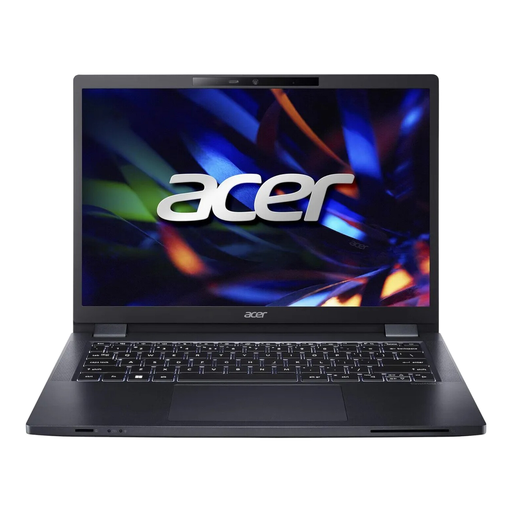
The Joybuy models below include portable study laptops with integrated graphics and one model with NVIDIA RTX 5070. Display and RAM specifications vary by configuration.
 No image available
Could suit local data work if you want the option to upgrade the memory later.
14-inch WUXGA display; check the finish and brightness of the exact display for use by a window.
16 GB DDR4, two SO-DIMM slots and support for up to 64 GB RAM; Intel Iris Xe graphics; stated weight: 1,41 kg.
 No image available
Could be a good fit if you want a larger anti-glare display and enough memory for local data work.
16-inch WUXGA display with anti-glare finish and 400 Nits; 32 GB DDR5 and two SO-DIMM slots, expandable to up to 64 GB according to the product listing.
Integrated AMD Radeon 740M graphics; German keyboard layout and stated weight of 1,7 kg.
 No image available
An option for local data work if you are looking for a configuration with 32 GB RAM and a large display.
16-inch IPS WUXGA display with 400 cd/m²; check the finish and reflections of the exact display for use by a window.
Integrated Intel graphics with shared memory; stated weight: 1,74 kg.
 No image available
Could suit working by a window and processing data locally if an anti-glare 16-inch display works for your workspace.
16-inch WUXGA display with anti-glare finish and 400 cd/m²; 32 GB DDR5.
Integrated Intel Arc graphics; stated weight: 1,7 kg.
 No image available
If your project requires a dedicated GPU, check this version against the specific GPU and software requirements.
NVIDIA RTX 5070 with 8 GB GDDR7; 16-inch display with a 240 Hz refresh rate and matte finish, rated at 500 Nits.
32 GB RAM; expandable to up to 96 GB according to the product listing.
No. A matte finish reduces direct reflections, but it does not make a display reflection-free. Assess the exact version in similar lighting and, where possible, position your workspace so that you look parallel to the window front.
It depends on your datasets and the steps you take. The pandas documentation notes that some operations need temporary copies, which can make datasets demanding even when they are smaller than the total available RAM.
Not necessarily. If a course or project requires CUDA, you need a CUDA-capable GPU and compatible software. PyTorch also documents MPS as a different acceleration route for compatible Macs; check which software route your work actually requires.
For an online consumer purchase from a business seller, you generally have a 14-day right to cancel. The Verbraucherzentrale explains this period for Germany; Your Europe states that faulty goods are covered by a legal guarantee of at least two years from receipt. A voluntary manufacturer’s warranty is separate.