If you already have a suitable monitor and mainly work on CPU-based tasks, a well-equipped mini PC could be a good fit. If you need a screen too, an all-in-one is another option. A tower with a suitable NVIDIA GPU is mainly worth considering if your course specifically requires local CUDA execution – PyTorch treats this as a different route from Apple’s MPS. Before you buy, count the sockets needed for your computer, screen and peripherals, check the exact RAM and SSD configuration, and make sure you stay within the load limit of your extension lead.
Which form factor suits you
Students with limited study space
If desk space is tight and only a few sockets are free, consider your whole set-up: your computer, screen and other devices all need suitable connections. Germany’s home safety association recommends staying within the load limit of your extension lead and not plugging extension leads into one another.
Students working with larger datasets
For local data work, the installed RAM and any intermediate processing steps matter. The pandas documentation notes that analyses may need additional copies of data in memory.
Students doing local GPU exercises
If your course requires local GPU computing, first check whether it specifically requires CUDA. PyTorch describes CUDA for compatible NVIDIA GPUs, and MPS as a separate GPU route for macOS.
What to look for when buying
Mini PC with a separate screen
A good fit if: you mainly work on CPU-based course tasks and already have a suitable monitor.
The trade-off: the computer and screen are separate devices, each needing its own power supply. A mini PC kit may also be supplied without RAM or a storage drive.
All-in-one
A good fit if: you want to buy the computer and screen together and reduce the number of separate devices in your workspace.
The trade-off: you can’t choose or replace the display and computer independently. The form factor alone doesn’t guarantee lower power consumption.
Tower with a suitable NVIDIA GPU
A good fit if: a course task specifically requires local CUDA execution and the particular GPU is suitable for it.
The trade-off: you’ll still need a separate screen. Check the specification of the exact configuration, as well as its space and power requirements.
When you’re comparing options, look at your complete set-up rather than just the computer case. The screen, power supplies, installed RAM and any GPU features you actually need can all affect your decision.
| Priority |
What to check when buying |
Who it matters most to |
| Sockets and workspace |
Count the power connections needed for your computer, screen and peripherals. Check the extension lead’s load limit and don’t plug extension leads into one another. Germany’s home safety association also advises against placing extension leads somewhere they’ll be covered. |
If there are only a few free sockets where I study, I need to consider the whole set-up: computer, screen and peripherals. Around 36% of consumers prioritise sockets and workspace. |
| RAM and local data |
Check the installed RAM, SSD and upgrade options for the exact configuration. pandas notes that processing steps can use additional memory. |
When working with local datasets, I want to know how much RAM is actually installed. Around 29% of consumers put memory requirements first. |
| Complete set-up |
Check what’s included and the exact model number. With a mini PC, remember to account for a screen, RAM or storage drive if they’re not included. |
If I still need a screen or other components, I compare the cost of a complete, ready-to-use set-up. Around 21% of consumers prioritise the total cost. |
| Local GPU exercises |
Check your course requirements. Only if CUDA is specifically required should you look for a suitable NVIDIA GPU and compatible software environment. PyTorch documents CUDA and MPS as different routes. |
If my course requires local CUDA execution, the specific GPU needs to meet that requirement. Around 14% of consumers make a task requiring local CUDA their main buying priority. |
Avoiding buying pitfalls
-
“Mini” doesn’t mean your whole workspace needs just one power socket
A mini PC and a separately connected monitor are two devices, each with its own power supply.
Before buying, count the power sockets needed for your complete set-up and check whether you already have a suitable monitor.
-
Maximum supported RAM isn’t the same as installed RAM
A figure for supported capacity doesn’t tell you how much RAM is already installed. The ASUS NUC 14 Pro is available as equipped mini PCs or as kits that may be supplied without installed memory or a storage drive.
For the exact model number, compare the details of the included and supported RAM and storage drive.
-
Not every GPU meets a CUDA requirement
PyTorch describes CUDA for compatible NVIDIA GPUs, and MPS as a separate macOS route. The word “GPU” alone doesn’t tell you whether a device is compatible.
Before buying, check the precise course requirements and the compatibility of your chosen GPU and software.
-
Don’t plug extension leads into one another
Germany’s home safety association warns of overloading and heat build-up, for example when an extension lead is covered by furniture or equipment.
Check the load rating of the extension lead you use, keep it uncovered and plan around the sockets you have without linking leads together.
Brands to consider
Lenovo
ThinkCentre M75q Gen 5 Tiny for a compact Windows workspace with a separate monitor.
- Lenovo Germany lists configurations with RAM and an SSD.
- The processor, graphics and service vary by part number; integrated graphics don’t establish CUDA compatibility.
ASUS
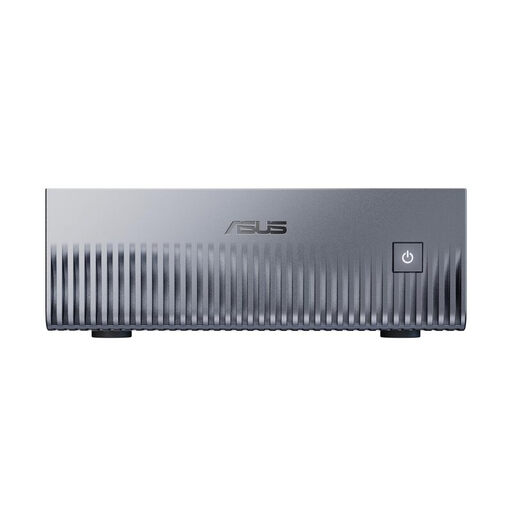
NUC 14 Pro for buyers choosing between an equipped mini PC and a kit.
- Depending on the version, ASUS offers mini PCs with RAM and an SSD, as well as kits without installed memory or a storage drive.
- The model number and what’s included are key to your purchase; performance claims aren’t an independent comparison test.
HP
OmniStudio and ProStudio all-in-ones if you need a screen too, alongside Pro Mini computers that use a separate screen.
- HP’s overview lists the display, RAM and SSD for certain all-in-one configurations.
- These details don’t automatically apply to other versions or mini PCs; integrated graphics don’t establish CUDA compatibility.
Apple
Mac mini (2024) as a compact macOS computer if your course software runs on macOS and doesn’t require local CUDA.
- Apple Support lists 16 GB of unified memory and a 256 GB SSD for the M4 base configuration.
- Other configurations are available. PyTorch documents MPS as a macOS GPU route, not CUDA.
Dell
A configurable Dell tower if a task requiring local CUDA specifically calls for a suitable NVIDIA GPU.
- For the ECT1250, Dell lists configurations with integrated graphics and one configuration with a GeForce RTX 5060.
- The configuration you choose is what matters. Remember to factor in a separate monitor and its power supply.
Joybuy products
The compact desktop and mini PC systems below are designed for a workspace with a separate screen, so remember to allow for its own power socket.
 No image available
SOYO Y5Pro Mini PC, Intel Core i5 8250U/8350U, 8 GB DDR4, 256 GB SATA SSD
Could be worth considering for local computing tasks with a suitable monitor; the separate screen needs its own power socket too.
The product name lists 8 GB DDR4 and a 256-GB SATA SSD. Check whether the installed RAM is suitable for your course projects.
Joybuy
 No image available
ASUS Ascent GX10 Mini AI Supercomputer, NVIDIA Grace Blackwell GB10, 128GB Unified Memory, 2TB SSD, Linux (DGX™ OS)
One option if your local tasks call for plenty of unified memory and SSD storage; check that it’s compatible with your course software and operating system.
The product name lists 128GB Unified Memory, a 2TB SSD and Linux (DGX™ OS). According to the product details, allow at least 5 cm of clearance around the device and use the supplied 240-W power supply. A screen needs an additional power socket.
Joybuy
 No image available
THUNDEROBOT Mini PC Workstation AI Max+ 395, 128GB LPDDR5X 8000MT/s, 1TB SSD
Could be a good option for local data work that requires plenty of memory; check separately that the specification suits your particular software.
The product name lists 128GB LPDDR5X at 8000MT/s and a 1TB SSD. As with any mini PC, a separate screen needs its own power socket.
Joybuy
 No image available
ACEMAGIC E3B Mini Desktop Computer, AMD Ryzen 7 7735HS, 24GB LPDDR5, 512GB NVMe SSD
Could suit a compact study space if the specific configuration can handle your local course tasks.
The product name lists 24GB LPDDR5, a 512GB NVMe SSD and 2×M.2 2280 Slots (Up to 4TB). Allow an additional power socket for a separate screen.
Joybuy
 No image available
MaxMini B3 Mini PC, Intel N4100, 8 GB LPDDR4, 256 GB SSD
Its compact design could work well if desk space is limited; check the specification against your course requirements.
The product name lists 8 GB LPDDR4 and a 256 GB SSD. A separate monitor needs its own power socket.
Joybuy
Frequently asked questions
Does my study PC need a dedicated graphics card?
Not necessarily: it depends on your specific course tasks. pandas highlights the memory requirements of local data processing. If an exercise specifically requires CUDA, check for a suitable NVIDIA GPU and compatible software. MPS on a Mac is a different route.
Can I plug my PC and monitor into the same extension lead?
It depends on the devices connected and the extension lead’s load limit. Check the specifications of all the devices you’ll be using at the same time, keep the lead clear to prevent heat build-up, and don’t plug extension leads into one another. Germany’s home safety association presents this as a safety recommendation, not a blanket ban on connecting a PC and monitor to the same extension lead.
What should I check before setting up a mini PC kit?
Check the exact model number and what’s included. ASUS offers the NUC 14 Pro as equipped mini PC versions and as kits without installed memory or a storage drive. Also check whether an operating system and screen are included.
What are my rights when buying online from a business seller?
For a qualifying distance purchase, you generally have a 14-day cancellation period, although exceptions and the exact start date of the period apply. The European Union’s Your Europe website states that faulty goods are covered by a legal guarantee of at least two years from the seller. This is separate from a voluntary guarantee.


