If daylight falls on the projection surface, first check whether you can block the windows or reposition the screen: a lumen rating alone does not guarantee visible contrast. Then choose a projector with a throw distance suited to your intended image size, and check that its picture and audio connections work with your playback device. A short-throw model can help when space is limited, but it won’t eliminate incoming daylight.
Who will be watching together?
Rehearsal team in a bright room
If you watch footage together during the day, you need to be able to make out gestures and stage positions despite the light from the windows. Brightness figures from Epson Deutschland and ViewSonic help you compare models, but they don’t replace checking how much light reaches the screen.
Group with a cramped rehearsal room
If there’s little space between the projector and screen, or walkways need to remain clear, the specific throw distance and intended image width are key. Optoma’s ZH450ST datasheet marks its specifications as provisional, so check the final model details.
Directors’ team reviewing details
For repeated viewings, the native resolution, viewing distance and connection to your playback device should all work together. The technical specifications from Epson Deutschland, BenQ and ViewSonic each apply to specific models.
What matters when buying?
First check the light and screen position, then the throw distance and image size. Only then can you sensibly assess how a projector’s specifications will translate to your rehearsal room.
Bright projector with a standard throw distance
A good fit if: There’s enough space between the projector and screen, and you can keep window light off the screen.
The trade-off: A higher stated light output is no substitute for blinds or checking how the image looks in your actual room.
Short-throw projector
A good fit if: There’s little room in front of the screen, or people would otherwise have to walk through the beam.
The trade-off: The throw distance and image width need to suit the exact model. Short throw won’t stop daylight from falling on the screen.
Check light control and the screen first
A good fit if: High windows are casting light onto the intended screen area. First check the screen’s position and whether the windows can be shaded.
The trade-off: An ALR screen is only an option if it’s compatible with the projection technology and the specific model.
| Buying priority |
What to check before buying |
Who it matters most to |
| Visibility in daylight from windows |
Assess the light falling on the screen, intended image size and options for shading together. |
If I need to make out gestures and stage positions during the day, controlling incoming light is my main priority; around 39% of consumers would prioritise visibility in daylight from windows. |
| Throw distance and walkways |
Measure the room and image width; check the specific model’s throw ratio and, where relevant, image correction. |
If you use a cramped rehearsal room, or the layout changes, you need a set-up that keeps walkways clear; around 23% of consumers would put throw distance first. |
| Image detail in the footage |
Match the native resolution to the image size and viewing distance; don’t confuse supported input signals with native resolution. |
If I need to assess gestures and positions in scenes, the image size and viewing distance must work together; around 23% of consumers would name image detail as their top priority. |
| Sound and playback |
Check the projector’s connections against your playback device, and allow for an audio output for external speakers if needed. |
If you regularly review footage together, you should be able to connect the video signal and audio to suit your existing equipment; around 15% of consumers would consider sound and operation first. |
Avoiding buying pitfalls
-
Taking a claim such as ‘suitable for daylight’ as a promise that the projector will work in direct sunlight from a window
Ambient light affects the visible contrast of the image. A projector’s brightness rating doesn’t tell you how much light reaches the specific screen location.
Check the intended screen location at the times you usually watch, and plan for shading and screen positioning before choosing a projector.
-
Choosing an ALR screen based on the word ‘daylight’ alone
The screen needs to be compatible with the projection technology. Epson’s ELPSC36 is designed for specific ultra-short-throw projectors, so it isn’t a one-size-fits-all choice for standard- or short-throw models.
Check the compatibility details and recommended set-up for the exact combination you plan to use.
An incompatible screen could mean you need to buy another one.
-
Assuming a supported 4K input signal means native 4K resolution
For the BenQ LH750, the manufacturer lists a native resolution of 1,920 × 1,080 pixels and support for signals up to 4K UHD. These are two different specifications.
When assessing image detail, compare the native resolution rather than looking only at supported input signals.
Relevant brands at a glance
Epson
The EB-FH54 is a Full HD presentation projector with 4,100 lumens and 3LCD technology, as specified by the manufacturer.
- Epson Deutschland lists automatic vertical keystone correction and several connection options.
- The specifications don’t confirm horizontal correction or guarantee a clear image in direct light from a window.
BenQ
The LH750 is a Full HD conference projector with 5,000 ANSI lumens, as specified by the manufacturer.
- BenQ lists two HDMI inputs, an audio output and a throw ratio of 1.16 to 1.88.
- Without comparable room and image conditions, the higher rated brightness alone doesn’t prove it will show rehearsal footage more clearly.
ViewSonic
The LS740HD is a Full HD laser installation projector with 5,000 lumens, as specified by the manufacturer.
- ViewSonic lists optical zoom and both horizontal and vertical keystone correction.
- Its advertised suitability for bright rooms is a manufacturer’s claim, not a test in this rehearsal room with its high windows.
Optoma
The ZH450ST is a Full HD short-throw laser projector and a possible option to compare if space in front of the screen is limited.
- The datasheet on Optoma’s German website lists 4,200 lumens.
- Optoma marks the specifications as provisional, so confirm the throw distance and final version for the specific model.
Panasonic
The PT-VMZ51 is a WUXGA LCD laser projector to consider when looking at a brighter installation solution.
- Panasonic Connect lists 1,920 × 1,200 native pixels and 5,200 ANSI lumens.
- The model specifications aren’t an independent comparison test and can’t predict how rehearsal footage will look in your room without details of the screen and incoming light.
Projectors at Joybuy
The Joybuy projectors below offer a range of image, set-up and playback options for group viewings. Before buying, check which EU requirements apply to the specific listing and whether the required CE marking is present. According to Your Europe, the European Union’s information service, the CE marking is not an independent quality mark.
 No image available
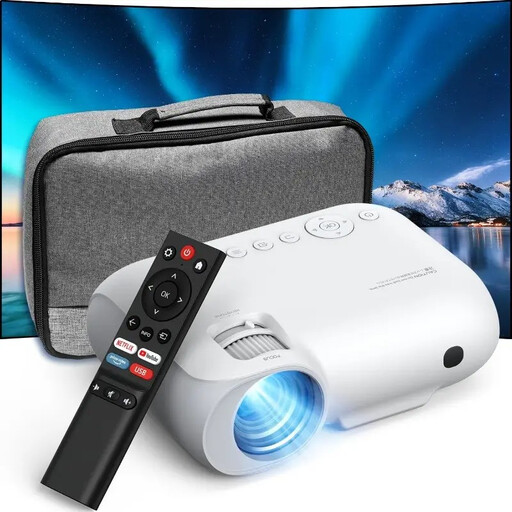
Projector with built-in apps and automatic image correction
The stated rotation and image correction offer flexible placement options. Check beforehand that the projector suits your room and screen.
The product name lists compatibility with HDMI, TV sticks and USB sticks, automatic image correction and 180° rotation.
Joybuy
 No image available
XGIMI Elfin Flip Laser 1080P
Native 1080p resolution is relevant for Full HD footage; the stated brightness alone doesn’t tell you how clearly the image will show in daylight from a window.
Features listed in the product name: native 1080p, 1,600 ISO lumens, RGB triple laser and built-in Harman Kardon sound system.
Joybuy
 No image available
XBJ TYYK8QBS Portable Projector
The stated 360° bracket allows flexible positioning. Check that you can set it up at the intended angle in your rehearsal room.
The product name lists native 1080p resolution, 4K decoding, WiFi 6 + 5G and BT5.4. 4K decoding is not the same as native 4K resolution.
Joybuy
 No image available
YOTON Y7 Native 1080P
Native 1080p resolution is relevant for Full HD footage. Check the throw distance and image size for your intended set-up.
Joybuy
 No image available
XGIMI Aura 2 4K Ultra Short Distance Laser Projector
The ultra-short-throw design is an option when there’s little space between the projector and screen. Check that the projector position works with your screen.
Features listed in the product name: 4K resolution, 2,300 ISO lumens and built-in 60 W speakers. The brightness rating alone doesn’t prove that the image will be clear in daylight.
Joybuy
Frequently asked questions
Is a high lumen rating enough if sunlight falls on the screen?
No. That alone doesn’t tell you whether the image will be visible. Check how much light falls on the screen, the intended image size and whether you can shade the room. BenQ’s brightness guidance isn’t a guarantee for this rehearsal room.
Can I use any ALR screen with a short-throw projector?
No. The screen and projection type need to suit the specific model. Epson explicitly lists the ultra-short-throw devices that are compatible with the ELPSC36.
How do I connect the footage and sound?
Check the outputs on your playback device against the projector’s inputs, and plan for separate audio playback if needed. For the BenQ LH750, the manufacturer lists two HDMI inputs and a 3.5 mm audio output; this doesn’t automatically apply to other models.
What are my rights if my projector is faulty?
When you buy from a business seller in the EU, you’re generally entitled to a legal guarantee of at least two years from the date you receive the goods. Your Europe, the European Union’s information service, distinguishes this legal guarantee from any additional manufacturer’s warranty. If there’s a fault, contact the seller first.


