What should you consider when buying?
First check how light and windows will fall on the screen from your planned viewing position. Then compare motion handling, viewing angles, reception options and running costs.
| What matters |
What to check when buying |
Who it matters most to |
| Window reflections and brightness |
Check the position of the windows from the planned screen location; compare reflection tests and brightness measurements for the exact model and picture mode. |
When I watch a race during the day, I want to be able to see the riders and on-screen race information despite bright windows. Around 33% of consumers put reflections and picture brightness first. |
| Motion handling |
Read tests for the specific model covering response time and motion blur; don’t rely on the advertised refresh rate alone. |
During fast camera pans, I want to follow the field rather than rely solely on a high refresh rate. Around 27% of consumers prioritise motion handling. |
| Picture quality from different seats |
Measure viewing distances and seats off to the side; check viewing-angle tests for the exact model variant. |
When we watch together from different seats, the picture should still be clear from the side. Around 20% of consumers focus mainly on shared viewing and choosing the right size. |
| Reception and running costs |
Check whether the race you want to watch is available through your preferred reception method; compare the EU energy label’s SDR and HDR information. |
I want to know before buying whether I can watch the race I want through my preferred reception method, and what running costs to expect. Around 20% of consumers prioritise reception and ongoing costs. |
Joybuy TVs for bright rooms
The Joybuy picks below include Mini LED TVs in a range of screen sizes. Match the screen size to your viewing distance, and check anti-reflection performance and motion handling on the specific model.
 No image available
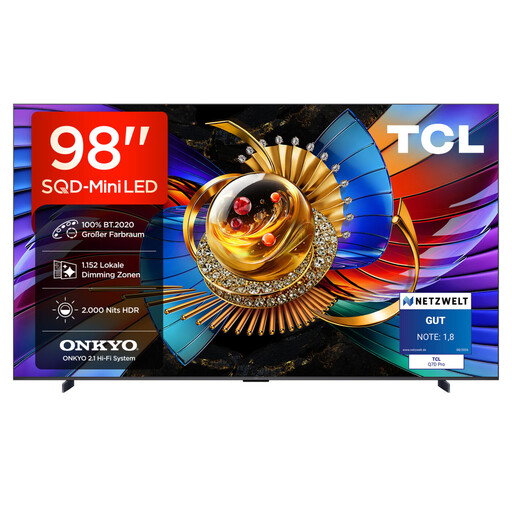
TCL 98Q7D PRO, 98-inch, 4K SQD Mini LED
The listed Anti-Reflection surface makes this a model worth considering, but check how well it works with your actual window position. 2,000 Nits HDR refers to peak HDR brightness and, on its own, doesn’t guarantee a clear view when there are direct reflections.
The product name lists 1,152 local dimming zones, 144 Hz and 100% BT.2020.
For wall mounting, you’ll need a bracket rated for at least 54.3 kg. Also measure your viewing distance for the 98-inch screen.
View at Joybuy
 No image available
TCL 85Q7D PRO, 85-inch, 4K SQD Mini LED
The listed Anti-Reflection surface is a reason to check for reflections from your planned viewing position. 2,000 Nits HDR refers to peak HDR brightness and, by itself, doesn’t prove the picture will be easy to see in direct window light.
The product name lists 1,056 local dimming zones, 144 Hz and 100% BT.2020.
Check that the 85-inch screen suits the space available and your viewing distance.
View at Joybuy
 No image available
TCL 75Q7D PRO, 75-inch, 4K SQD Mini LED
Check the listed Anti-Reflection surface against your window position. The 2,000 Nits HDR figure describes peak HDR brightness; it doesn’t automatically indicate how bright every broadcast will look.
The product name lists 760 local dimming zones, 144 Hz and 100% BT.2020.
Check that the 75-inch screen suits your viewing distance and the space available for it.
View at Joybuy
 No image available
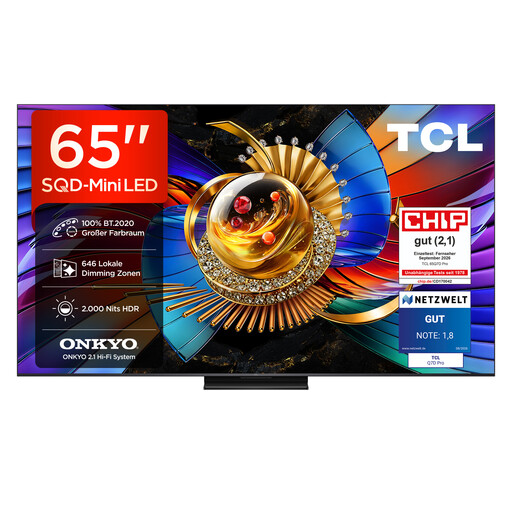
TCL 65Q7D PRO, 65-inch, 4K SQD Mini LED
Check the listed Anti-Reflection surface where you plan to place the TV. 2,000 Nits HDR refers to peak HDR brightness and, on its own, doesn’t tell you how direct window reflections will affect the picture.
The product name lists 646 local dimming zones, 144 Hz and 100% BT.2020.
You can compare the 65-inch screen with your viewing distance and the angles of the seats.
View at Joybuy
 No image available
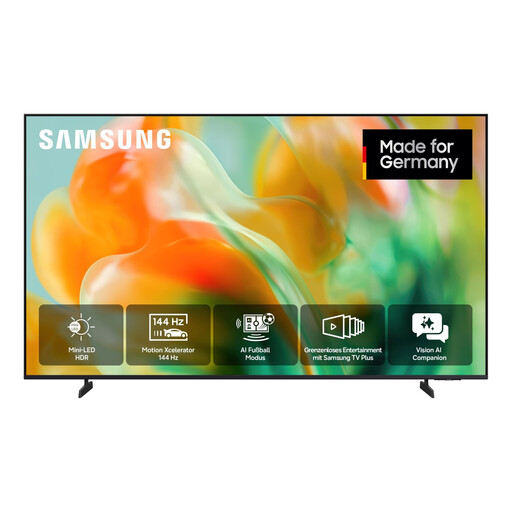
Samsung GU55M80H Mini LED M80H 4K Smart TV, 55-inch
For fast-moving race footage, the listed native refresh rate and Motion Xcelerator 144 Hz are worth checking. They’re no substitute for comparing motion handling on the specific model.
The description lists a 55-inch screen (138 cm), UHD 4K and DVB-T2 HD, DVB-C, DVB-S and DVB-S2.
Anti-reflection performance isn’t listed here as part of the product selection for this model, so check reflections separately in relation to your window position.
View at Joybuy
Frequently asked questions
Will a high peak HDR brightness prevent reflections from tall windows?
Not on its own. Check reflections from your viewing position and compare brightness measurements, taking note of the picture mode used for each one. CHIP publishes separate measurements for tested devices in their brightest mode and in Cinema or Filmmaker mode.
What should I measure before placing or wall-mounting the TV?
Measure your usual viewing distance and check which seats would have the windows in view of the planned screen position. Also confirm in advance what delivery and connection services are available.
Will a cycling race automatically be available through a smart TV app?
No. Availability depends on the broadcast rights for the specific race. According to ARD, online rights aren’t always available for live streams, particularly for sporting events. Internet-based TV features also require an internet connection.
How can I compare electricity use, and can I return my old TV?
The EU energy label for TVs includes information such as the efficiency class and energy use for SDR and HDR. The Umweltbundesamt explains that large electrical appliances such as TVs can be returned when you buy a new appliance of the same type, including with online purchases delivered to your home. Old appliances must not go in household waste.
Will I have to pay an additional broadcasting fee for another TV?
For private homes, the broadcasting fee generally applies per household, not per TV or resident. The Beitragsservice notes that there are exceptions and other living arrangements that should be checked separately.


