For daytime couch co-op, no single panel type is the deciding factor. Check for reflections from the actual position of your windows, then assess the picture from the seats at either end. An OLED with suitable anti-reflection treatment may work well when players are spread out, while a Mini-LED LCD is worth considering if most people sit centrally. Neither label guarantees low reflections or a clear picture from the sides. Also compare the specific model’s console signals, input lag, connections, size and energy label.
Who’s playing?
Daytime gaming sessions
You play in the afternoon in front of tall windows and want to make out the action and characters despite the incoming light. Check for reflections where you plan to put the screen, rather than relying on an advertised peak brightness figure alone.
Co-op group with multiple seats
Players are spread across the sofa or sitting in additional armchairs. Check whether colours and brightness remain consistent enough from the seats at either end; RTINGS.com identifies viewing angle as an important factor when seating is spread out.
Console players who value responsive movement
If jumps and fast-paced action matter to you, look for a responsive Game Mode and support for the signals your console can actually output. Check both on the specific model and with the games you play.
What to look for when buying
OLED with suitable anti-reflection treatment
A good fit if: several players sit to the side and tests of the specific model assess both viewing angle and reflections in a room with windows in the same positions as yours.
Trade-off: surface treatment and brightness vary between models. Image retention is also worth bearing in mind if static game elements stay on screen for long periods.
Mini-LED LCD
A good fit if: daylight is an important factor and most people sit near the centre. Check the specific panel and its reflection handling.
Trade-off: Mini-LED refers to the backlighting; it doesn’t guarantee a particular anti-reflection treatment or a wide viewing angle.
LCD with a tested viewing angle
A good fit if: lots of people sit to the side and a test of the specific model shows a sufficiently consistent picture from those seats. IPS LCD may be a panel type worth considering.
Trade-off: RTINGS.com generally describes IPS LCD panels as having wider viewing angles than VA LCD panels. That doesn’t mean they’re automatically better for reflections, contrast or gaming.
First compare the light and seating in your room, then look at the gaming features your console and games can actually use.
| Priority |
What to look for when buying |
Who it matters most to |
| Daylight and reflections |
Consider the position of the windows where you plan to put the TV, and check reflection tests for the specific model. |
If I play in the afternoon in front of tall windows, I want to get a clear idea of reflections and anything obscuring the picture. Around 36% of consumers put daylight and reflections first. |
| Picture from side seats |
Sketch out your seating arrangement and check the viewing angle of the specific model from the seats at either end. |
If other players sit at the end of the sofa or in armchairs, I want to know whether the picture stays consistent enough from those seats too. Around 29% of consumers prioritise side seating. |
| Responsiveness and console signals |
Check input lag in Game Mode, supported signals and the HDMI input you’ll use against your console and game. |
If precise jumps and quick controls matter to me, I look for responsive performance and console signals I can actually use. Around 21% of consumers say responsiveness is their top priority. |
| Size and running costs |
Measure your viewing distance and available space. Compare energy figures for SDR and HDR, as well as stand or wall-mount measurements. |
If I need to weigh up size and running costs together, I want a TV that suits my room and has energy figures I can compare. Around 14% of consumers prioritise space and running costs. |
Common buying mistakes
-
Assuming the highest Hz figure means the biggest benefit
The usable frame rate depends on the source, resolution and game. Nintendo Germany states that the Switch 2 supports up to 60 fps when outputting in 4K.
Check your console and games first, then compare Game Mode and the TV inputs you’ll need.
-
Assuming OLED or Mini-LED guarantees fewer reflections
Backlighting, surface treatment and horizontal viewing angle are separate features.
Check reflections and the view from the sides separately for the specific model.
-
Comparing only screen size and TV specifications
Viewing distance, available space and energy figures all affect how well a TV suits your room and how you use it.
Measure the space before choosing and compare the EU energy label. Check delivery and installation separately if you need those services.
-
Confusing your statutory rights with a voluntary warranty
An additional manufacturer’s warranty is not the same as your statutory rights against the seller.
Read the warranty terms separately and check who to contact if there’s a fault.
Key brands at a glance
Samsung
For its German OLED S95H, Samsung lists Glare Free and gaming features. This may be of interest for daytime viewing and side seating, but it’s no substitute for checking the TV in the position of your windows.
- Samsung lists Motion Xcelerator 165Hz, G-SYNC and FreeSync Premium Pro for the GQ65S95HFTXZG.
- The manufacturer’s claim doesn’t prove that reflections will be eliminated in every room. A test of a US model isn’t automatically a test of the German version.
LG
LG lists gaming up to 4K at 144 Hz for the German OLED55C57LA. The C5 range may be worth considering if you’re comparing OLED models for multiple seating positions.
- LG lists G-SYNC and FreeSync as supported features.
- Check the screen surface in bright light from windows. LG also warns of image retention when static images remain on screen for long periods.
Sony
The BRAVIA 9 K-65XR90 is a Mini-LED option. Sony lists an X-Anti-Reflection coating for this model.
- Sony specifies 120 Hz and 4K/120 support.
- According to Sony, VRR is available on HDMI 3 and 4. The anti-reflection features alone don’t guarantee a wide viewing angle.
TCL
The 65C8K listed in Germany is a Mini-LED option to compare with larger LCD models.
- TCL lists a native refresh rate of 144 Hz for the 65C8K.
- An advertised peak HDR brightness figure alone doesn’t tell you how clearly you’ll see content in your room during the day. Check reflections and the view from the sides separately.
Joybuy product selection
The Joybuy models below are Mini-LED TVs with gaming specifications. Compare their screen sizes and supported features with your room, viewing distance and console.
 No image available
TCL 98Q7D PRO, 98-inch 4K SQD Mini-LED TV
A 98-inch option for group gaming, provided your room, available space and mounting setup are suitable.
The product specifications list 144 Hz, Anti-Reflection and 2,000 nits HDR. These figures don’t show how clearly you’ll see the picture with your particular window layout.
At 54.5 kg, the available space, weight capacity and secure mounting must all be suitable for the TV.
View at Joybuy
 No image available
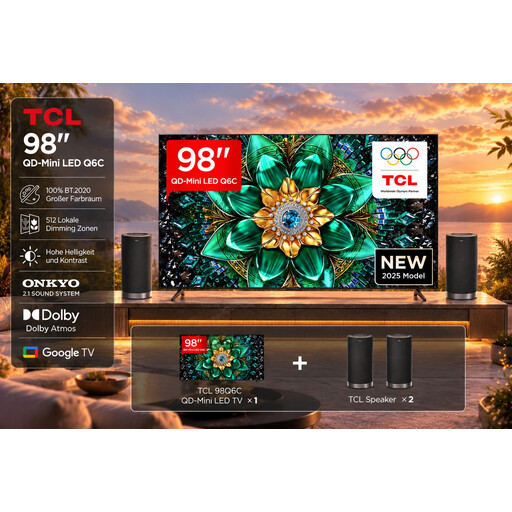
TCL 98Q6C, 98-inch 4K Mini-LED TV with Z100 speaker set
This 98-inch TV with speaker set is worth considering if you’re specifically looking for a very large screen and want to compare the bundle.
The product specifications list 144 Hz, AMD FreeSync Premium Pro and HDMI 2.1. Check that these features match the signals your console and games can use.
View at Joybuy
 No image available
TCL 75T8D, 75-inch 4K QLED TV
The 75-inch version may suit group gaming if the viewing distance and available space are right for this size.
The product specifications list QD Mini LED, 144 Hz, VRR and FreeSync Premium. Check which of these signals your console and the game in question can use.
View at Joybuy
 No image available
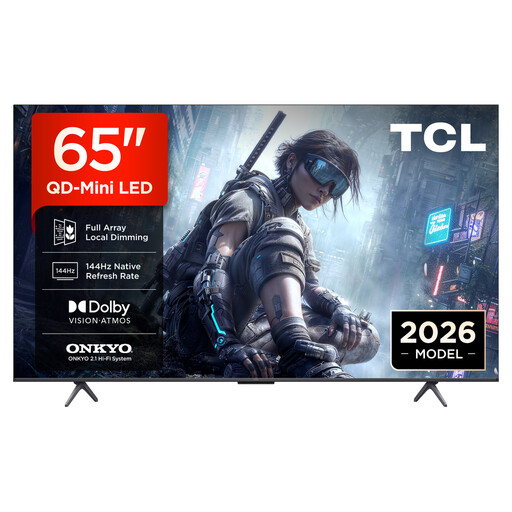
TCL 65T8D, 65-inch 4K QLED TV
The 65-inch version has a smaller screen than the 75- and 98-inch models. Measure your viewing distance before choosing.
The product specifications list QD Mini LED, 144 Hz, VRR and FreeSync Premium. Check that these features match your console, game and chosen connection.
View at Joybuy
 No image available
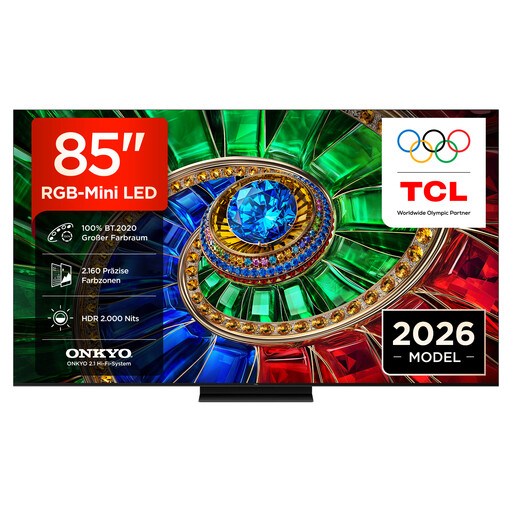
TCL 85RM7L, 85-inch 4K RGB Mini-LED TV
The 85-inch version may suit a larger group gaming session, provided you have the space and viewing distance for it.
The product specifications list 2,160 RGB colour zones, up to 2,000 nits peak brightness, 144 Hz and VRR. The brightness figure alone doesn’t tell you how well the picture will handle daylight in your room.
View at Joybuy
Frequently asked questions
Do I need 144 or 165 Hz for couch co-op platform games?
No. Start by checking your console’s output and the frame rate of the game you’re playing. Nintendo Germany states that the Switch 2 supports up to 60 fps when outputting in 4K, so a higher TV specification doesn’t guarantee 4K gaming at 120 fps with this combination.
How should I position my TV if I have tall windows and a large group playing?
Choose a position that takes reflections and the seats at either end into account. Measure your viewing distance before choosing a screen size too; the panel type alone won’t tell you how the specific model will look in your room.
What should I bear in mind during longer gaming sessions on an OLED?
If the same static game elements stay on screen for long periods, bear in mind that image retention may be a drawback. LG warns of this risk with static images displayed for extended periods; also follow the care guidance for the specific model.
How can I compare energy use and possible additional costs?
Compare the SDR and HDR energy-use figures on the EU energy labels of similar models. Ask separately about any delivery, set-up or wall-mounting costs; an individual annual cost will depend on factors including your electricity tariff and how long you use the TV.
What energy label and consumer rights apply when buying a new TV in Germany?
TVs in the EU are subject to energy labelling and ecodesign requirements. According to EU information, consumer purchases come with a minimum statutory guarantee of two years from receipt; an additional commercial guarantee must not limit your rights against the seller.


