
Lieferung heute & morgen

Qualitätsgarantie

Willkommens-Angebote freischalten: KOSTENLOSE Lieferung | Bis zu 80 % RABATT | Kostenlose 30-Tage-JoyPlus-Testphase
App herunterladen
Upgrading your DDR RAM can make your desktop PC more responsive. But choosing the right memory isn’t simply a matter of going for the highest possible MHz rating. The wrong DDR type, an incompatible form factor or an unsuitable RAM kit could stop your computer from starting, or mean the memory only runs at lower default speeds.
This buying guide helps home users, gamers, content creators and PC enthusiasts compare DDR4 RAM and DDR5 RAM using clear, practical criteria.
DDR4 and DDR5 modules often use the same 288-pin DIMM form factor, but the notch is in a different position and they require different memory controllers. A DDR5 module won’t fit a DDR4 motherboard, or vice versa.
Before you buy, check:
A 6000 MT/s RAM kit will often initially run at a lower SPD or JEDEC speed. The advertised speed is only reached on some platforms after you enable Intel XMP or AMD EXPO in the BIOS/UEFI. Technically, this is a memory profile, or an overclock beyond the base speed.
If you’re considering a 6000 MHz RAM offer, check that your motherboard and CPU support the profile. Without the right configuration, the memory may run at a lower speed.
A single 16 GB module is not the same as a 2 × 8 GB RAM kit. Two matching modules can enable dual-channel mode, provided they’re installed in the slots recommended by the motherboard manufacturer. However, adding a different module later can lead to compatibility issues or lower clock speeds.
Matching kits are often the more predictable choice. A single module can make sense if you’re looking to add to or replace existing memory.
The amount you need depends on how you use your computer:
More RAM won’t make up for an underpowered CPU or graphics card. It can, however, reduce the likelihood of your operating system needing to rely on a much slower SSD or hard drive when you have lots of programmes open at once.
Memory performance is described in part by its data rate in MT/s and its CAS latency (CL). A higher data rate won’t necessarily make a noticeable difference in every application. For a fair comparison, consider speed, CL rating, platform support and price together.
Examples from our selection:
Actual performance also depends on the processor, motherboard, BIOS version and active memory profile.
For desktop PCs, you’ll generally need DIMM RAM with 288 pins. Laptop modules use the SO-DIMM form factor and aren’t suitable for standard desktop slots. Module height can matter too: tall heat spreaders or RGB elements may clash with large CPU air coolers.
Also check:
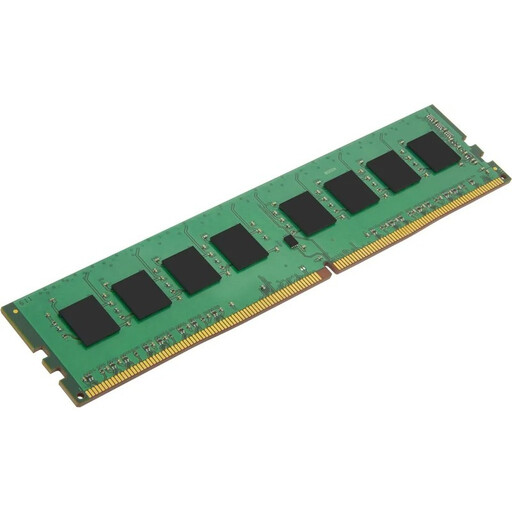
Why this product suits this profile: This single 4 GB module is suitable for older DDR4 desktop PCs where you’re planning a targeted memory upgrade on a limited budget.
The specifications clearly state DDR4, 288-pin DIMM, 2666 MHz, CL19 and 1.2 V, making it easy to check compatibility with your motherboard.
A single module with JEDEC specifications, non-ECC memory and an unbuffered design for compatible DDR4 desktop systems.
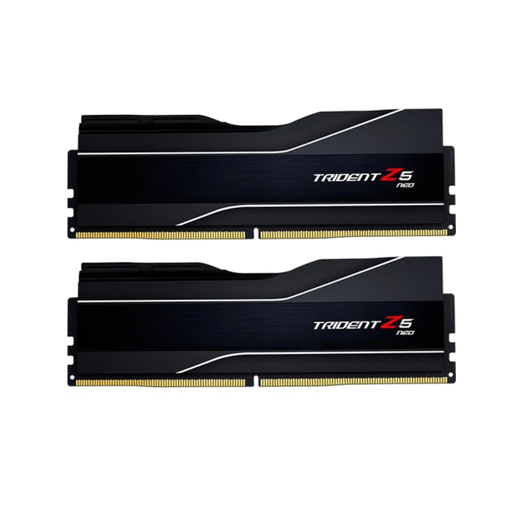
Why this product suits this profile: This 2×16 GB kit is designed for users with a compatible AMD platform who want to use DDR5-6000 and an AMD EXPO profile.
The listing specifies capacity, data rate, CL32, 1.35 V and AMD EXPO. That reduces the risk of buying based on the MHz rating alone.
32 GB in a dual-channel kit, DDR5-6000, CL32 and black heat spreaders.
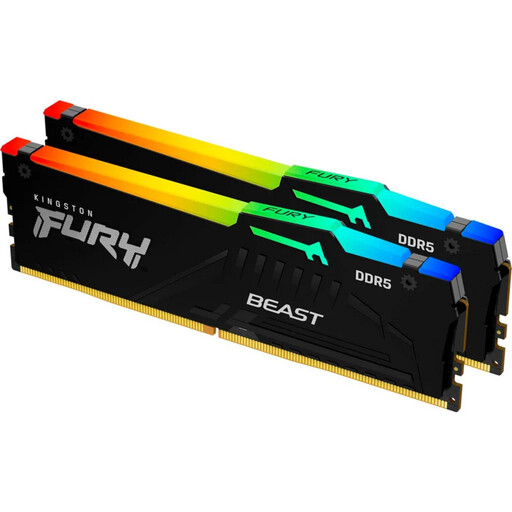
Why this product suits this profile: This 2×32 GB kit is designed for intensive multitasking, content creation projects and systems with high memory requirements.
The product specifications list 64 GB, 2×32 GB, DDR5-6000, CL30, and XMP and EXPO support. The default speed is 4800 MT/s.
64 GB in a dual-channel kit, CL30, RGB lighting and profiles for Intel and AMD platforms.
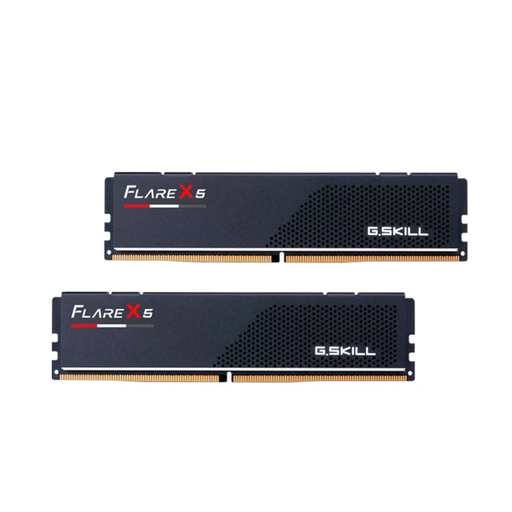
Why this product suits this profile: At 33 mm tall, these modules may be a good option for PC cases with a large air cooler or for compact builds.
The low module height helps address the common problem of limited clearance beneath large CPU coolers. The specifications also list DDR5, 2×16 GB, CL30 and AMD EXPO.
32 GB in a dual-channel kit, DDR5-6000, CL30 and a height of 33 mm.
We’ve put together a complete, regularly updated list of products that meet these strict selection criteria and fully comply with the safety regulations in force in the EU.
Before installing, shut down your PC completely, unplug the power cable and protect yourself against electrostatic discharge. Don’t touch the gold contacts. The notch on the module must line up exactly with the notch in the slot.
After installation, we recommend checking the following:
16 GB RAM is enough for many gaming PCs. 32 GB gives you more headroom for current games, streaming, browser tabs and other programmes running in the background. The right amount depends on the game, resolution and applications you use at the same time.
No. DDR4 RAM and DDR5 RAM are electrically and physically incompatible. Before buying, make sure you’ve checked your motherboard and processor platform.
RAM doesn’t have a typical replacement cycle like a battery. Its lifespan depends on temperature, electrical load, component quality and the rest of your hardware. Even so, when you upgrade your system, your existing memory may be technically outdated or incompatible. For a reliable choice, consider more than just capacity and price: platform, form factor and memory profile matter too.