
Lieferung heute & morgen

Qualitätsgarantie

Willkommens-Angebote freischalten: KOSTENLOSE Lieferung | Bis zu 80 % RABATT | Kostenlose 30-Tage-JoyPlus-Testphase
App herunterladen
Anyone upgrading a gaming PC, workstation or computer for content creation will find plenty of DDR5 RAM 6000 MHz offers. The name may sound clear-cut, but on its own it is not enough to base a purchase on. Capacity, latency, memory profiles, platform compatibility and module height are also crucial.
DDR5 memory in particular comes with a few common marketing pitfalls that can lead to the wrong purchase. The following criteria make it easier to narrow down your options objectively.
DDR memory is often advertised with a clock speed of “6000 MHz”. Technically, the effective data rate is 6000 MT/s. What is advertised is not always achieved immediately after installation.
Many modules initially start with a standardised SPD or JEDEC profile, for example at 4800 MT/s. To reach the specified 6000 MT/s, a memory profile such as AMD EXPO or Intel XMP 3.0 must be enabled in the UEFI/BIOS. Without this step, the RAM may run more slowly than expected.
A 64GB DDR5 RAM kit provides more headroom for large projects, virtual machines and running multiple applications at once. For typical gaming, however, a 32GB DDR5 RAM kit is often sufficient. Capacity should therefore match how you actually plan to use your system.
CAS latency, or CL for short, is also relevant. At the same data rate, a kit with CL30 has a nominally lower CAS latency than a kit with CL36. However, real-world system performance also depends on the processor, motherboard, BIOS and the remaining timings. A low CL value alone is therefore not a complete indication of performance.
RGB DDR5 RAM requires additional software or a connection to the motherboard’s RGB controller. This is not necessary for the memory to function and may require different control programmes depending on the platform.
Module height also deserves attention. A tall heatspreader may clash with large CPU air coolers. Before buying, you should therefore check the specifications provided by the motherboard and cooler manufacturers. This is particularly important in compact cases.
A 32GB DDR5 RAM kit, typically consisting of two 16GB modules, is a well-balanced option for gaming, office applications and many creative programmes. For modern games, streaming and running several browser or communication applications at the same time, this configuration provides a practical starting point.
A 64GB DDR5 RAM kit with two 32GB modules is better suited to video editing, 3D applications, software development, large image-editing projects and professional multitasking. Two modules also make it easier to use dual-channel memory, provided they are installed in the slots specified by the motherboard.
DDR5 RAM 6000 MHz is often available in configurations such as CL30, CL32 or CL36. The complete timings should be considered together, for example CL30-36-36 or CL32-38-38-96.
Operating voltage is also relevant. Depending on the profile and model, values such as 1.35 V or 1.40 V may be specified. The standard speed may be configured at a lower voltage, while the EXPO or XMP profile uses an adjusted voltage for the higher data rate.
If you are using an AMD processor, look for AMD EXPO RAM. For Intel systems, Intel XMP 3.0 RAM is a suitable guide. Dual-profile modules that support both standards offer greater flexibility if you switch platforms.
However, profile support does not automatically guarantee that every motherboard will achieve the target speed with every CPU. Before buying, it is worth checking the motherboard’s memory support list and BIOS version.
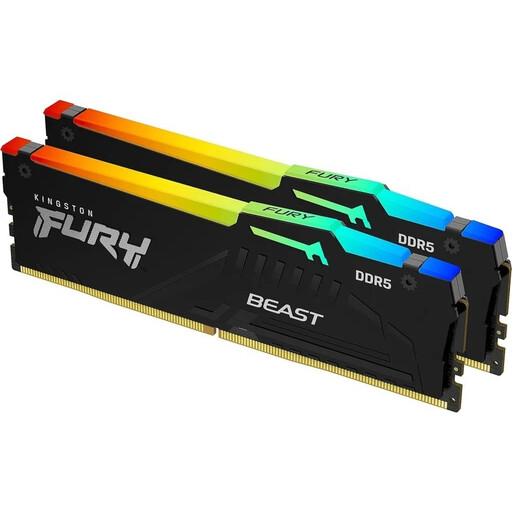
Why this product suits this profile: This 2×16GB kit combines 6000 MT/s with CL30, making it suitable for a gaming PC with moderate memory requirements. The RGB lighting can be customised if desired.
The specifications state both the standard speed of 4800 MT/s and the 6000 MT/s profile. This makes it clear that the target speed must be enabled in the BIOS.
32GB in a dual-channel configuration, CL30-36-36, plus support for AMD EXPO and Intel XMP 3.0.
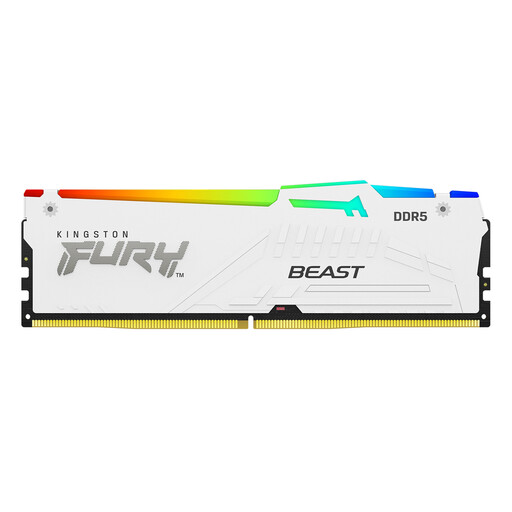
Why this product suits this profile: This white 2×16GB kit is designed for users who want to combine strong technical specifications with a coordinated PC design and flexible platform choice.
The module height of 42.23 mm is specified, so you can compare it with your CPU cooler in advance. The SPD value of 4800 MT/s helps prevent false expectations when starting the system for the first time.
CL30-36-36, 18 RGB effects, plus support for AMD EXPO and Intel XMP 3.0.
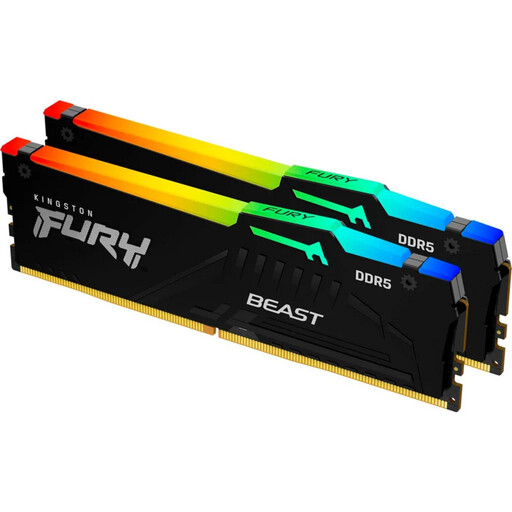
Why this product suits this profile: Two 32GB modules provide more memory headroom for content creation, large projects and extensive multitasking, without occupying all four slots.
The capacity is specified as 2×32GB. The profile speed, voltage and standard SPD value are also listed separately.
64GB, 6000 MT/s, CL30-36-36, RGB control, plus AMD EXPO and Intel XMP 3.0 support.
We have put together a complete, regularly updated list of products that fully meet these strict selection criteria and the safety regulations applicable in the EU.
No. The motherboard must support DDR5 DIMMs, while the processor and BIOS must also support the desired data rate. The motherboard manufacturer’s compatibility list provides an important guide.
Generally, yes, if you want to achieve the advertised profile speed. Without activation, the system will often start with the stored SPD/JEDEC profile, for example at 4800 MT/s. XMP is primarily intended for Intel platforms, while EXPO is designed for AMD systems.
Its lifespan depends on operating conditions, voltage, cooling and usage. A well-ventilated case, correct BIOS settings and adherence to the manufacturer’s specifications help reduce unnecessary strain. DDR5 memory does not incur regular running costs during normal use; the only relevant factor is the system’s small additional power requirement.