
Lieferung heute & morgen

Qualitätsgarantie

Willkommens-Angebote freischalten: KOSTENLOSE Lieferung | Bis zu 80 % RABATT | Kostenlose 30-Tage-JoyPlus-Testphase
App herunterladen
DDR5 RAM at 6000 MHz is one of the most commonly searched-for specifications in current gaming PC builds. Product descriptions often list DDR5 6000 MT/s too. Both terms are used in a similar way by retailers, although MT/s technically means transfers per second. The number on the box isn’t the only thing that matters: capacity, latency, motherboard support and the right memory profile all determine whether the RAM is suitable for your platform.
When upgrading a gaming PC, it’s easy to make common buying mistakes. Check these points before you buy to avoid unnecessary BIOS adjustments, compatibility issues and unused performance headroom.
Many DDR5 modules initially run with a conservative JEDEC SPD profile, for example at 4800 MT/s. The advertised speed of 6000 MT/s only becomes active once you select a compatible AMD EXPO or Intel XMP 3.0 profile in the BIOS.
This isn’t a fault; it’s an intended setting. Before buying, however, check that your motherboard and processor support the profile you want. Without this check, a module may run at a lower default speed or require manual configuration.
DDR5 RAM isn’t backwards-compatible with DDR4 slots. Profiles also vary by platform:
The ASUS PRIME A620M-K is one example: this Micro-ATX motherboard has two DDR5 DIMM slots, supports dual-channel and, according to the product specifications, up to 96 GB. For a suitable purchase, you should still check current CPU support, the motherboard manufacturer’s QVL list and the BIOS version.
For many current games, 32 GB of DDR5 RAM as a 2×16 GB kit is a well-balanced starting point. If you also stream, edit videos, use virtual machines or work on large projects, 64 GB of DDR5 RAM gives you more headroom.
Two identical modules are generally preferable to a single module with the same total capacity, as they enable DDR5 dual-channel operation. Module height is also worth considering if you have a large air cooler. A tall heat spreader or RGB strip may interfere with the CPU cooler. Check the module’s exact height against your cooler and case before ordering.
DDR5 at 6000 MT/s describes the data rate, but on its own it tells you little about response time. CAS latency (CL) provides additional information. A 6000 kit with CL30 has a lower calculated latency than a comparable kit with CL36, assuming the voltage, timings and platform are the same.
Compare at least these specifications when choosing:
It’s worth checking your motherboard manual before installation. When using two modules, slots A2 and B2 are often recommended. The first start-up may take longer after installation while the motherboard trains the DDR5 memory.
If you run into problems, try updating the BIOS, loading the default settings and then enabling the memory profile step by step. If the system becomes unstable, first reset the speed to a lower setting. The manufacturer’s stated values are intended for the relevant profile; any additional manual overclocking is at your own risk.
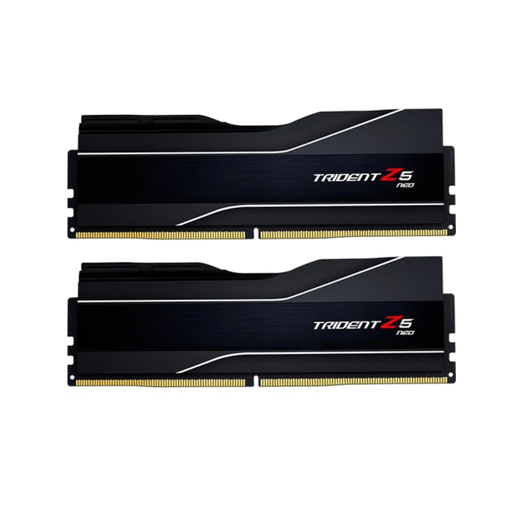
Why this product suits your needs: This 2×16 GB kit is designed for users building an AMD AM5 gaming PC with DDR5 at 6000 MT/s who prefer a straightforward setup.
The AMD EXPO profile makes the advertised settings easy to identify in the BIOS. The specifications also list CL32, 1,35 V and 2×16 GB.
32 GB in a dual-channel kit, 6000 MHz and AMD EXPO 1.0; suitable for supported DDR5 platforms.
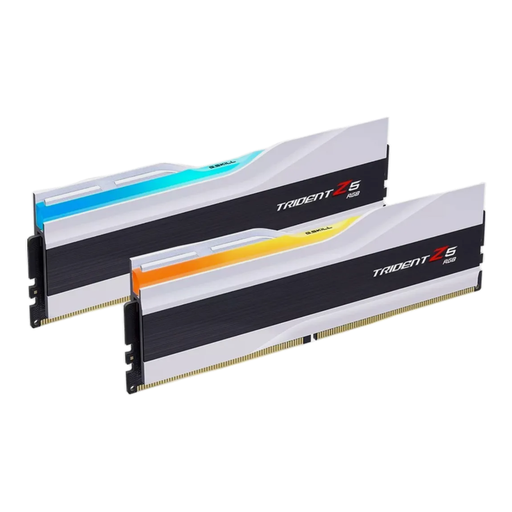
Why this product suits your needs: This 64 GB dual kit combines higher capacity with a white heat spreader and synchronisable RGB lighting, making it a good fit for PC builds designed around that look.
The specifications clearly list the capacity, CL36, 1,35 V and Intel XMP 3.0. You’ll still need to check compatibility with your motherboard before buying.
64 GB as a 2×32 GB kit, 6000 MHz, RGB control and Intel XMP 3.0.
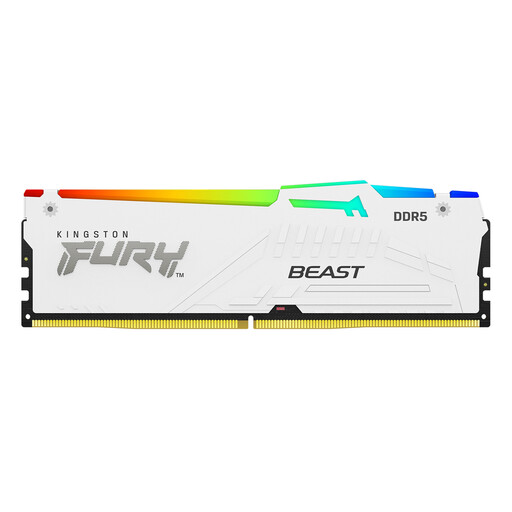
Why this product suits your needs: This kit offers 32 GB, RGB lighting and support for AMD EXPO and Intel XMP 3.0, making it suitable if your platform plans may change.
The product specifications clearly state that SPD runs at 4800 MT/s and that EXPO or XMP must be enabled to reach 6000 MT/s.
CL30-36-36, 2×16 GB, RGB synchronisation and two memory profiles.
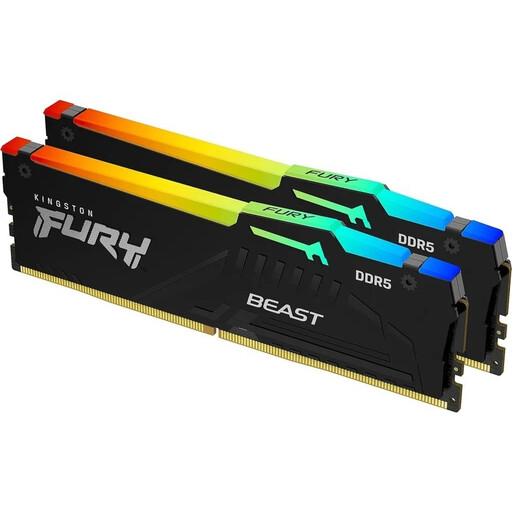
Why this product suits your needs: If you have a black gaming PC, this 2×16 GB kit gives you RGB lighting and profiles for both AMD and Intel systems.
As well as the advertised data rate, the specifications include SPD values, profile voltage and compatibility with XMP 3.0 and AMD EXPO.
6000 MT/s, CL30-36-36, RGB synchronisation and a module height of 42,23 mm, according to the product specifications.
We’ve put together a complete, regularly updated list of products that meet these strict selection criteria and the safety regulations that apply in the EU.
A gaming laptop with an RTX 4050, such as the MSI Cyborg 15 with 16 GB of DDR5 RAM, isn’t a typical upgrade candidate for desktop DIMM kits. For laptops, you’ll need to check the form factor, accessibility and manufacturer approvals separately. Desktop DDR5 modules won’t necessarily fit mobile systems.
Not necessarily. Many modules start at their SPD default, such as 4800 MT/s. To reach the advertised data rate, you need to enable the appropriate EXPO or XMP profile in the BIOS. Whether it runs stably also depends on the motherboard, processor and BIOS version.
For many uses, 32 GB in a 2×16 GB dual-channel kit is a practical starting point for a gaming PC. 64 GB may be a better choice if you also stream, edit videos, use memory-intensive mods or run other applications at the same time.
You should consider both together. 6000 MT/s describes the data rate, while CL indicates CAS latency. On paper, a kit rated at 6000 MT/s and CL30 may have lower latency than a kit with CL36. Its suitability also depends on the platform, profile and system configuration.