
Lieferung heute & morgen

Qualitätsgarantie

Willkommens-Angebote freischalten: KOSTENLOSE Lieferung | Bis zu 80 % RABATT | Kostenlose 30-Tage-JoyPlus-Testphase
App herunterladen
A new desk is supposed to make your workday easier, but the reality is often different. A model that looks appealing online turns out to be wobbly after assembly, the work surface is unexpectedly small, or advertised extras prove to be impractical. To help you with your selection, we highlight the most common pitfalls and show you which objective criteria truly matter when choosing a durable and functional desk.
Many buyers are swayed by attractive product images and marketing promises, causing crucial functional aspects to be overlooked. Pay special attention to these three points to avoid a bad purchase:
computer desk that vibrates with every keystroke disrupts your concentration and feels cheap. The causes are often materials that are too thin, a poor connection between the desktop and the frame, or the lack of adjustable feet to compensate for uneven floors.L-shaped desk might seem large on paper, but the actual usable space can be severely limited by poorly placed support legs or an impractical shape. Even with standard desks, the depth may be insufficient to comfortably accommodate a monitor, keyboard, and documents.desk with shelves is made from thin boards that bend under the weight of a few books, or if the cable management is in the wrong place, these extras offer no real value and become a nuisance.To find a suitable work desk that meets your needs for a home office, gaming, or studying, you should focus on verifiable technical features.
The longevity of a desk depends directly on its construction. A solid foundation is essential, especially if you need a PC desk to support heavy equipment like multiple monitors.
The ideal size depends on your intended use. A desk for a home office has different requirements than a compact desk for a dorm room.
large desk with a width of 140 cm or more. For dual workstations, models starting at 180 cm are suitable.Instead of general recommendations, we have identified specific models that are suited for well-defined user profiles and avoid the pitfalls mentioned earlier.
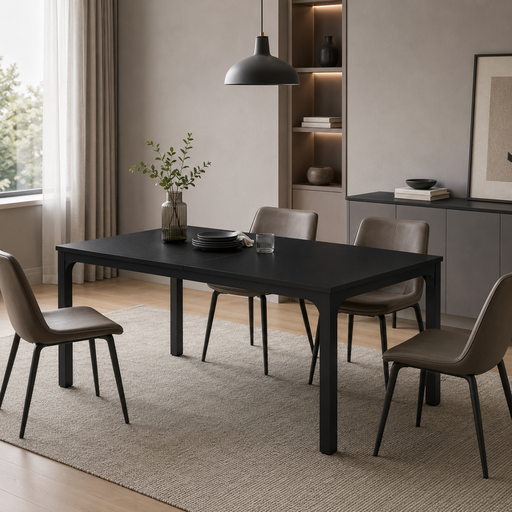
Why This Fits Their Persona: Ideal for couples in a home office or small teams needing a shared, undivided workspace. The generous surface provides ample room for two full workstations side-by-side without feeling cramped.
The construction with 5.0 x 5.0 cm thick metal tubes and a welded triangular design actively counters the "Wobble Trap." The massive, continuous 200 x 70 cm surface completely avoids the "Space Illusion."
Very large, continuous work surface for two people; Robust and stable construction for high load capacity.
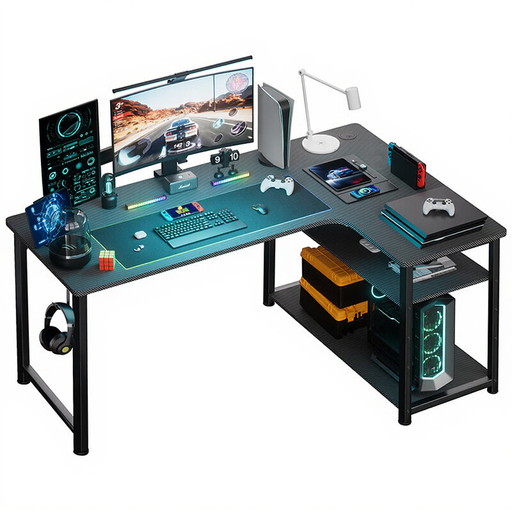
Why This Fits Their Persona: The L-shape makes optimal use of corners and creates separate zones for gaming and work. The integrated USB charging ports and power outlets are a key advantage for tech-savvy users who operate multiple devices, ensuring clean cable management.
This model bypasses the "Feature Fallacy" by offering a genuinely practical function with its integrated power connections. The L-shape is a smart solution to the "Space Illusion" in room corners.
Integrated USB ports and power outlet for easy device management; Efficient use of space thanks to the L-shape design.
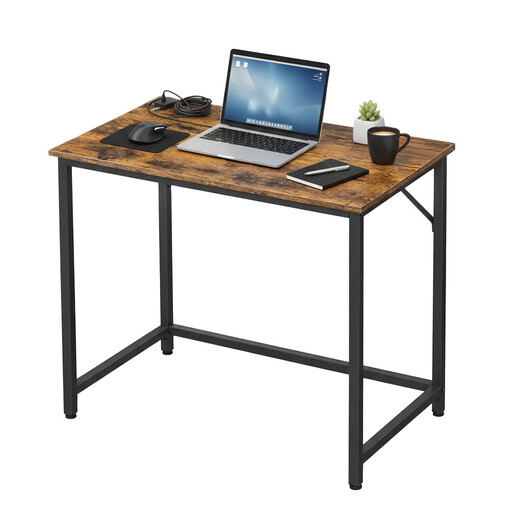
Why This Fits Their Persona: With its compact dimensions, this desk fits perfectly into small apartments, dorm rooms, or nooks. It provides enough workspace for a laptop and essential documents without overwhelming the room.
It avoids the "Space Illusion" by being honest about its compact size. The simple yet sturdy steel frame construction and adjustable feet prevent the "Wobble Trap" that is common with budget-friendly, small desks.
Very compact dimensions (80 x 50 cm) ideal for small spaces; Quick and straightforward assembly.
We have compiled a complete, up-to-date list of products that fully meet these strict selection criteria and quality standards.
A standard height of about 75 cm is suitable for most adults. For optimal ergonomics, your forearms should rest parallel to the floor while typing. A height-adjustable office chair is the perfect complement to fine-tune your seating position and ensure a healthy posture.
MDF (Medium-Density Fiberboard) or high-quality E1-grade particleboard with a scratch-resistant and water-repellent coating (e.g., melamine) offer a great balance of durability and ease of maintenance. They are resilient to daily wear and tear and can be easily cleaned with a damp cloth.
Check the product description for details on its construction. A frame made of thick steel tubes (e.g., 4x4 cm or 5x5 cm), additional reinforcements like X-shaped crossbars, and adjustable feet are clear indicators of stability. The total product weight can also provide a clue about the density and quality of the materials used.