Desk workers who want a breeze
If you want a breeze at your seat, choose the airflow direction and oscillation to suit your workspace. The Verbraucherzentrale points out that moving air is not the same as actually lowering the room temperature.


If you mainly want a breeze at your desk, the direction of the airflow and a suitable range of speed settings are key. For air movement across several areas, oscillation and, where available, vertical adjustment are more important. Also check how noisy the fan is at the setting you’ll actually use, as well as its footprint and power supply. A fan moves air, but it won’t lower the room temperature like an air conditioner.
If you want a breeze at your seat, choose the airflow direction and oscillation to suit your workspace. The Verbraucherzentrale points out that moving air is not the same as actually lowering the room temperature.
When you need to concentrate, how noisy the fan is at the setting you need matters. The ZVEI lists noise level as an important general factor when choosing a fan; manufacturer figures are only useful when considered alongside the relevant operating setting.
If you only have a small space available, compare the fan’s footprint and height with the room you have. For example, Stadler Form gives the dimensions of the Peter little as 110 × 361 × 109 mm.
First decide whether you mainly want the airflow to reach you at your desk or to circulate across several areas. Then you can weigh up noise, footprint and power supply to suit your day-to-day needs.
| Buying priority | What to check | Who will value this most? |
|---|---|---|
| Airflow and distribution | Check the tilt, as well as the horizontal and, where available, vertical oscillation of the specific model. | When I’m at my desk, I want the airflow to reach me; for air movement around the room, oscillation matters more, even if the direct breeze moves away for a while. Around 31% of consumers put air distribution first. |
| Noise at the setting you need | Check which operating setting the dB(A) figure applies to and whether the airflow is sufficient at that setting. | When I’m concentrating, I want noise levels to be manageable without sacrificing the airflow I need. Around 31% of consumers prioritise a quieter working environment. |
| Footprint and positioning | Compare the footprint and height with the space available; make sure the fan is stable and that its airflow isn’t obstructed. | If there’s little free space on my desk, the fan needs to fit without getting in the way of my screen or work area. Around 23% of consumers look at the footprint first. |
| Power supply and operation | Check whether a mains adaptor or battery is included, and the conditions that apply to any stated run time. | Depending on where I use it, I need a suitable power connection or may want to use the fan without a cable for a while. Around 15% of consumers prioritise power supply or operation. |
A fan moves air, but it doesn’t remove heat from your home like an air conditioner.
If the main problem is an overheated room, you should also consider ventilation and shading, then choose a fan to suit the kind of air movement you want.
A low noise figure doesn’t tell you how loud the fan will be when producing the airflow you need.
Where possible, compare noise and airflow at the same setting and under similar conditions.
Meaco states that the Sefte 10 Table Pro runs for up to 40 hours on its lowest setting. This doesn’t tell you how long it will last on higher settings.
Check the stated run time alongside the setting it applies to and what’s included with the exact version.
If you often use higher settings, you may need to charge the fan more often than if you use it on the lowest setting.
A Joybuy listing for the Rowenta VU2740F0 names model VU5260 in its description and technical specifications. The details can’t therefore be confidently attributed to the same model version.
Check the full model number and key specifications before applying product details to a different model.
The Turbo Silence desk models are designed to provide adjustable airflow and oscillation for your workspace.
According to the manufacturer, the Sefte desk models distribute air horizontally and vertically. A battery-powered version is available for people who want to use the fan away from a socket for a while.
The Peter little is designed for narrow spaces; according to the manufacturer, the Leo distributes air horizontally and vertically.
According to the manufacturer, the Table Fan 3000 Series CX3050/01 features tilt, oscillation and a timer.
The Cool CF1 is a bladeless desk fan with a Sleep mode.
This selection includes desk fans for moving air around your workspace, including compact battery-powered and clip-on models, as well as oscillating fans.
 No image available
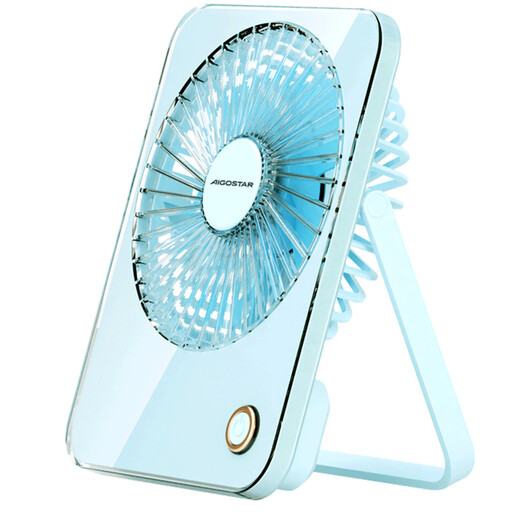
The folding stand and rechargeable battery make it a good option if you want to direct the airflow at your desk and use the fan away from a mains socket for a while.
USB charging and 3600 mAh battery; three speeds; 180° folding design.
The description states that it’s suitable for personal use in areas of up to 2 m².
 No image available
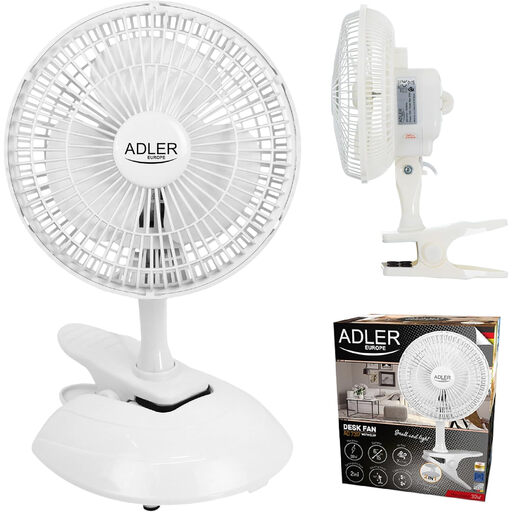
The clip or stand gives you two ways to position the fan in your workspace.
15 cm blade diameter; two speed settings; 16° tilt; 30 W power rating.
 No image available
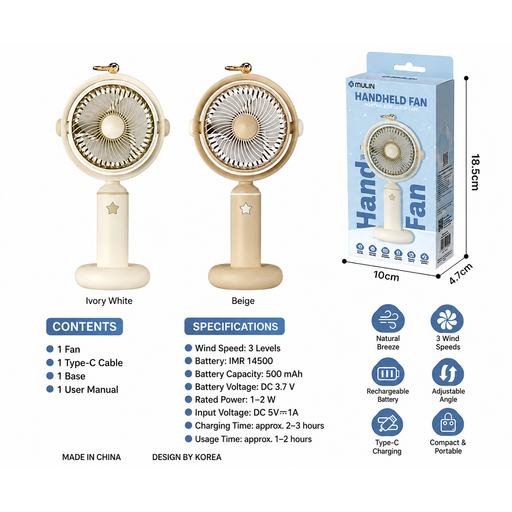
The stand makes it suitable for use on a desk; according to the description, it can also be used as a handheld fan.
500 mAh battery; USB-C charging cable; three speeds; adjustable angle.
The stated battery life is approximately 1–2 hours.
 No image available
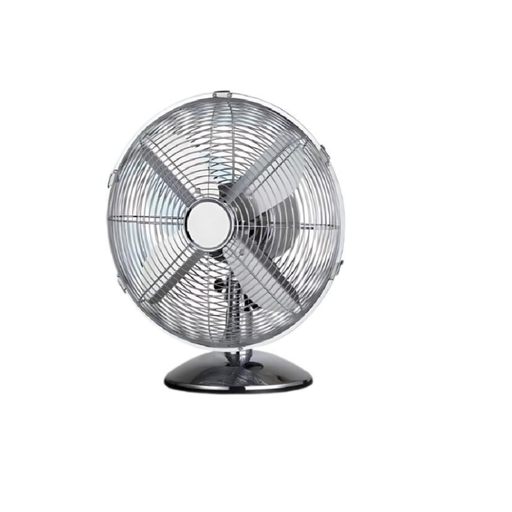
If you want air movement both at your seat and around it, oscillation and manual tilt let you direct the airflow in different ways.
30 cm blade diameter; three speeds; left-to-right oscillation; manually adjustable tilt; four aluminium blades.
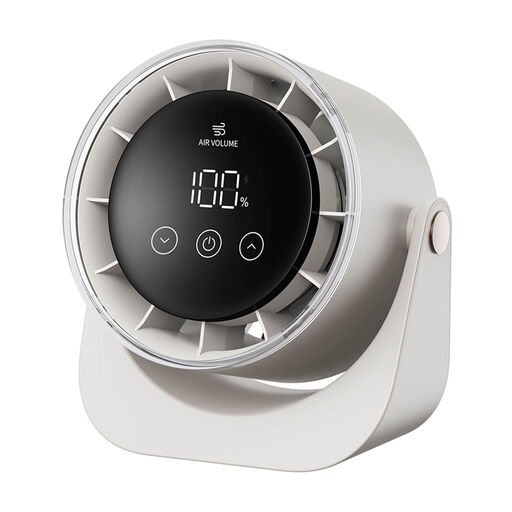 No image available
The stated tilt and wide range of speed settings give you plenty of ways to direct the airflow at your desk.
Built-in 4000 mAh battery; LED display; 100 speed settings; 90° tilt.
The fan is described as portable and cordless.
No. A desk fan moves air, but it won’t lower the room temperature like an air conditioner. For overheated living spaces, the Verbraucherzentrale also recommends considering ventilation and shading.
Place the fan on a stable surface and direct the airflow as needed. Before working on the grille or cleaning the fan, disconnect it from the power supply as instructed in the manual; always follow the guidance for your specific model.
Check which operating setting the figure applies to. Meaco states that the Sefte 10 Table Pro runs for up to 40 hours specifically on its lowest setting; this doesn’t tell you how long it will last with stronger airflow.
The seller is responsible for your statutory consumer rights; these are separate from a manufacturer’s guarantee. The Verbraucherzentrale lists repair or replacement as ways of putting things right.
No. According to the European Commission, the manufacturer affixes the CE mark and is responsible for meeting the applicable requirements; there is no central EU body that issues general CE approval or a certificate of this kind. The regulations that apply depend, among other things, on the product’s technical design.