For a breeze at your desk, choose an adjustable desk fan with variable speed settings. If you also want to direct air further into the room, consider an air circulator and the directions in which it oscillates. Compare the noise level at the setting you actually need, as well as the space it takes up and the cable route. A fan moves air, but unlike air conditioning, it does not lower the room temperature; the German consumer advice centre explains that airflow creates a perceived cooling effect.
Who these fans are suitable for
Air circulation in a large living room
If you work at a desk and want to move air beyond your immediate seating area, consider the airflow rate and the fan’s direction in both oscillation modes. Xiaomi Germany and Meaco Germany describe these features for their respective models.
A quieter workspace in your living room
If you want an adjustable breeze while concentrating on work, check how noisy the fan is at the setting you need. Meaco Germany and Vornado Germany Distribution provide noise figures for specific models and settings.
A targeted breeze at your desk
If you mainly want airflow directed at your own seat, you may want to prioritise the fan’s footprint, tilt and control over airflow direction rather than wide room coverage. The German consumer advice centre explains the effect of moving air; Rowenta Germany describes the adjustable features of the VU2731F0 model.
What to look for when buying
Adjustable desk fan
Best for: a variable-speed breeze aimed mainly at your own seat.
Consider: with oscillation switched on, the airflow won’t reach your seat continuously; compare noise levels at the setting you need.
Desk air circulator with two oscillation directions
Best for: directing air beyond your immediate workspace, provided you have enough room for it.
Consider: manufacturer figures for airflow rate and reach don’t tell you how the airflow will feel from every seat.
Directional air circulator without oscillation
Best for: setting a fixed airflow direction in the room when automatic oscillation isn’t important.
Consider: Vornado Germany Distribution lists noise levels of 45 dB on setting I and 65 dB on setting III for the Vornado 533; these figures apply to the respective settings.
Floor or pedestal fan
Best for: when there isn’t a suitable, stable spot on your desk or you want airflow to come from a different height.
Consider: the fan takes up floor space, so its height, direction and cable route need to suit your workspace.
When comparing fans, consider how they distribute air around your workspace, the noise level at the setting you need, and how practical they are to position.
| What to consider |
What to look for when buying |
Who this matters most to |
| Airflow beyond your seat |
Check the airflow rate and horizontal and vertical oscillation; don’t treat the manufacturer’s stated range as a guarantee of comfort. |
If I want to reach areas further away in a large living room, I look for a fan that distributes air appropriately. Around 36% of consumers place particular importance on airflow beyond their immediate seating area. |
| Noise while working |
Check which fan setting the noise figure applies to rather than comparing minimum figures alone. |
When I’m concentrating on work, I want a useful breeze without the fan becoming too distracting at my desk. Around 29% of consumers prioritise keeping noise disruption to a minimum. |
| A targeted breeze at your seat |
Check that the tilt, oscillation and speed controls suit the position of your desk. |
If I mainly want airflow directed at my own seat, having control over its direction matters more than covering as wide an area as possible. Around 21% of consumers put a targeted breeze first. |
| Positioning and power |
Check the available space, the fan’s dimensions, the power socket and the cable route; if it runs on USB, check the specific power supply required. |
If there’s little room on or beside my desk, I want a fan that’s easy to position and connect. Around 14% of consumers place the greatest importance on easy set-up and use. |
Common buying mistakes
-
Confusing airflow with cooling the room
A fan moves air, but it doesn’t remove heat from your living room. If you want to lower the room temperature, airflow alone won’t achieve that.
Before you buy, consider whether you need a breeze at your desk or an actual reduction in room temperature.
-
Comparing only the lowest dB(A) figure
A low noise figure may refer to a fan setting that doesn’t provide enough airflow for your seat. Figures for different settings therefore can’t be compared without considering how each setting is intended to be used.
Check the noise level at the setting you’re likely to need for your workspace.
-
Assuming you need a water feature for a simple breeze
You don’t need a water feature to get a breeze at your desk. According to the product description, the Beurer LV 50’s evaporative mode requires a water bottle and a filter that needs replacing regularly.
Decide whether you want to use this kind of feature, and if so, follow the care instructions for the specific fan.
A water reservoir and the cleaning it requires mean extra maintenance.
Key brands at a glance
Meaco
Meaco’s Sefte 10 Table is a desk air circulator for buyers looking for both horizontal and vertical movement.
- Meaco Germany lists 12 settings, horizontal and vertical movement, and a noise range of 24–48 dB(A) for this model.
- The airflow rate and noise figures are manufacturer specifications; they don’t prove how effective or noisy the fan will be at every workspace.
Xiaomi
The Smart Desktop Air Circulation Fan is aimed at buyers looking for a compact desk circulator with adjustable airflow direction.
- Xiaomi Germany lists 120° horizontal and 100° vertical oscillation, along with USB-C power.
- Being compatible with an external power bank doesn’t mean it has a built-in battery; range and noise figures are manufacturer specifications.
Rowenta
The Turbo Silence Extreme+ VU2731F0 is a traditional desk fan for buyers who want an adjustable breeze.
- Rowenta Germany lists four settings, automatic oscillation and a 1.5 m power cable for this model.
- The brand’s noise and range figures won’t necessarily apply to every setting or desk.
Vornado
According to Vornado Germany Distribution, the Vornado 533 is a desk and floor circulator with a fixed, adjustable airflow direction.
- The distributor lists a maximum airflow rate of 504 m³/h and noise figures for individual settings.
- The noise level for the first setting is listed as 45 dB; check whether the setting you need is suitable for your workspace.
Dyson
The Cool CF1 is a desk fan for buyers looking for adjustable, direct airflow.
- Dyson Germany lists a noise level of 29–42 dB(A), a 70° rotation angle and a maximum power consumption of 30 W for the CF1.
- These figures apply to the CF1 model and shouldn’t be assumed to apply to other Dyson fans.
Joybuy desk fan picks
This selection includes desk fans for a targeted breeze, as well as desk and pedestal models that can distribute air over a wider area.
 No image available
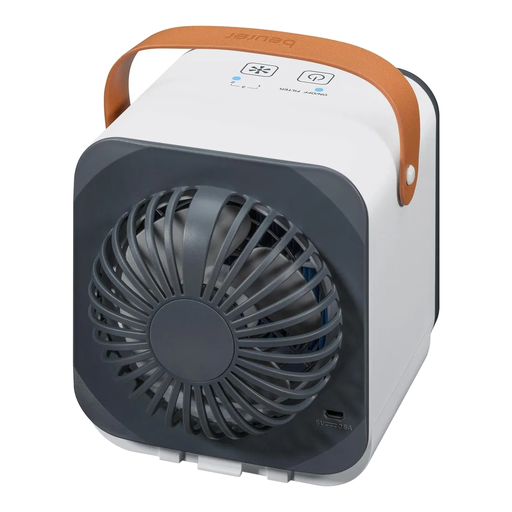
Beurer LV 50 Fresh Breeze Desktop
For an adjustable breeze directed at your desk, in a compact design that sits neatly on a table.
Three speed settings and an adjustable tilt angle. According to the product description, it can also be used without water; evaporative mode requires a water bottle and a filter that needs replacing regularly.
View at Joybuy
 No image available
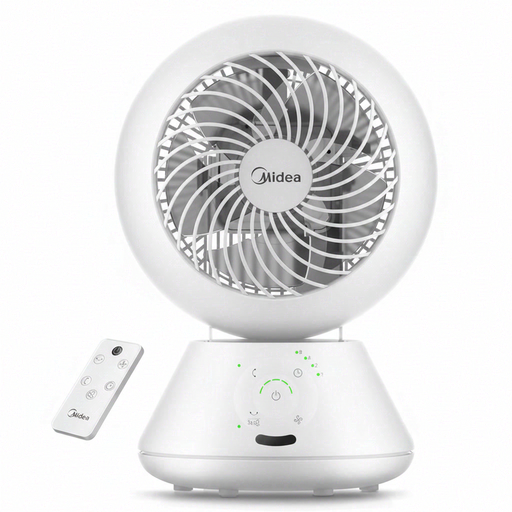
Midea MDF24JRW
For directing airflow from your desk or from the floor.
Five speed settings, remote control and 30 W power. The product specifications list airflow of up to 740 m³/h, with 120° horizontal and 105° vertical oscillation.
View at Joybuy
 No image available
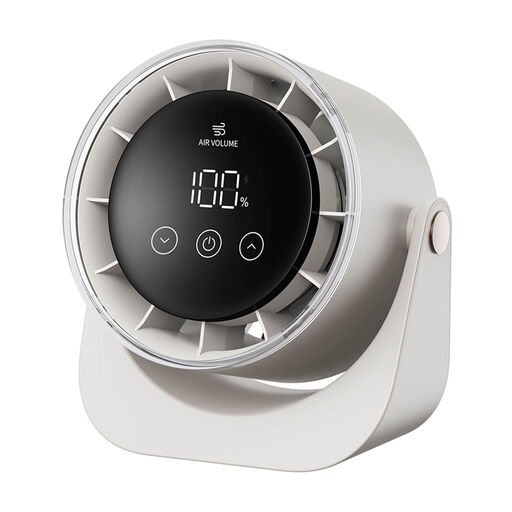
Compact cordless desk air circulator
For a compact workspace where you want to direct the airflow precisely and adjust it in small increments.
4000-mAh battery, LED display, 100 speed settings and 90° tilt. The stated cordless run time of up to 10 hours applies to the lowest setting.
View at Joybuy
 No image available
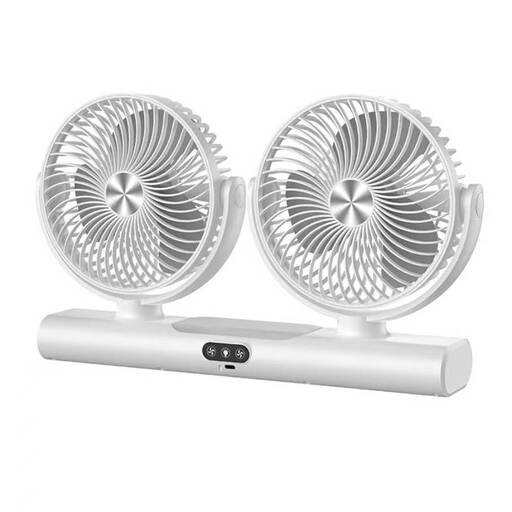
FS-39 Dual-Head Fan
For a desk where you want to direct airflow towards two areas.
Two independently controlled heads, each with three speed settings and, according to the product description, 360° adjustment. Type-C connection and a two-level night light.
View at Joybuy
 No image available
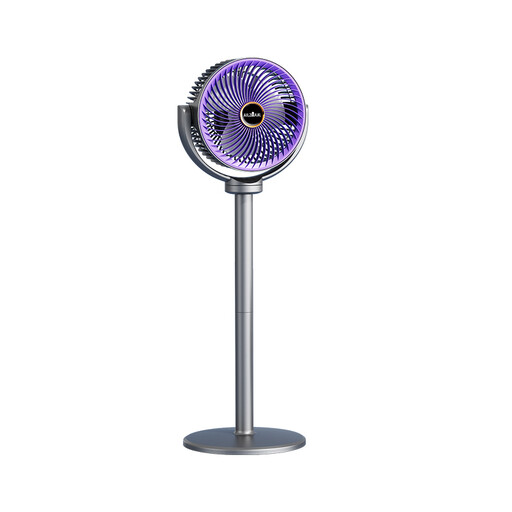
3-in-1 height-adjustable fan
For a workspace where you want airflow to come from your desk or from a different height, depending on how you set up the fan.
Five speed settings and a head that can be manually tilted by 90°. According to the product description, it can be set to a height of 29, 53 or 76 cm; it has a 2400-mAh battery and a Type-C connection.
View at Joybuy
Frequently asked questions
Will a desk fan actually cool down a large living room?
No. A standard fan doesn’t lower the room temperature, although moving air can feel cooler. To clear built-up heat, the German consumer advice centre recommends airing the room when it’s cooler outside than indoors.
How should I position and care for a desk fan?
Place the fan on a stable surface and point it in the direction you want the air to flow. Check that the cable reaches the socket, too. Follow the instructions for cleaning the specific model. For the CF1, Dyson recommends wiping accessible surfaces with a cloth.
How can I estimate its electricity use?
Multiply the power consumption in kilowatts by the number of hours it’s used to calculate energy consumption in kilowatt-hours. Check the power rating for the specific model and use a realistic estimate of how many hours you’ll run it each day.
What does the CE marking mean on an electric fan?
According to the EU’s explanation on Your Europe, manufacturers use the CE marking on products covered by relevant harmonised EU rules to declare that the products meet those requirements. It isn’t an independent EU approval or a general assessment of performance. The rules that apply depend on the specific product.


