
Lieferung heute & morgen

Qualitätsgarantie

Willkommens-Angebote freischalten: KOSTENLOSE Lieferung | Bis zu 80 % RABATT | Kostenlose 30-Tage-JoyPlus-Testphase
App herunterladen
A clutter-free workspace and correct posture are crucial for focused and productive work. However, monitors are often positioned too low or take up valuable desk space. A desk monitor mount can offer a functional solution by providing greater flexibility and better organisation.
This article serves as a guide. We will introduce different types of monitor mounts and explain the most important criteria to consider when making your choice. Our goal is to provide you with the information you need to find a suitable mount for your specific requirements.
Before you decide on a model, several technical and functional aspects should be considered. These ensure that the mount is compatible with your monitor and your workspace.
The VESA (Video Electronics Standards Association) standard defines the spacing of the threaded holes on the back of a monitor. A VESA mount ensures that the monitor and the mount fit together. The most common dimensions are 75 x 75 mm and 100 x 100 mm. Before purchasing, check your monitor's VESA specifications, which you can usually find in the manual or on the manufacturer's website.
Every desk mount is designed for a maximum weight and a specific screen size. Do not exceed these specifications to ensure the stability and safety of your setup. It is especially important to check the mount's specifications carefully for heavy or large monitors.
Monitor mounts are typically attached to a desk in two ways:
Additionally, the degree of adjustability is an important criterion. Models that are height-adjustable, swivelling, and tiltable offer the greatest flexibility. A fully articulated monitor arm allows you to align the screen precisely at eye level and adjust the distance as needed, which can contribute to an ergonomically correct posture.
Here is a selection of different models designed for various needs and workspace setups.
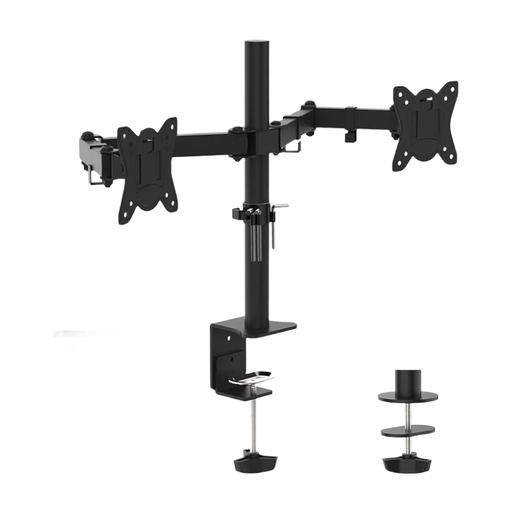
Why this model stands out This dual monitor mount is designed for workstations where two screens are used simultaneously. Each arm is fully and independently adjustable, allowing for precise alignment of both monitors. The integrated cable management ensures a tidy desk.
Benefits
Who is this model for? This mount is an excellent choice for users who work with two monitors, such as programmers, analysts, or designers. It offers maximum positioning flexibility and helps keep the workspace free of cables and stands.
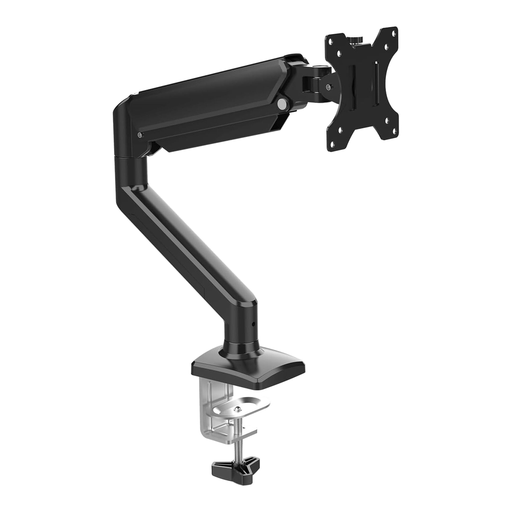
Why this model stands out The key feature of this monitor arm is its integrated gas spring. It allows for exceptionally smooth and stepless height adjustment of the monitor without any tools. This is ideal for workstations where the screen position is frequently changed, for example, when switching between sitting and standing.
Benefits
Who is this model for? This monitor arm is perfect for users with a single screen who value quick and easy adjustability. It is a great option for dynamic work environments and height-adjustable desks.
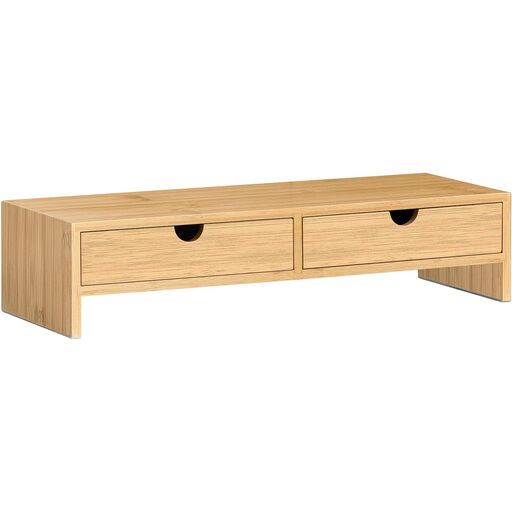
Why this model stands out Unlike a mechanical arm, this model is a static monitor stand. It raises the screen by a fixed height of 11 cm while also providing practical storage space. Made from bamboo, it adds a natural element to the work environment and requires no assembly.
Benefits
Who is this model for? This monitor stand is ideal for users looking for a simple and quick solution to raise their monitor without wanting to install a complex mount. It is particularly practical for anyone who appreciates extra storage on their desk.
The market offers a wide variety of solutions, from simple risers to complex systems for multiple screens. If the models presented here don't exactly match what you're looking for, there are numerous other alternatives to discover.
Explore our entire range of LCD Mounts and find the perfect solution for your workspace.
VESA compatibility refers to a standardised hole pattern on the back of monitors for mounting. The most common standards are 75x75 mm and 100x100 mm. Ensuring the VESA dimensions of the monitor and mount match guarantees that the two parts will fit together mechanically.
The two most common methods are the desk clamp and the grommet mount. A desk clamp attaches to the edge of the desk and is easy to install. The grommet mount uses an existing or newly drilled hole in the desktop for an exceptionally secure anchor.
An adjustable monitor mount allows you to customise the screen's height, distance, and tilt. Aligning the monitor at eye level can help promote a neutral posture for the head and neck. This, in turn, can reduce strain on the neck and back muscles during long work sessions.