For recording choir music at a permanent desk setup, an active stereo pair is a suitable option if you can position both speakers and connect them to your audio source. Compact PC speakers take up less space, while studio monitors require suitable outputs and careful positioning. Technical specifications alone won’t tell you which model will reproduce voices most naturally in your room.
Who are the different types of speakers suitable for?
Choir listeners at a fixed desk setup
If you want to hear voices and their positions clearly at your desk, check whether you can position two speakers sensibly and point them towards where you sit. Genelec highlights aiming monitors towards the listening position as part of their setup.
People short on desk space
If your screen and work equipment already take up a lot of room, compare the dimensions of both speaker cabinets with the space you actually have available. Remember to allow room for cables and controls, too.
Listeners using several audio sources
If you switch between your computer and other devices, check their connections against the speaker’s listed inputs. Manufacturer specifications for models from Edifier, Creative and KEF list different connection options.
What should you look for when choosing?
| What matters to you |
What to check before buying |
Who this matters most to |
| Stereo playback |
Check whether the package includes two speakers and whether you can position them to the left and right of your screen, facing your listening position. |
If I want to hear voices in space, I need room for two speakers positioned correctly. Around 31% of consumers put stereo playback at the listening position first. |
| Space and positioning |
Compare the width and depth of both speaker cabinets with the space available. Remember to factor in cables and access to the controls. |
If space is limited on my desk, I want to know in advance whether both speakers will fit alongside my work equipment. Around 25% of consumers prioritise the space they take up. |
| Connection to your audio source |
Check your computer and other devices’ connections against the speaker’s inputs. USB power doesn’t automatically mean USB audio. |
If I want to connect my computer and other devices, I need a suitable connection for each source. Around 19% of consumers prioritise source compatibility. |
| Ease of use |
Check which cables and power supply you’ll need. Compare power ratings only under the same connection and operating conditions. |
If I want to use the system without any extra setup, I look for straightforward connections and check what accessories I’ll need. Around 13% of consumers prioritise ease of use. |
| Network streaming |
Check that the services and playback methods you need are explicitly listed as features of the model. |
If I want to play recordings over my home network or from other devices, I need the right features for that. Around 12% of consumers prioritise network streaming. |
Which mistakes should you avoid?
-
Treating wattage or frequency limits as a direct measure of sound quality
Power ratings can depend on the power supply, while frequency limits may be quoted under different level conditions. Neither gives you a direct way to compare how speakers will sound with choir recordings.
Compare technical specifications on a like-for-like basis, and check that the connections and positioning will work for your listening setup.
-
Confusing USB power with USB audio
The Hama Sonic Mobil 183 uses USB-A for power and a 3.5 mm connection for the audio signal.
Before buying, check that your computer has both connections you need.
Depending on your computer, you may need a suitable audio cable or a different audio output.
-
Assuming a studio monitor listing automatically includes a pair
Yamaha describes the HS3 as a pair, while Genelec lists one 8010A monitor per pack. What’s included can vary between models.
Check the specific listing to see whether it includes one or two speakers before planning a stereo system.
If monitors are sold individually, you may need to buy a second one for a stereo system.
Which brands are worth considering?
Edifier
Active stereo bookshelf speakers for a fixed listening position; the R1280DBs offers several listed inputs.
- Edifier lists Bluetooth, Line-In, optical and coaxial inputs, as well as a subwoofer output, for the R1280DBs.
- At 146 × 234 × 196 mm per cabinet, both speakers will need space on your desk. These features are not an independent listening test for choir recordings.
Yamaha
Compact studio monitors for a fixed listening position; Yamaha describes the HS3 as a pair.
- ROOM CONTROL and HIGH TRIM are listed features of the HS3.
- Check that the analogue inputs will work with your computer. USB audio and Bluetooth are not listed as inputs for the HS3.
Creative
Compact PC speakers with several listed connection options for your desk.
- Creative lists USB audio, Bluetooth 5.3 and a 3.5 mm AUX input for the Pebble X.
- The higher output power quoted by the manufacturer requires a separate USB-PD power adapter rated at 30 W or more. This is not independent evidence of better choir playback.
KEF
Active connected stereo systems, including the LSX II LT for desktop and network playback.
- KEF lists USB-C, AirPlay 2 and Google Cast for the LSX II LT.
- According to KEF, the speakers are connected to each other by a cable. Extra network features may not be necessary if you only listen from your PC.
Hama
Simple laptop speakers that take up little space and connect directly to your computer.
- Hama lists USB-A for power and a 3.5 mm audio connection for the Sonic Mobil 183.
- Check that your computer has both connections. The listed features don’t provide a comparison of choir playback with larger systems.
Joybuy products for your desk
The following models are designed for PC playback at your desk, from wired compact sets to active stereo and 2.1 systems.
 No image available
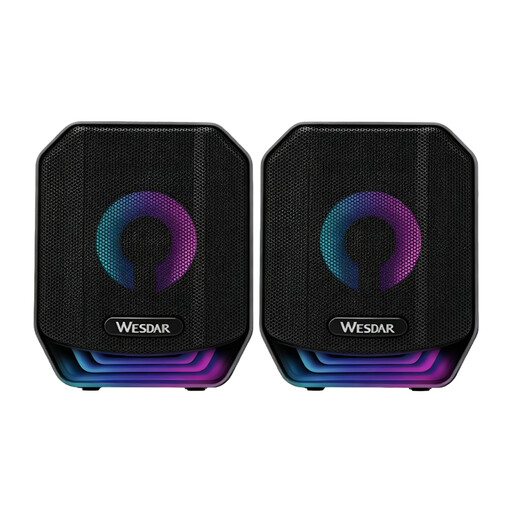
PC Speaker Set, USB, 2-piece, Black
For a PC workstation where you want to set up two speakers as a stereo pair.
The product name specifies a wired USB connection and two speakers.
View at Joybuy
 No image available
PC Speaker Set CS116, USB-A, 2-piece, Black
This set is designed for a PC desk setup with two speakers.
USB-A provides power; according to the product information, a separate audio cable is used for the audio signal.
View at Joybuy
 No image available
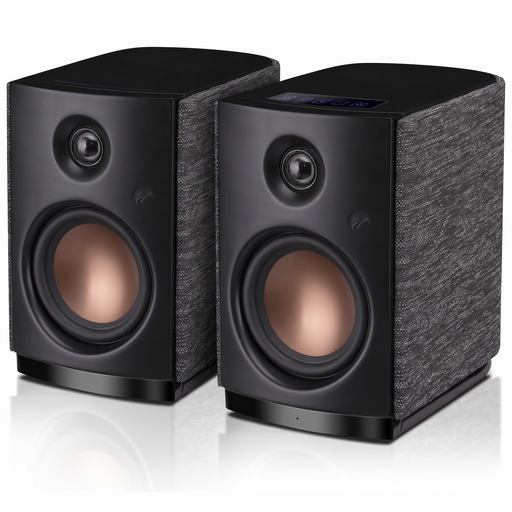
HiVi-Swans OS-10, active stereo bookshelf speakers
An option for a permanent desk setup if you’re looking for active computer speakers with AUX or Bluetooth connectivity.
The product name lists Bluetooth 5.0, AUX, a 4-inch woofer and 62 W RMS.
View at Joybuy
 No image available
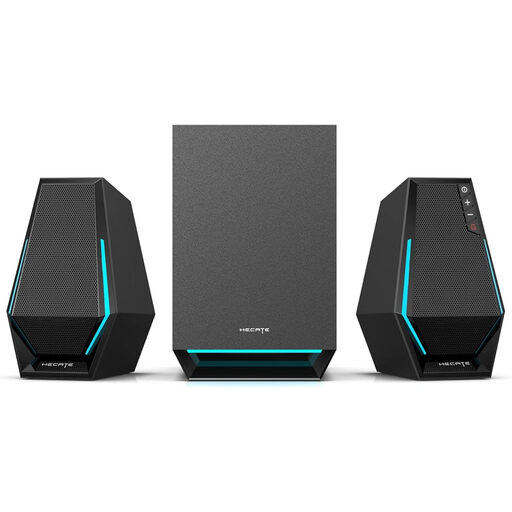
Edifier Hecate G1500 MAX, 2.1 system
For a PC desk setup if you want a subwoofer alongside two satellite speakers.
The product name lists 60 W, Bluetooth 5.3, USB, Type-C and a 3.5 mm AUX input.
View at Joybuy
 No image available
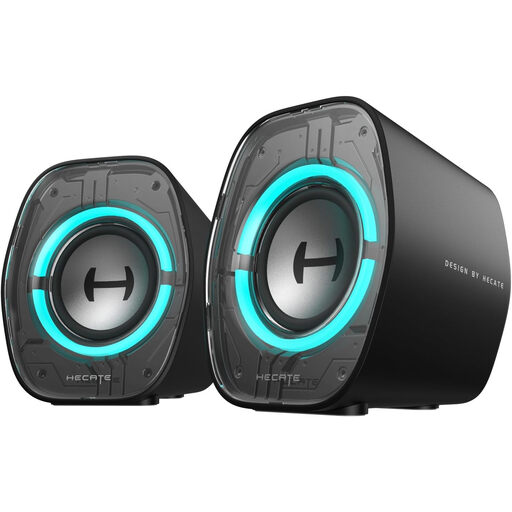
Edifier G1000 II, desktop speakers
For a desktop setup where you want a choice of wired and wireless connection options.
The product name lists Bluetooth 5.4, USB-C, AUX and a 2.5-inch full-range driver.
View at Joybuy
Frequently asked questions
Do I need to order studio monitors as a pair?
It depends on the specific model and listing. Yamaha describes the HS3 as a pair, while Genelec explicitly lists one 8010A monitor per pack. Check what’s included if you’re planning a stereo system.
How should I position two speakers on my desk?
Point both speakers towards your listening position and try to place them at similar distances to your left and right. Genelec recommends an equilateral triangle when listening with studio monitors and notes that room surfaces can affect the sound. This is a positioning recommendation, not a guarantee of a particular sound.
Is a USB connection always an audio input as well?
No, it depends on the model. The Hama Sonic Mobil 183 uses USB-A for power, while the audio signal comes through a 3.5 mm plug. Creative explicitly lists USB as an audio connection for the Pebble X.
Who should I contact in Germany if a speaker is faulty?
For your statutory rights, your contract is with the seller, not automatically the manufacturer. If you buy from a business seller within the EU, the statutory period of at least two years begins when you receive the goods. Any additional manufacturer’s guarantee does not replace these rights.
What should I check for product compliance when buying a Bluetooth or Wi-Fi speaker?
Check the specific product for the required information and documents. The German Federal Network Agency lists CE marking, manufacturer details, instructions in German and a declaration of conformity among the aspects covered by market surveillance. This is not a blanket approval of individual models.


