What should you look for when buying?
First, work out which databases and tools you’ll be running at the same time. Then consider your screen and glare protection separately, especially if you work by a window.
| Buying priority |
What to look for |
Who should pay particular attention? |
| RAM and running databases simultaneously |
List the databases and tools you’ll run at the same time. Compare the installed RAM, upgrade options and exact processor configuration. |
If I’m running databases alongside development tools, I want a configuration that suits this workload. Around 31% of consumers put RAM and multitasking first. |
| Screen by a bright window |
Check the monitor connections and screen positioning. Plan for adjustable sun protection and check for reflections at your actual workstation; the Federal Institute for Occupational Safety and Health continues to highlight the importance of glare protection. |
If you want to read comfortably in changing daylight, consider the screen separately from your PC’s performance. Around 25% of consumers prioritise reducing glare and improving readability. |
| Storage and backups |
Compare your expected storage needs with the SSD capacity and available upgrade options. Set up a regular backup and recovery process; the PostgreSQL Global Development Group recommends regularly backing up valuable data. |
If my local databases are growing and I want backups to remain practical, I plan for storage and backups separately. Around 25% of consumers put storage capacity and data backups first. |
| Space, what’s included and upgrade options |
Check the dimensions, included components and accessible RAM or SSD slots. Also allow space for airflow and cables. |
If desk space is limited and I may want to make changes later, I care about how compact the computer is and what can actually be upgraded. Around 19% of consumers prioritise a small footprint and upgradeability. |
Joybuy products to consider
This selection includes compact and larger desktop PCs for local databases, with different operating systems, storage capacities and connection options.
 No image available
Acer Nitro 20 N20-100 desktop PC, 32 GB, 1 TB, RTX 5060
A larger desktop configuration for anyone looking to compare RAM and storage options for local databases.
32 GB RAM; 1 TB storage; RTX 5060; Windows 11 Home.
This specification doesn’t guarantee a particular level of database performance. Check that the exact processor configuration suits your database workloads.
Joybuy
 No image available
Dell Alienware Aurora ACT1250, Core Ultra 9 285K, 32 GB, 2 TB SSD
A larger desktop configuration for anyone comparing listed SSD capacity and multiple monitor connections.
32 GB RAM; 2 TB SSD; RTX 5080; Windows 11; HDMI and three DisplayPort connections.
These specifications don’t prove a particular level of performance under database workloads. Check software compatibility and the connections you need.
Joybuy
 No image available
Apple Mac mini M6, 32 GB Unified Memory, 512 GB SSD
A compact option if your database and development software run on macOS and you’d prefer to choose your monitor separately.
12-core CPU; 12-core GPU; 32 GB Unified Memory; 512 GB SSD; 2.5 Gigabit Ethernet; HDMI; supports up to three external displays.
Before buying, check that your software is compatible with macOS and that the connections suit your monitor.
Joybuy
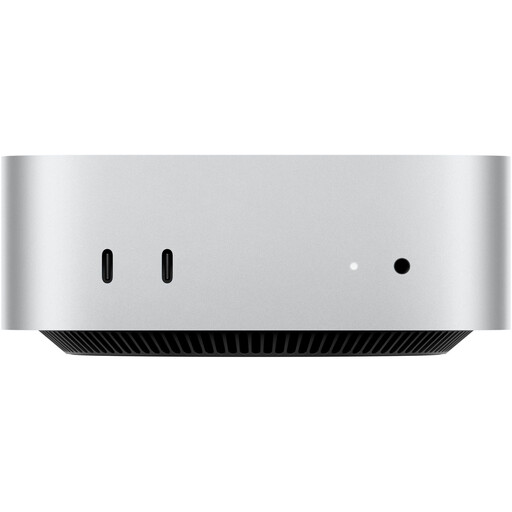 No image available
Apple Mac mini M6, 24 GB Unified Memory, 512 GB SSD
This compact configuration is worth considering if macOS suits your needs and the listed memory and connections meet your requirements.
24 GB Unified Memory; 512 GB SSD; 10 Gigabit Ethernet; HDMI; Thunderbolt 4; chassis: 12.7 × 12.7 × 5 cm.
A monitor connects separately. Check software compatibility and choose a memory configuration that suits your workload.
Joybuy
 No image available
MaxMini B3 mini PC, Intel N4100, 256 GB SSD
A space-saving option if the listed specification suits your database work and you need a wired network connection.
Intel N4100; 256 GB SSD; two M.2 slots; HDMI; DisplayPort; Gigabit Ethernet.
Before buying, check the exact RAM specification and make sure the operating system and database software meet your requirements.
Joybuy
Frequently asked questions
Will an especially fast desktop automatically make a desk by the window comfortable to work at?
No. Plan your screen position and adjustable glare protection independently of computing power. Check for reflections in the lighting conditions you actually work in.
Can I mount a mini PC directly behind my monitor?
That depends on the PC, mount and monitor. Check the mounting options, connections, cable routing and ventilation. HP describes mounting its Desktop Mini with a separate Quick Release bracket.
Is a larger internal SSD enough to back up my local database?
No. Set up a suitable process for regular backups and restoring them. The PostgreSQL Global Development Group describes, among other methods, SQL dumps, file system backups and continuous archiving.
Are the manufacturer’s guarantee and the statutory warranty the same thing?
No. When you buy consumer goods in Germany, you have statutory rights against the seller; a manufacturer’s guarantee is subject to its own terms. The Verbraucherzentrale (German Consumer Advice Centre) notes that the changes to repair law in force since July 2026 shouldn’t be taken to mean that every desktop PC comes with a manufacturer’s guarantee.
Do the same workplace rules apply at home as they do for employees?
Not across the board. The Workplace Ordinance covers health and safety when workplaces are set up and operated; section 1(4) sets out specific conditions for its application to teleworking workstations. For screen-based workstations covered by the rules, distracting glare, reflections and mirrored images must be avoided under the Annex.


