Who this desktop PC could suit

3D animator working on rendered projects

If you animate in Blender and want to use Cycles on the GPU, check the specific graphics card, video memory and supported render backend. The Blender Foundation lists compatible hardware and backend requirements.

Motion graphics designer

For compositions, previews and working files, you need enough RAM and free storage for the cache as well as processing power. Adobe recommends using a fast drive or SSD with enough space allocated for the disk cache.

Animator with a small standing desk

If desk space is limited, consider the case size, where you’ll place the computer and its monitor connections. Also check that the computer and cables are secure and won’t get in the way when the desk moves.

What to look for when buying a PC for animation

Compact desktop or mini workstation

A good fit if: You have limited space on or near the moving desktop and the specific configuration meets your software requirements. HP describes the Z2 Mini G1i as suitable for placing behind a monitor, while Lenovo lists several mounting options for the ThinkStation P3 Tiny.

Consider: Check the graphics card, upgrade options and connections actually included. The specification of a product range won’t necessarily apply to every configuration.

Upgradeable tower

A good fit if: A particular GPU specification or the option to upgrade later matters for your projects. HP describes upgrade options for the Z2 Tower G1i, while Dell lists various processor and power supply configurations for the Pro Max Tower T2.

Consider: Make sure you have a suitable place for it, and check the power supply and components in the specific configuration rather than assuming it comes with the maximum available options.

Mac desktop

A good fit if: Your software and plug-ins run on macOS or Apple silicon, and you want a compact computer with a separately chosen display. Apple lists various unified memory and SSD options for the Mac Studio M5 Max, along with display connections.

Consider: Check your plug-ins, project handover and render backend before switching platforms. The Blender Foundation lists Metal for GPU rendering on macOS; CUDA or OptiX details for other systems don’t simply carry over.

Buying priority What to check before buying Who should pay particular attention
GPU rendering Check the graphics card model, video memory and compatible Cycles backend together. The Blender Foundation recommends 8 GB VRAM; this isn’t a universal pass mark. If I want to render 3D scenes with Cycles, the GPU and render backend need to suit my workflow. Around 40% of consumers put GPU rendering first.
RAM and cache Check the RAM actually installed and whether it can be upgraded, along with SSD capacity and free space for the cache. The Blender Foundation recommends 32 GB RAM; Adobe recommends a fast drive or SSD with space allocated for the cache. For larger compositions, previews and running several applications at once, I want to make sure there’s enough memory for working files and the cache. Around 30% of consumers prioritise RAM and cache.
Desk space and setup Check the footprint, mounting options and accessible connections. With all cables connected, test the full height range on your own desk. If desk space is tight, I need a computer that can be positioned securely without getting in the way when the desk moves. Around 20% of consumers prioritise a compact setup that’s easy to plan.
Upgrades later on Check the supported graphics options, slots and power supply for the specific tower configuration before planning a future upgrade. If I want to adapt the computer for larger projects later, the upgrades it can actually support matter more than a small case. Around 10% of consumers prioritise future upgrade options.

Avoid these common buying mistakes

  • Assuming the maximum specification in a product range applies to the configuration on offer

    Graphics cards, memory and power supplies can vary across configurations in the same range. So a possible top specification doesn’t tell you what’s actually inside the computer you’re buying.

    Before ordering, check the full model number and the components actually included.

  • Choosing the smallest computer just because you have a height-adjustable desk

    A compact case won’t automatically solve questions around software compatibility, graphics, connections or safe positioning.

    Check your workflow and hardware first, then look at where to place and secure the computer, and test the full height range with all your devices connected.

  • Focusing only on CPU cores or the ‘RTX’ label for 3D rendering

    For Blender Cycles GPU rendering, the specific graphics card, video memory, operating system and supported backend all need to work together.

    Compare these details with your rendering workflow and the requirements of your scenes.

  • Allocating all your SSD storage to project files

    For After Effects previews, Adobe recommends using a fast drive or SSD with space allocated for the disk cache.

    Leave free space for projects, applications and the cache.

Brands worth considering

HP

The Z2 Mini G1i for a compact setup; the Z2 Tower G1i if configuration choices and future upgrades matter.

  • HP describes the Mini as suitable for placing behind a monitor and lists upgrade options for the Tower.
  • Check the graphics card and RAM in the specific configuration; product range details don’t necessarily describe every computer on offer.

Apple

The Mac Studio M5 Max for macOS workflows where you choose the display separately.

  • Apple lists unified memory and SSD options, as well as Thunderbolt and HDMI display connections.
  • Before buying, check that your plug-ins, project handover and preferred render backend suit your workflow.

Lenovo

The ThinkStation P3 Tiny for a compact computer with various mounting and graphics options.

  • Lenovo describes several placement and mounting options.
  • Dedicated NVIDIA graphics are optional, so they’re not automatically included in every P3 Tiny configuration.

Dell

The Pro Max Tower T2 for shoppers who want to choose a Windows or Linux tower based on its specific components.

  • Dell lists different processor and power supply options.
  • Changing your selection may affect the specifications and other terms of the offer; a base model isn’t the same as a higher-spec configuration.

ASUS

The ProArt Station PD5 PD500TE, another tower option for creative workflows.

  • The German ASUS data sheet describes a configuration with an RTX A4000, 16 GB video memory and a 2 TB SSD.
  • ASUS notes that specifications may vary by country; the specific retailer configuration is what matters.

Desktop PCs at Joybuy

This selection includes desktop PCs for GPU rendering, motion graphics projects, and compact or upgradeable workspaces.

Acer Nitro 20 N20-100 desktop PC

Acer Nitro 20 N20-100, i5, RTX 5060, 32 GB RAM, 1 TB SSD

The dedicated graphics listed make this configuration worth considering for Blender GPU rendering. Check that the render backend is compatible with your system.

RTX 5060 with 8 GB GDDR7, 32 GB RAM, 1 TB SSD and Windows 11 Home. The product description requires at least 10 cm of clearance for ventilation.

View at Joybuy

Dell Alienware Aurora ACT1250 desktop PC

Dell Alienware Aurora ACT1250 1J3N5, Core Ultra 9-285K, RTX 5080

This tower configuration is an option if you’re looking for a desktop with a dedicated GPU and an upgradeable setup for animation.

RTX 5080 with 16 GB video memory, 32 GB RAM and a 2 TB SSD. The product description recommends a stable surface and good ventilation.

View at Joybuy
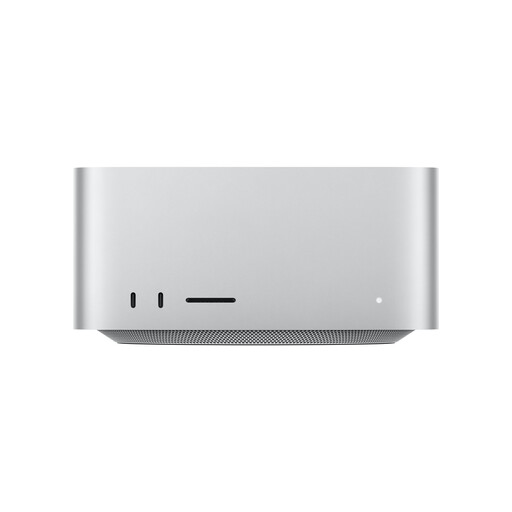
Apple Mac Studio M5 Max with 36 GB unified memory

Apple Mac Studio M5 Max, 32-core GPU, 36 GB, 512 GB SSD

This compact Mac desktop is worth considering if your animation software and plug-ins run on macOS. Check backend compatibility first.

18-core CPU, 32-core GPU, 36 GB unified memory and 512 GB SSD. Make sure you leave enough of the available SSD storage for project files and the cache.

View at Joybuy
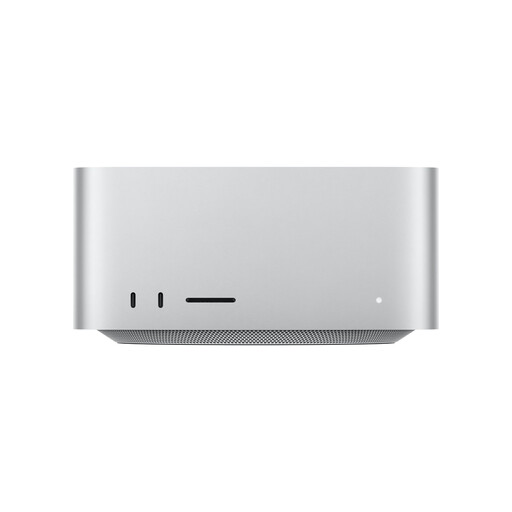
Apple Mac Studio M5 Max with 48 GB unified memory

Apple Mac Studio M5 Max, 40-core GPU, 48 GB, 1 TB SSD

This Mac configuration could suit a compact macOS workstation, provided your applications and extensions are compatible.

18-core CPU, 40-core GPU, 48 GB unified memory and 1 TB SSD. Check that your render backend and project handover are compatible with macOS.

View at Joybuy
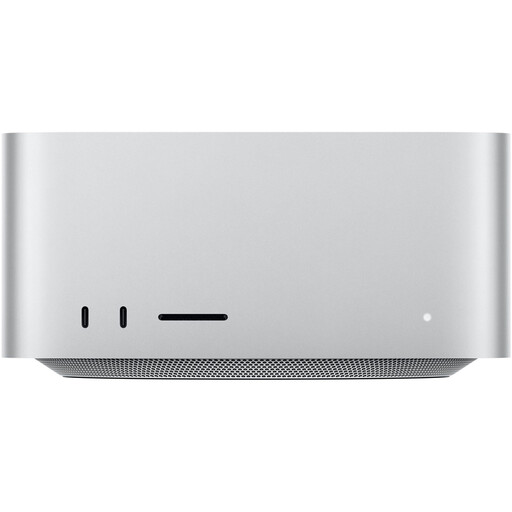
Apple Mac Studio M5 Max with 36 GB unified memory and 1 TB SSD

Apple Mac Studio M5 Max MHL64ZD/A, 32-core GPU, 36 GB, 1 TB SSD

This compact desktop is a possible choice for an animation workflow on macOS, provided your software and plug-ins are designed for it.

18-core CPU, 32-core GPU, 36 GB unified memory and 1 TB SSD. Check that the storage capacity and render backend suit your projects.

View at Joybuy

Frequently asked questions about animation PCs for standing desks

Are Blender’s minimum requirements enough to aim for when buying a PC for 3D animation?

Not necessarily. The Blender Foundation distinguishes between minimum and recommended specifications, listing 8 GB RAM as the minimum and 32 GB as the recommendation for Windows, among other requirements. For Cycles GPU rendering, the graphics card and render backend must also be compatible. Take the size of your scenes into account, too.

How should I set up my PC at a height-adjustable desk?

Position the computer and connected devices so they won’t get in the way when the desk moves, and check the desk according to its instruction manual. Test the full height range with all cables connected. The German Social Accident Insurance describes visual and functional checks for desks, but doesn’t prescribe a particular PC case size.

Who’s responsible if something goes wrong: the retailer or the manufacturer?

You should make any statutory consumer rights claims against the seller. These are separate from a voluntary manufacturer’s warranty. The Verbraucherzentrale lists repair or replacement as possible remedies for faulty goods. Check the warranty terms separately before buying.

What should I know about compliance for a desktop PC sold in Germany?

The German Federal Network Agency lists correct CE marking, product traceability and accurate manufacturer details among the points it checks during market surveillance. This doesn’t mean that any specific computer mentioned here has already been checked.

What should I do with an old computer?

Don’t put an old computer in your household waste. It should be disposed of separately as electronic waste. The German Environment Agency lists local collection points and suitable retailer take-back schemes. Remove your personal data before handing it in.