For a booklet featuring reference images, your desktop should suit the specific writing or layout software you use, as well as your monitor and input devices. Mini PCs, all-in-ones and towers mainly differ in how you put your workspace together. For InDesign 21.3 and later on Windows, Adobe specifies 8 GB RAM as the minimum and recommends 16 GB – this isn’t a general requirement for straightforward text work. Then make your choice based on the monitor you already have, the connections you need and the case style you prefer.
Which workspace is right for you?
Booklet designers working with lots of images
You’re bringing text and reference images together to create a designed booklet, so you should consider your software requirements, screen and the files you need. Adobe publishes specific system requirements for InDesign.
Writers creating text-led instructions
You mainly write instructions and add the occasional image. First, check that your word-processing software runs on the computer’s operating system. The Document Foundation publishes the system requirements for LibreOffice.
Buyers with an existing workspace
You want to keep using your monitor and input devices, and choose a computer that fits your available space and connection needs. Lenovo and Dell document different connection and case options across their desktop ranges.
What should you look for when buying?
Mini PC
A good fit if: you already have a suitable monitor and want to save space. Lenovo lists HDMI, DisplayPort and USB connections for the ThinkCentre M70q Gen 5.
Things to consider: your monitor and, if needed, input devices must suit your workspace. Check the connections and specification of the specific model.
All-in-one
A good fit if: you want a computer with a built-in screen. The IdeaCentre AIO 27IRH9 series combines the screen and computer.
Things to consider: you’re choosing the screen and computer together, so check the resolution, connections and exact configuration. Lenovo notes that support for an additional external monitor depends on the configuration.
Small-form-factor PC or tower
A good fit if: you want to use your existing peripherals and choose a specific case style. Dell offers the OptiPlex 7020 as both a small-form-factor PC and a mini tower.
Things to consider: the case takes up space, so compare the footprint and specification of the exact version. The case style alone says nothing about the quality of your booklet’s images.
| What you need |
What to check before buying |
Who it matters most to |
| Image-led layout |
Check that your software and version are compatible with the operating system, and compare RAM requirements. For InDesign 21.3 and later on Windows, Adobe specifies 8 GB as the minimum and recommends 16 GB; Adobe recommends a resolution of 1920 × 1080 pixels for the interface. |
If I’m adding lots of reference images to a page layout, I want to meet the requirements of the specific programme without opting for unnecessarily high specifications. Around 36% of consumers put image-led layout first. |
| Straightforward text work |
Check that your word-processing software is compatible with the operating system, and choose a monitor and keyboard suited to longer writing sessions. |
If I mainly write instructions and only add images occasionally, my first priority is making sure my word-processing software and operating system work together. Around 29% of consumers prioritise straightforward text work. |
| Connections and space |
Check that the computer’s connections match your monitor and peripherals; for an all-in-one, check the screen specifications and configuration. Lenovo lists HDMI and DisplayPort for selected ThinkCentre M70q Gen 5 models. |
If I want to keep using my monitor and input devices while making the most of my available space, I need the right case style and connections. Around 21% of consumers put connections and space first. |
| Total cost and continued use |
Compare the software and devices you need with what’s included, check the operating system’s support status and plan to back up your project files separately. Standard support for Windows 10 ended on 14 October 2025; Microsoft describes a separate option for extended security updates. The German Federal Office for Information Security recommends keeping backup copies to help protect against data loss. |
If I want to factor in extra purchases and long-term use, I’ll consider the software, what’s included and file backups together. Around 14% of consumers prioritise total cost and continued use. |
Buying decisions you can avoid
-
Assuming a layout programme’s RAM recommendation is essential for all writing
Adobe and the Document Foundation publish requirements for different programmes. A recommendation for a layout programme isn’t automatically a requirement for straightforward text work.
Choose your software first, then compare its system requirements with the full PC specification.
-
Assuming a mini PC comes with a screen and suitable accessories
A mini PC and an all-in-one differ in whether the screen is built in. The connections and specification of a particular mini PC may also depend on the configuration you choose.
Make a list of the devices you already own and check them against the connections and what’s included with the exact model.
-
Assuming every product in a range has the same specification
HP notes that hardware and software for the Pro Mini 400 G9 vary by configuration.
Compare the full model number with the specifications your software needs, rather than relying on the product family name alone.
-
Saving drafts only to the built-in drive
If your computer fails, your saved booklet text and reference images could be affected. The German Federal Office for Information Security highlights the benefits of keeping backup copies.
Plan to keep a separate, regularly updated backup of your important project files.
Brands and product ranges to consider
Lenovo
The ThinkCentre M70q Gen 5 is an example of a separate mini PC workspace, while the IdeaCentre AIO 27IRH9 series combines the computer and screen.
- Lenovo lists HDMI, DisplayPort and several USB connections for the ThinkCentre M70q Gen 5.
- Connections and specifications can vary by model. Details for one version shouldn’t be assumed to apply to the entire product range.
HP
The Pro Mini 400 G9 is a compact desktop option where you choose the screen and other workspace devices separately.
- HP notes that hardware and software vary by individual configuration.
Dell
The OptiPlex 7020 illustrates separate desktop workspaces with small-form-factor and mini-tower cases.
- Dell describes the range as business PCs with security and management features.
- This manufacturer description doesn’t mean those features are necessary for a booklet. What matters is the exact case style and specification.
Apple
The Mac mini (2024) is a compact macOS option if the programmes you plan to use run on macOS and the computer suits your screen and input devices.
- Apple lists 16 GB of unified memory and a 256 GB SSD for the M4 base configuration.
- Other configurations differ. The manufacturer’s specifications don’t confirm compatibility with every Windows programme or guarantee faster performance when writing a booklet.
MSI
The Cubi NUC 1M is a compact mini PC model that should be considered as a specific product version.
- When buying, check the full model name and the connections on the version being offered.
Joybuy products for your desktop workspace
The Joybuy products below include compact computers and desktop cases for a workspace you can put together yourself. Check that the operating system, connections and devices you need are compatible with your software and the specific configuration.
 No image available
Lenovo ThinkStation P2 Tower Gen2, Intel Core Ultra 7 265, 32 GB DDR5, 512 GB NVMe SSD, NVIDIA RTX A400 4 GB, Windows 11 Pro
A tower PC for a workspace set up separately. Check that the case style and operating system suit your desk and software.
Specifications include 32 GB DDR5, a 512 GB NVMe SSD, DisplayPort and HDMI.
View at Joybuy
 No image available
Apple Mac mini, Apple M6, 12-Core CPU, 12-Core GPU, 16 GB Unified Memory, 512 GB SSD
Described as a mini PC for a separately set-up workspace. Check that your programmes are compatible with macOS and that the connections work with your existing monitor.
Specifications include 16 GB unified memory, a 512 GB SSD, Thunderbolt 4 and HDMI.
View at Joybuy
 No image available
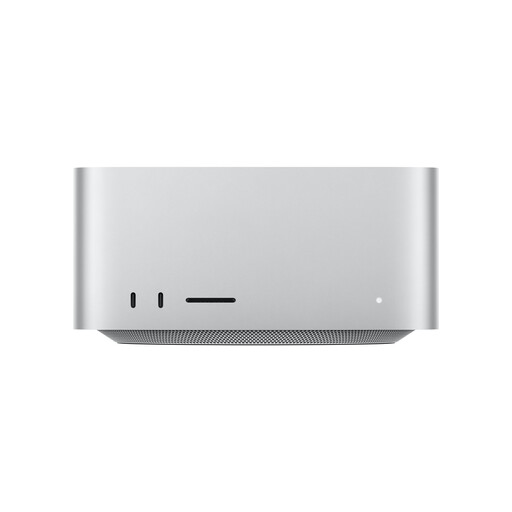
Apple Mac Studio, Apple M5 Max, 18-Core CPU, 32-Core GPU, 36 GB Unified Memory, 512 GB SSD
Described as a desktop computer for a workspace with a separate screen and peripherals. Check that macOS is compatible with the software you plan to use.
Specifications include 36 GB unified memory, a 512 GB SSD, HDMI, USB-A and Thunderbolt 5.
View at Joybuy
 No image available
ACEMAGIC E3B Mini Desktop Computer, AMD Ryzen 7 7735HS, 24 GB LPDDR5, 512 GB NVMe SSD, Windows 11 Pro
The mini PC form factor is an option for a separately set-up workspace. Check that the listed connections work with your monitors and devices.
Specifications include HDMI, DisplayPort, USB-C and USB-A, as well as 24 GB LPDDR5 and a 512 GB NVMe SSD.
View at Joybuy
 No image available
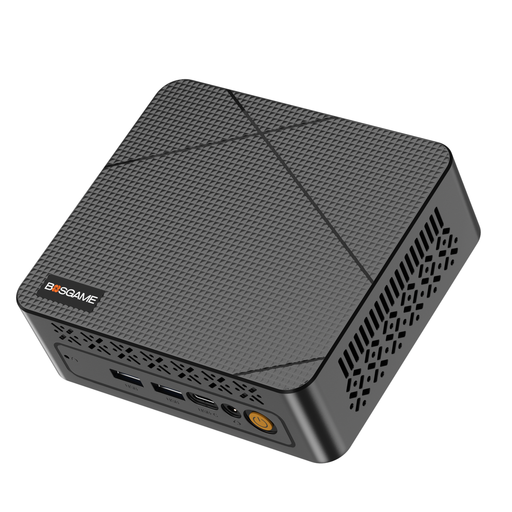
BOSGAME E3 Neo Mini-PC, N95 3,4 GHz, 16 GB DDR4, 512 GB SSD
Described as a mini PC for a workspace put together separately. Check that the operating system and connections suit your software and monitor.
The product title lists two HDMI outputs with dual 4K output; the description also mentions USB-C.
View at Joybuy
Frequently asked questions
Do I definitely need 16 GB RAM for my booklet?
No, not as a general rule. For InDesign 21.3 and later on Windows, Adobe specifies 8 GB as the minimum and recommends 16 GB. Other writing or layout software has its own requirements; the published LibreOffice requirements aren’t a performance guarantee for every image-heavy project.
What should I do with drafts and reference images once my PC is set up?
Regularly create a separate backup of your important project files. The German Federal Office for Information Security notes that backup copies can help if a computer fails.
Is a manufacturer’s warranty the same as your statutory rights?
No. Your statutory rights are set out by law and generally apply against the seller; a guarantee is an additional voluntary promise with its own terms. The consumer advice centre recommends checking the seller and guarantee terms separately.
What should I look out for when buying an electronic device in Germany?
Check the product label and related details for the specific item you’re buying. The Federal Network Agency lists CE marking, product identification, manufacturer details and declarations of conformity among the points it checks when monitoring electrical and electronic products.
Can I simply print reference images I find in my published booklet?
No. The fact that an image is easy to find online doesn’t mean you can use it. Check the usage rights and any applicable exceptions for your planned publication; the European Commission explains that licences may be limited by time and location.


