What to look for when choosing
Start by checking how your catalogue software manages photos and records. Then compare storage, backup options and connections with your workspace and the specific configuration you’re considering.
| Consideration |
What to check before buying |
Who is this important to? |
| File links |
Check that your catalogue software is compatible; find out whether files are embedded or linked using a storage path. |
If I want my catalogue to find photos and records again after moving the archive, I make sure the links work. Around 36% of consumers put this first. |
| Backing everything up together |
Check that you can connect your chosen backup drive, then test restoring the catalogue and source files together. |
If I want to be able to restore my catalogue, photos and documents, I plan to back them up together. Around 29% of consumers prioritise protecting their entire archive. |
| Space and connections |
Check the form factor and monitor and USB ports against your existing devices and available space. |
If my desk is short on space, I still want to connect all the devices I need. Around 21% of consumers focus first on size and connections. |
| Essential specification |
Compare your software requirements with the RAM, SSD and operating system in the configuration you’re ordering. |
If I want to use catalogue software and image files without paying for more performance than I need, I match the specification to how I’ll actually use the computer. Around 14% of consumers put the right essentials first. |
Joybuy models for your collection catalogue
The Joybuy models below include compact mini PCs and a tower for a workspace with catalogue and source files. Compare the exact specifications and check that they suit your software and existing devices.
 No image available
SOYO Y5Pro Mini PC, Intel Core i5 8250U/8350U
The mini PC form factor could suit a workspace with limited room.
The listed configuration includes 8 GB DDR4, a 256 GB SATA SSD and Windows 11.
View at Joybuy
 No image available
Lenovo ThinkStation P2 Tower Gen2, Intel Core Ultra 7 265
The tower form factor may suit you if you have room for a larger case; check that the specific connections work with your devices.
The configuration lists 32 GB DDR5, a 512 GB NVMe SSD, NVIDIA RTX A400 with 4 GB and Windows 11 Pro.
View at Joybuy
 No image available
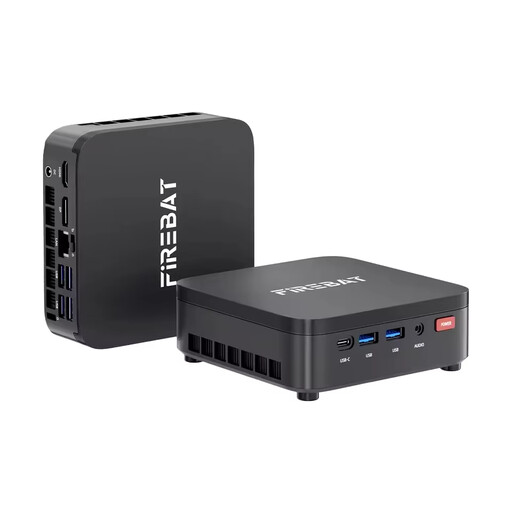
FIREBAT R3 Mini PC, AMD Ryzen 3 4300U
The compact form factor may suit a small catalogue workspace.
The listed specification includes 16 GB LPDDR4 RAM, a 512 GB M.2 SATA SSD and Windows 11 Pro.
View at Joybuy
 No image available
ACEMAGIC AK1PLUS Mini PC, Intel Celeron N5095
The mini PC form factor is an option if you’re short on desk space; check that it has the connections you need for your monitor and other devices.
The product name lists 16 GB LPDDR4X, a 256 GB M.2 2280 SATA SSD, HDMI 2.0 and Windows 11 Pro.
View at Joybuy
 No image available
MaxMini B3 Mini PC, Intel N4100
The mini PC form factor may suit a compact workspace; check that the display outputs work with your devices.
The listed specification includes 8 GB LPDDR4, a 256 GB SSD and two HDMI outputs.
View at Joybuy
Frequently asked questions
Do I need to embed photos and records in the catalogue file?
No, it depends on your catalogue software. Microsoft Access, for example, supports file attachments in records. As Microsoft Learn explains, an Access database is limited to 2 GB, and an individual file can be no larger than 256 MB. If your files are linked externally, plan where you’ll store them and test moving them to a new location.
How do I back up the catalogue and source files together?
Back both up regularly to a separate drive, then test that you can restore them together. The German Federal Office for Information Security recommends regular backups; for your catalogue, your restore test should also include photos and documents stored separately.
What should I check about what’s included and the warranty before buying?
Check whether a monitor, keyboard and mouse are included, and whether you’ll need an external backup drive. According to Your Europe, when you buy from a business seller in the EU, you’re entitled to a legal guarantee of at least two years from the date you receive the goods. This is separate from any voluntary manufacturer’s guarantee.
Which safety markings should I check on the PC?
Check the markings and the information provided about the specific product and manufacturer. The German Federal Network Agency lists CE marking, product traceability and correct manufacturer details among the checks it carries out as part of market surveillance.


