What should you look for when buying?
First, decide which tools and test environments you'll be running at the same time. Then check your storage and backup needs, and decide whether a compact design or extra upgrade options matter more to you.
| What matters when buying |
What to check |
Who it's relevant for |
| Development tools |
Check that the operating system, processor, installed memory and any upgradeable memory are suitable for the programmes you plan to run at the same time. |
If I'm using an editor, running tests and using other programmes at the same time, I want the operating system and specifications to suit my development tools. Around 31% of consumers put suitable development tools first. |
| Local data and backups |
Check the SSD capacity, connections or drive bays for a separate backup, and make sure you have a suitable backup method. |
If my project contains lots of cards, media or test copies, I need enough space and a separate backup option. Around 31% of consumers prioritise local data and backups. |
| Android emulators |
First check whether you'll be using Android Studio and emulators. Then compare the operating system, memory, virtualisation and storage requirements. Google notes that each additional virtual Android device may need up to 6 GB of extra storage space. |
If I want to test the trainer on virtual Android devices, I need to allow for their additional resource requirements. Around 23% of consumers prioritise emulator testing. |
| Space and connections |
Compare the dimensions, suitable monitor outputs, USB ports and what's included with the specific configuration. |
If I have limited desk space, I want to choose a computer that works with my monitor and existing devices. Around 15% of consumers prioritise a small footprint. |
Desktop PCs at Joybuy
You can compare the desktop PCs below with the requirements of your development tools and local project data by checking their listed memory, SSD capacity and operating system.
 No image available
Acer Predator Orion 3000 Desktop i5 Ultra
Could suit a Windows development setup if 16 GB of RAM and a 512 GB SSD meet the needs of your planned tools and local files.
Windows 11 Home; 16 GB DDR5 RAM; 512 GB SSD; RTX 5060.
Joybuy
 No image available
Acer Nitro 20 N20-100 Desktop i5
Before choosing this Windows configuration, check that its specifications suit your development tools and storage needs.
Windows 11 Home; 32 GB of RAM; 1 TB of storage; RTX 5060.
Joybuy
 No image available
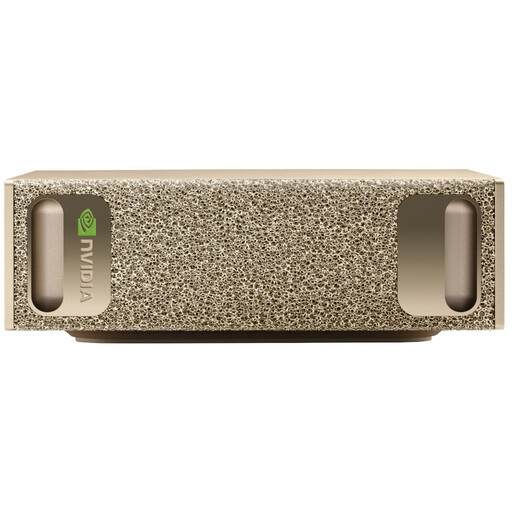
NVIDIA DGX Spark Founders Edition
Only consider this model if your development tools work with the listed operating system and its high-capacity storage suits your project.
NVIDIA GB10; 128 GB of RAM; 4 TB SSD; NVIDIA DGX OS.
Joybuy
 No image available
HP Z1 Tower G1i A40T1ET#ABD
Before choosing this Windows workstation, compare its specifications with the requirements of the programmes you plan to use.
Core Ultra 9 285; 64 GB DDR5 RAM at 5600 MHz; 1 TB M.2 SSD; Intel Graphics; Windows 11 Pro.
Joybuy
 No image available
THUNDEROBOT Mini PC Workstation AI Max+ 395
Its compact design could suit a workspace with limited room, provided 128 GB of RAM and a 1 TB SSD are right for your project and tools.
128 GB LPDDR5X RAM at 8000 MT/s; 1 TB SSD; Wi-Fi 7; side-mounted SSD interface and quick-release interface for the network card.
Joybuy
Frequently asked questions
Do I need a powerful graphics card for a simple flashcard trainer?
The documented requirements for Visual Studio Code alone don't call for a dedicated graphics card. What matters is which other tools and test environments you plan to use; check the specific requirements for any Android emulators.
Is 4 GB of RAM enough because Windows 11 lists this as the minimum?
No. Microsoft's 4 GB of RAM is the minimum requirement for Windows 11, not a guarantee of smooth performance with development tools and emulators. Check the requirements of all the programmes you want to use at the same time.
How do I back up a local flashcard database?
Keep a separate backup. If you use SQLite and the database is open while you're backing it up, SQLite describes an online backup API for copying the database. The consumer advice centre also recommends having a suitable data backup strategy.
How does an Android emulator affect PC requirements?
An emulator is an additional use case, so check its requirements as well as those of your editor. Google notes that each additional virtual Android device may need up to 6 GB of extra storage space. Also check that the operating system, memory and virtualisation requirements are met by the specific PC configuration.
Is locally stored data automatically exempt from the GDPR?
No, the storage location alone doesn't determine this. The Federal Commissioner for Data Protection and Freedom of Information describes the GDPR as a framework governing the processing of personal data, including by individuals. The obligations that apply to your trainer depend in particular on whose personal data is being processed and the context in which it's used.


