Joybuy products for a compact Windows setup
These mini PCs are designed for a compact Windows setup. Before buying, check that the connections and specifications work with your monitor and meet the requirements of your catalogue software.
 No image available
ACEMAGIC AK1PLUS mini PC, Intel Celeron N5095
A mini PC is a good option if you’re looking for a compact computer to use with a monitor you already own.
Listed specifications include 16 GB LPDDR4X RAM, a 256 GB M.2 2280 SATA SSD, HDMI 2.0, Wi-Fi 5 and Windows 11 Pro.
The product description lists two HDMI 2.0 ports; check that they’re compatible with your display.
Joybuy
 No image available
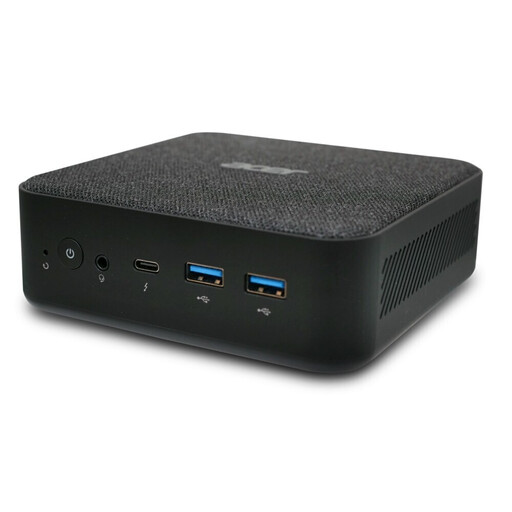
ACER Revo RB102 mini PC, Core Ultra 5 125U
This mini PC is a compact option if its specifications suit your existing setup.
Listed specifications include 16 GB RAM, a 512 GB SSD and Windows 11 Pro, 64-bit.
The product description lists four USB 3.0 ports; check that they’re enough for the devices you’ll connect.
Joybuy
Frequently asked questions
Will a faster PC automatically remove duplicate catalogue entries?
No. Checking for duplicates depends on the data you’ve entered and the software you use. Microsoft Support explains how Excel can highlight duplicate values for you to check before removing them. Make sure you establish whether two rows describe the same record or two models you actually own.
Can I use older Windows collection software on a new PC?
It depends on the specific version of the programme and its system requirements. The Scoutsystems application reviewed lists Windows 11. Microsoft says standard support for Windows 10 ended on 14 October 2025; its separate consumer ESU programme can provide security updates until 12 October 2027.
How should I back up my catalogue and model photos?
Make a separate copy regularly, for example on a USB stick or external hard drive. The Federal Office for Information Security recommends using external storage media for backups. How often you back up will depend on how frequently you update your catalogue.
What are my rights if a PC bought in Germany is faulty?
Your statutory consumer rights are against the seller and are separate from any voluntary guarantee. If a product is faulty, the first step may be to request a repair or replacement. The Verbraucherzentrale explains that, in general, new goods are covered by statutory rights for two years after they’re handed over.
What should I do with my old PC when I replace it?
A computer you no longer use should be taken to an authorised collection point for waste electrical equipment. The Federal Ministry for the Environment lists municipal collection points among the options. Retailers’ take-back obligations depend on the relevant legal conditions.


