Collectors with existing software
If you want to continue using an existing model railway database, check the software version, supported operating system and file paths before moving to a new computer.


Choose your PC based on the collection software you use. MobaVer specifies Windows, while COLLECTION users should consider their data and image paths when moving to a new computer. A compact Windows PC could be a good fit if its exact specification meets your needs for software, ports and files. If you have lots of local files or want room for internal upgrades, a tower may be more practical. Back up the database and linked source files together, then check the links after transferring them.
If you want to continue using an existing model railway database, check the software version, supported operating system and file paths before moving to a new computer.
If you catalogue models alongside images or documents, think about where your database and files are stored, how to back them up together and how to find them again later.
A compact desktop computer can save space. The key is to check that the exact configuration suits your software, monitor and storage devices.
| What matters when buying | What to check | Who it matters most to |
|---|---|---|
| Software and file links | Check the supported operating system and software version; test file links using a copy of your collection. | If I want to keep using my existing collection software, the operating system and saved paths need to be compatible. Around 36% of consumers put compatibility first. |
| Storage and backups | Work out how much space your files need and plan for a separate backup location. | If you want to keep lots of images and documents alongside your collection, plan how to restore both types of data. Around 29% of consumers prioritise keeping their data safe and backed up. |
| Space and ports | Check the case size, monitor and USB ports, and the storage upgrades actually supported. | If space is limited or I already have devices, I need to know whether the computer will fit on my desk and has the ports I need. Around 21% of consumers consider desk space and ports a top buying priority. |
| The right basic specification | Check the operating system, installed RAM, SSD and what’s included with the version you’re ordering. | If I’m mainly using the PC for cataloguing, I want a specification that matches my needs. Around 14% of consumers prioritise having the right essentials without paying for unnecessary extra performance. |
With COLLECTION, saved image paths may no longer work after a move if the files are stored in different locations.
Before switching computers, make a note of where everything is stored, transfer the database and source files, and test the links on a copy first.
Relinking images and documents can take time. If files can’t be accessed, their associated links may not work.
Processor, memory, operating system and drives can vary between configurations in HP and MSI product ranges.
Before buying, check the full specification of the exact version and what’s included.
Lenovo notes that a monitor, keyboard and mouse are sold separately for the ThinkCentre M90t Gen 6.
Check which devices you already have and what else you’ll need for your workstation.
You may need to buy missing accessories or a separate backup drive.
The Dell Pro Slim Plus QBS1250 is a compact office desktop range. Check the exact configuration before buying.
The OmniDesk Desktop AI M03 series includes office PC configurations with a range of specification options.
The ThinkCentre M90t Gen 6 tower may suit buyers looking into possible storage upgrades.
MSI offers a mini PC range with the Cubi NUC 1M, as well as a compact office desktop with the PRO DP80 A14G.
The A5 Pro 2026 Edition is a compact PC option for which the manufacturer offers a Windows configuration.
This selection includes compact Windows mini PCs and Windows towers for cataloguing a collection at a fixed workstation. Before buying, check that the configuration is compatible with your collection software and how you store linked files.
 No image available
The mini PC format could suit a space-saving workstation. Check the operating system and specification against your collection software.
Intel Core i5 8250U/8350U, Windows 11, 8 GB DDR4 and 256 GB SATA SSD.
Bluetooth 5.2 and Wi-Fi 5.
 No image available
The tower format could suit a fixed workstation with files stored locally. Check what’s included to make sure it meets your needs.
Xeon W W3-2535 at 3,5 GHz, 64 GB RAM and 1 TB Z Turbo Drive SSD, NVMe, TLC.
RTX 4000 Ada, 1GbE and Windows 11 Pro.
 No image available
This tower configuration could suit a fixed workstation with locally stored files. Check that the specification meets your needs.
24-core processor, 64 GB DDR5 at 5600 MHz and 1 TB M.2 SSD.
Intel Graphics and Windows 11 Pro.
 No image available
The tower format could suit a fixed workstation with several connected devices. Check which accessories you already have and which ports you need.
Intel Core Ultra 7 265, 32 GB DDR5 and 512 GB NVMe SSD.
NVIDIA RTX A400 with 4 GB and Windows 11 Pro.
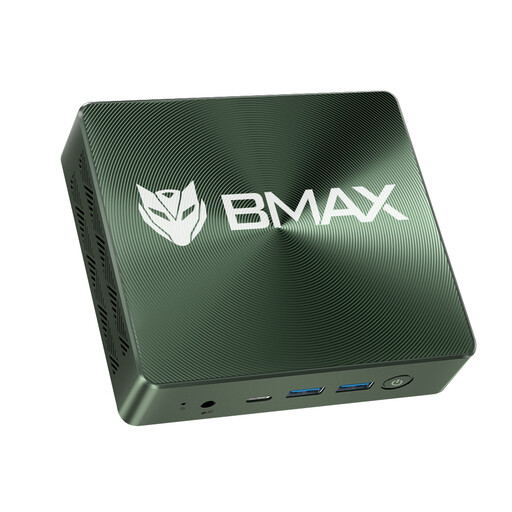 No image available
The mini PC format could be a space-saving option for cataloguing. Check the exact configuration and the ports you need.
Intel Core i7-1060NG7, Windows 11, 16 GB RAM and 1 TB NVMe SSD.
NVMe 2280 ×2, HDMI, USB, Bluetooth and Type-C.
Not simply because of the hobby. If you want to keep using collection software that requires Windows, check its supported version and the operating system on the exact PC configuration. MobaVer’s description lists Windows as the operating system.
Back up your collection data and the source files you actually need, then test a few links after transferring them. The COLLECTION documentation from modellplan covers the backup data to transfer. Another guide from modellplan explains that changing image paths can prevent images from loading.
You should also keep a restorable backup in a separate location. Microsoft Support explains how to use File History to back up and restore personal files. Check separately whether your collection software’s backup process includes both the database and externally linked files.
Your statutory rights and a voluntary manufacturer’s warranty are separate. Verbraucherzentrale explains your rights if a product is faulty. The claims you may be entitled to make and the applicable time limits depend, among other things, on the purchase and the circumstances of your case.