Key brands at a glance
The information relates to the specific product lines and configurations mentioned, not to every device from each brand.
Lenovo
The ThinkCentre M75q Gen 5 Tiny is a compact Windows option if maintenance and specification matter to you.
- Lenovo lists 16 GB RAM, a 512-GB SSD and three years of on-site service for part number 12RQ003QEZ. The manufacturer also describes tool-free access.
- These details apply to this specific configuration and aren’t an independent performance assessment of other ThinkCentre models.
HP
The Pro Mini 400 G9 is a pre-configured, compact Windows desktop for working with editors and browsers.
- For the CP9G3EA#ABD version, HP lists Windows 11 Pro, 16 GB RAM and a 512-GB SSD.
- Check whether the specific configuration suits your monitor or container set-up and workflow.
Apple
The Mac mini is a macOS desktop option if Safari is an integral part of your development and testing workflow.
- Apple describes Safari tools for testing websites and lists support for external displays with Mac mini configurations.
- The memory, SSD and peripherals you need will depend on the version you choose, so check these before buying.
ASUS
When buying an NUC 14 Pro, it’s important to distinguish between a fully configured mini PC and a kit.
- ASUS lists different NUC 14 Pro versions with varying memory and operating system specifications.
- The specifications of one version shouldn’t be assumed to apply to the entire NUC 14 Pro range.
Joybuy products for this workflow
This selection includes compact Windows desktops for editors, browsers and local development workflows, as well as a Mac mini if you need to test directly in Safari on macOS.
 No image available
HP Z2 Mini G1a Ryzen AI Max+ Pro 395, 128 GB, 2 TB
This compact Windows workstation is an option if your workflow includes local applications as well as an editor and browser.
Windows 11 Pro, 128 GB RAM and 2 TB SSD.
Joybuy
 No image available
HP EliteDesk AI Mini 8 G1i 623K2ET Ultra 9 285T, 64 GB, 1 TB
This compact business PC is an option if you’re looking for a Windows desktop for an editor, browser and other applications.
Windows 11 Pro, 64 GB DDR5 RAM at 5600 MHz and a 1-TB M.2 SSD.
DisplayPort and HDMI are listed as video outputs.
Joybuy
 No image available
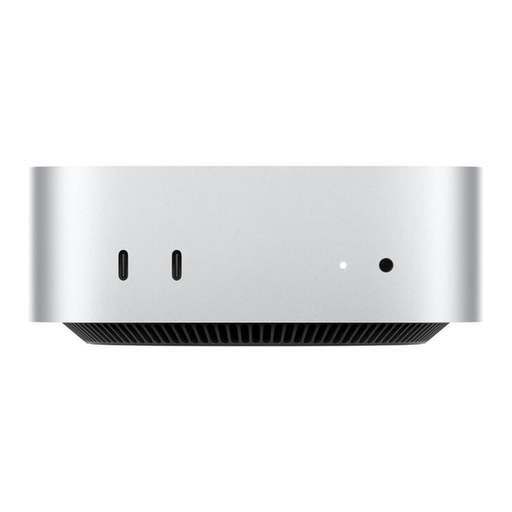
Apple Mac mini MHQK4ZD/A_CTO, M6, 24 GB, 512 GB SSD
If Safari on macOS is part of your development workflow, this Mac mini could be a suitable platform.
24 GB unified memory and 512 GB SSD.
According to the product description, this configuration supports up to three external displays.
Joybuy
 No image available
SOYO S5Air Mini PC, Ryzen 5 7535HS, 16 GB, 512 GB
This compact Windows configuration is worth considering if you’re planning a small workspace for an editor and browser with multiple displays.
Windows 11 Pro, 16 GB LPDDR5 RAM and a 512-GB NVMe SSD.
HDMI 2.0, DisplayPort 1.4 and USB-C are listed as video outputs. The case measures 128 × 128 × 47,6 mm.
Joybuy
 No image available
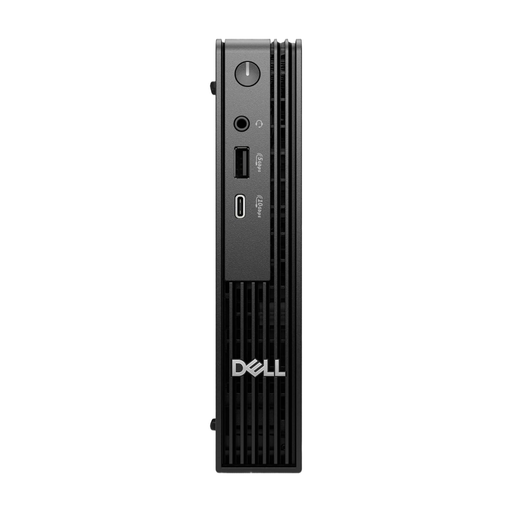
Dell Pro Micro QCM1250 MJ5TK TPM i7-14700T, 16 GB, 512 GB
This micro desktop is a compact Windows option for a workspace with an editor, browser and other applications.
Windows 11 Pro, 16 GB DDR5 RAM and a 512-GB NVMe SSD.
Gigabit Ethernet is listed for this configuration.
Joybuy
Frequently asked questions
Do I need a gaming PC for responsive layouts?
No. The task alone doesn’t mean you need a gaming graphics card. Choose based on your workflow with editors, browsers and, where relevant, local services. Microsoft’s documented requirements for Visual Studio Code cover the editor, not the entire development environment.
Is the mobile view in a desktop browser enough for testing?
It’s useful for quickly checking viewports and layout changes. However, Google describes Chrome’s Device Mode as a first approximation of a real mobile device, so you should also test key workflows on relevant devices and in the browsers you intend to support.
What should I check for Docker Desktop on Windows?
Check the documented requirements for your version of Windows and the backend you want to use. For the WSL 2 route, Docker specifies WSL 2.1.5 or later, among other requirements. “Windows 11” alone doesn’t confirm that the whole set-up will suit your workflow.
What should I consider when it comes to monitor connections and future maintenance?
Check that the video outputs on the specific computer match your monitor. If you plan to upgrade it later, check access to the RAM and SSD too. Specifications and maintenance options vary by model, and by whether you choose a fully configured mini PC or a kit.
Are a manufacturer’s warranty and your statutory rights the same thing?
No. The Verbraucherzentrale distinguishes between your statutory rights against the seller and a voluntary guarantee. Check the terms of each separately when comparing offers.


