Dashboard builders with limited space
If you already have a screen, a mini PC can help keep the computer off your desk. Mounting it behind the monitor depends on the device, mount and monitor being compatible.


If you already have a suitable monitor, a fully equipped mini PC is an obvious starting point for a small desk. If you also need a screen, compare it with an all-in-one PC. First check which dashboard software you actually use, then look at the specific configuration, connections and what’s included: the form factor or processor name alone won’t tell you whether it’s suitable.
If you already have a screen, a mini PC can help keep the computer off your desk. Mounting it behind the monitor depends on the device, mount and monitor being compatible.
Power BI Desktop is a Windows application, as Microsoft Learn explains. If you use it to create data models and reports locally, check Windows compatibility and the specification of the particular PC configuration.
If you also need a screen, you can compare an all-in-one PC with a mini PC and a separately chosen monitor. Screen size, desk space and the connections needed for additional displays are among the factors to consider.
Start by working out which software you need to run locally and whether you already have a suitable monitor. You can then compare the footprint, specification and connections you need more effectively.
| Buying criterion | What to check | Who should pay particular attention? |
|---|---|---|
| Footprint and form factor | Case dimensions, including the power supply and cables; if you plan to mount it, check that the device, monitor and mount are compatible. | If I want to keep space free on my small desk for my screen and paperwork, the actual footprint matters most to me. Around 31% of consumers rank saving space among their top purchase priorities. |
| Software compatibility | Define your specific workflow and check the installed operating system against the requirements of the application you use. | If you use your dashboard application locally, check its operating system requirements first. Around 25% of consumers put software compatibility at the top of their list. |
| Memory and data processing | Check the installed RAM and SSD in the specific version; consider your workload and whether you plan to work with data locally or online. | If I create and edit data models locally, I want to know the specification of the version on offer rather than relying on a processor family or the maximum supported RAM. Around 25% of consumers prioritise working with data locally. |
| Displays and what’s included | Match the number and type of video outputs to your monitors; check whether cables, a screen and input devices are included. | If you plan to use multiple screens or put together a complete workstation, check the connections and included accessories together. Around 19% of consumers put their screen setup and what’s included at the top of their list. |
According to the manufacturer, the barebone version of the NucBox M6 Ultra available to select on the German GMKtec website does not include RAM, an SSD or an operating system. This version should not be treated as equivalent to a fully equipped computer.
Check what’s included with the specific version and make separate arrangements for any missing components and the setup.
With this barebone version, you’ll need to select RAM, an SSD and an operating system separately; you should also allow time for setup.
A test applies to the configuration that was tested. COMPUTER BILD gives the model number D6B240EA for its tested HP Pro Mini 400 G9; shop configurations with different model numbers won’t necessarily have the same specification.
Check the full model number, along with the RAM, SSD, operating system and connections, against the specific product on offer.
Having several outputs on your computer doesn’t automatically mean they’ll work with your existing monitors and cables. Accessories may also be sold separately, depending on the offer.
Make a note of your preferred screen setup and check each connection against the devices you want to connect.
Depending on your setup, you may need additional cables, adapters, monitors or mounts.
The A5 Pro 2026 is a mini PC range with different configurations. For the selectable Ryzen-5-7530U version, GEEKOM lists 16 GB RAM, a 1 TB SSD and Windows 11 Pro.
The Cubi NUC 1M range is a compact family of business mini PCs. MSI lists display connections and VESA compatibility for the range.
The NucBox M6 Ultra is available in versions with different specifications, including a barebone. According to the manufacturer, the range features HDMI, DisplayPort, USB4 and two SSD slots.
HP offers compact desktop PCs such as the Pro Mini 400 G9, as well as all-in-one PCs such as the OmniStudio 24-cv0752ng. The two form factors suit different workstation needs.
The ThinkCentre neo 50q Gen 5 Tiny is a compact business mini PC option. For configuration 13B9009EEZ, Lenovo lists Windows 11 Pro, 16 GB RAM and a 512 GB SSD.
This selection features mini PCs for a compact workstation. For each model, check the listed operating system, specification and connections against your dashboard workflow.
 No image available
An option to consider if you’re looking for a compact computer with Windows 11 for a local dashboard workflow.
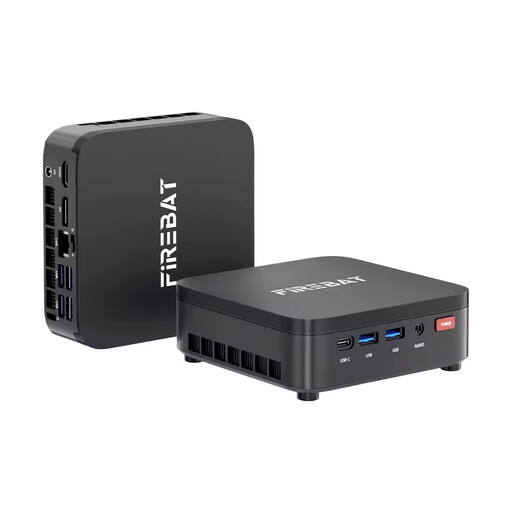 No image available
A compact mini PC option whose Windows and storage details you can check against your application’s requirements.
 No image available
If you’re considering a compact computer with Windows 11 Pro, check the listed specification against your dashboard application and screen setup.
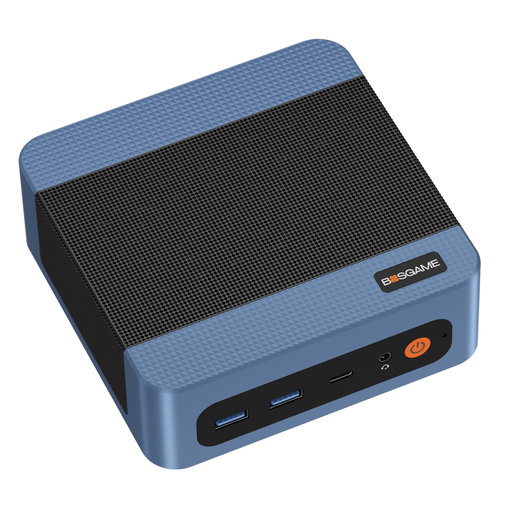 No image available
A mini PC option with listed memory and SSD. Also check whether the offer includes an operating system and the display connections you need for your setup.
 No image available
If you’re considering a small computer for a screen setup, check the connections listed in the product name against your monitors.
You need Windows to run the locally installed Power BI Desktop application: Microsoft Learn describes it as a Windows application. If you use a different or browser-based workflow, check its specific requirements.
Only if the device, mount and monitor are compatible. MSI lists VESA 100 × 100 mm for the Cubi NUC 1M range. Also check how your specific monitor is mounted, how the cables will run and how much ventilation space is needed.
Check what’s included with the version you choose. According to the manufacturer, the NucBox M6 Ultra barebone version available to select on the German GMKtec website does not include RAM, an SSD or an operating system; a fully equipped version may come with different items.
If you already have a suitable monitor and mainly want to keep your computer out of the way, consider a mini PC. If you also need a screen and want to choose the computer and display together, compare all-in-one PCs based on screen size, desk footprint and the connections you need.
Electrical and electronic devices must meet the applicable EU product requirements. Your Europe explains the requirements for CE marking, while the Federal Network Agency advises checking that the product is identifiable and the manufacturer’s details are correct. A marking in a product listing alone does not confirm that a specific device is compliant.