For browser-based search filter testing, choose a desktop PC with a configuration that suits the test software, monitors and input devices you use. If you share your desk, remember to plan for separate user accounts too. A compact mini PC can work well when space is limited, while a larger case makes sense mainly if you have a specific upgrade in mind. Check the operating system, ports and what’s included with the particular variant, rather than assuming compatibility from a product range name.
Who is this selection for?
Search filter testers
If you’re testing a search filter in your browser, compare the PC’s specifications and your existing peripherals with the actual testing process. Bitkom e. V.’s guide lists the processor, memory, operating system and interfaces among the criteria to consider.
People responsible for a shared PC
If you’re setting up a computer for several people, plan for user accounts and access permissions too. Germany’s Federal Office for Information Security recommends giving each user of a shared device their own password-protected account with appropriate permissions.
People setting up in a tight space
Even if desk space is limited, you’ll still need to connect your existing monitors and input devices. HP and Lenovo offer compact desktop ranges, but the ports and specifications of the specific variant are what matter.
What should you look for when buying?
First, check that the PC meets the requirements of your test software. Then look at user accounts, ports and any upgrades you actually plan to make.
| Consideration |
What to check before buying |
Who is this important to? |
| Suitability for your testing process |
Check which test software and operating system are supported, then compare the processor, RAM, SSD and ports of the specific variant. |
If I use several browser windows or additional testing tools, I want to check their requirements against the PC’s configuration. Around 36% of consumers put suitability for their testing process first. |
| Separate user accounts |
Plan separate password-protected accounts and suitable access permissions for each user. |
If several people use the same computer, I want to set up separate accounts and access permissions. Around 29% of consumers prioritise this separation. |
| Desk space and ports |
Compare the dimensions, number and type of display and USB ports with your existing workspace. |
When space is tight, I want to be able to set up a PC without having to replace my existing monitors or input devices because of incompatible ports. Around 21% of consumers place particular importance on size and connectivity. |
| Upgrades and what’s included |
Check for available or accessible storage slots, and confirm exactly which operating system and accessories are included. |
If I might want to add storage or other components later, I check the specific upgrade options and what’s included. Around 14% of consumers prioritise future upgrades and a complete setup. |
Common misconceptions when buying
-
Windows 11’s minimum requirements are enough to choose a testing PC
Microsoft’s minimum requirements apply to the operating system. They don’t tell you how much performance unknown testing software will need.
Make a note of the test software you’ll use and its system requirements, then compare them with the configuration of the specific PC.
-
One shared administrator account is enough for everyone
On a shared device, users may otherwise have access to the same files and settings. Germany’s Federal Office for Information Security recommends separate, password-protected accounts with appropriate permissions.
Set up an individual account for each person and assign the appropriate permissions.
-
A mini PC automatically comes with the ports and accessories you need
Ports and included items can vary by model and configuration. A compact design alone doesn’t guarantee compatibility with your existing monitors and input devices.
Compare the full description of the variant, its list of ports and what’s included with your workspace setup.
-
A larger desktop PC is worth buying just because it could be upgraded
Available slots or drive bays only matter if you have a particular upgrade in mind.
Decide what you’re likely to upgrade, then check the specific expansion options for the variant.
Key brands at a glance
HP
HP describes the Pro Mini 400 G9 as a compact business PC. For variant 938A5EA#ABD, the HP Store Germany lists Windows 11 Pro, 8 GB RAM and a 256 GB SSD.
- Compact dimensions and configurable Flex Ports are features the manufacturer lists for this range.
- Check the RAM and ports of the specific variant, particularly if you need to run additional test software or connect more peripherals.
Lenovo
Lenovo presents the ThinkCentre M75q Gen 5 Tiny as a compact PC for workspaces where desk space is limited.
- Lenovo lists accessible SSD and memory modules, as well as support for up to three displays.
- “Up to three displays” isn’t a guarantee for every configuration. Check the ports and included components for your variant.
MSI
MSI’s range overview for the PRO DP80 A14G shows a larger business desktop available with various processor, system and memory configurations.
- MSI lists available drive bays for certain variants.
- Alongside variants with Windows 11 Pro, the overview also lists one with no operating system specified. Check the full variant code.
Dell
Dell lists the Dell Pro Micro as a compact business desktop. Dell says its former OptiPlex product range is now part of Dell Pro.
- Its compact design could suit a workspace where room is limited.
- Dell notes that images and specifications may vary depending on the configuration you choose. The product range name doesn’t tell you which ports are included.
Joybuy products for a compact testing setup
The Joybuy models listed here are compact mini PCs for workspaces with limited desk space. Compare the ports listed and the requirements of your test software with your existing setup.
 No image available
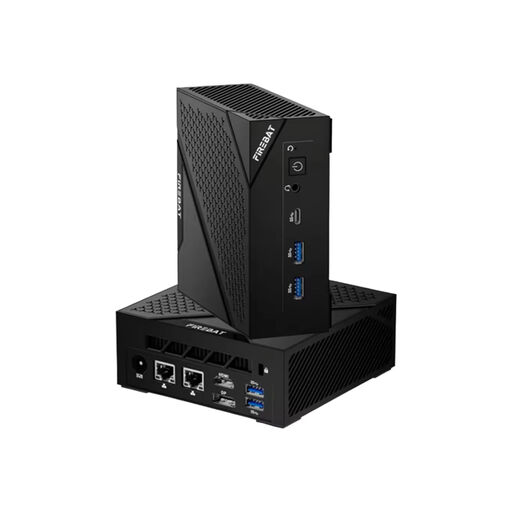
FIREBAT AM02 mini PC, Ryzen 5 6600H, 16 GB RAM, 512 GB SSD
A mini PC could be a good fit if desk space is limited in your shared workspace.
The product name lists AMD Ryzen 5 6600H, 16 GB LPDDR5 RAM, 512 GB SSD, Windows 11, Wi-Fi 6, Bluetooth 5.2 and HDMI. According to the description, the device should only be used with the original power supply provided. Keep the ventilation openings clear and protect the device from moisture. For indoor use.
Joybuy
 No image available
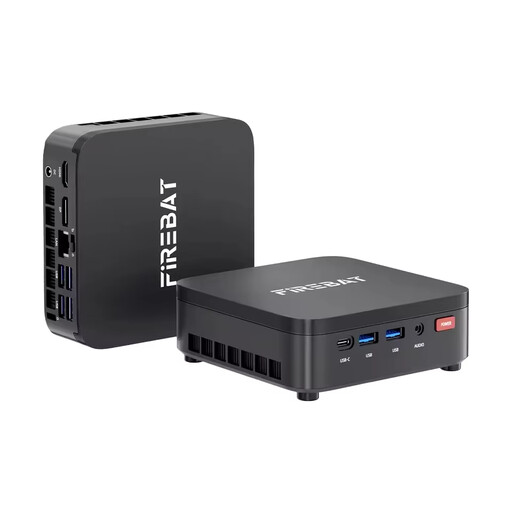
FIREBAT R3 mini PC, Ryzen 3 4300U, 16 GB RAM, 512 GB SSD
Its compact design is a good option if you want your PC to take up less space on your desk.
The product name lists AMD Ryzen 3 4300U, 16 GB LPDDR4 RAM, a 512 GB M.2 SATA SSD, Windows 11 Pro, Wi-Fi 6 and Bluetooth 5.2. Check that the operating system and ports suit your testing setup.
Joybuy
 No image available
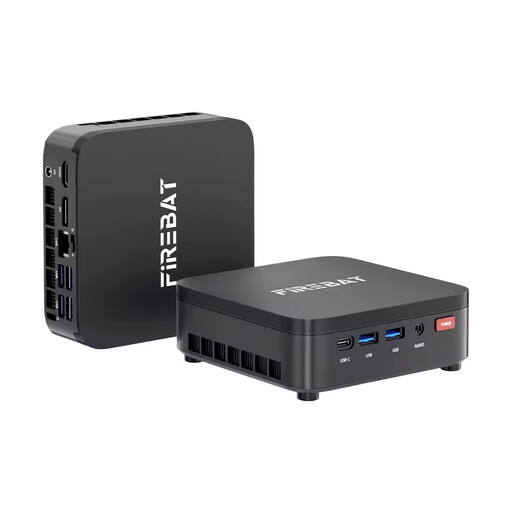
FIREBAT R3 mini PC, Ryzen 3 4300U, 8 GB RAM, 256 GB SSD
This mini PC could suit a desk with limited space.
The product name lists AMD Ryzen 3 4300U, 8 GB LPDDR4 RAM, a 256 GB M.2 SATA SSD, Windows 11 Pro, Wi-Fi 6 and Bluetooth 5.2. Check that the specific configuration meets the requirements of your test software.
Joybuy
 No image available
MaxMini B3 mini PC, Intel N4100, 8 GB RAM, 256 GB SSD
If you want to connect several screens, check that the video ports listed are compatible with your monitors.
The product name lists Intel N4100 up to 2.4 GHz, 8 GB LPDDR4, 256 GB SSD, two HDMI ports, 1000M LAN, Wi-Fi and Bluetooth 5.0. According to the description, the device should only be used with the original power supply provided. Keep the ventilation openings clear and do not open the device. For indoor use.
Joybuy
 No image available
BMAX B6 mini PC, Intel Core i3-8109U, 12 GB RAM, 256 GB SSD
The video ports listed could be useful for your existing workspace. Check that they match your monitors.
The product name lists Intel Core i3-8109U up to 3.6 GHz, 12 GB RAM, 256 GB SSD, HDMI, DisplayPort, 1000M LAN, Wi-Fi 5 and Bluetooth 5.0.
Joybuy
Frequently asked questions
Do all testers need to share a Windows account?
No. For a shared PC, Germany’s Federal Office for Information Security recommends separate, password-protected user accounts with appropriate permissions. Choosing a particular PC model won’t automatically separate test data.
Are Windows 11’s minimum requirements enough to guide my purchase?
No. Microsoft lists at least 4 GB RAM and 64 GB storage for Windows 11, but notes that some applications may have higher requirements. You should also consider which test programs you’ll actually be using.
Is a desktop PC with Windows 10 still an easy choice?
Microsoft says regular support for Windows 10 ended on 14 October 2025. It also describes a separate ESU programme for eligible devices, so if you’re considering a PC with Windows 10, check whether you can upgrade or continue receiving updates.
How can you keep the operating system and software up to date on a shared PC?
Germany’s Federal Office for Information Security recommends installing updates regularly and explains how to set up automatic updates. If you share the PC, agree on who will take responsibility for updates.
What should you know about buying online or dealing with faults in Germany?
The Verbraucherzentrale distinguishes between your statutory rights against the seller and a voluntary guarantee. It says consumers generally have a right to cancel online purchases, usually within 14 days of signing the contract or receiving the goods they ordered. Exceptions may apply, and you should check the specific terms and conditions.


