What should you look for when buying?
First, check whether a required toolchain dictates the operating system. Then choose the specification to suit your build workload and available space.
| Consideration |
What to check when buying |
Who should pay particular attention? |
| Build performance |
Consider your typical projects and the processes you run in parallel. Check the processor and the amount of memory actually installed in the specific configuration. |
If I regularly build larger projects, I want to choose hardware that suits my workload rather than a single metric. Around 33% of consumers put build performance first. |
| Memory and storage |
Check the installed RAM and SSD capacity for the exact variant. If you use Docker on Windows, also check the installation mode and the backend you need. |
If you use an IDE, source code and other tools at the same time, you need a configuration suited to that combined workload. Around 25% of consumers prioritise memory and storage for tools used concurrently. |
| Space and connections |
Check the case size and monitor, network and peripheral connections against your workspace. Clarify whether you’ll be sharing just the desk or the computer as well. |
If I share a desk with others, I want the computer and its connections to suit the space available and the devices we use together. Around 25% of consumers prioritise making shared use of their workspace. |
| Toolchain compatibility |
Check the IDEs, SDKs, operating system and architecture required by your project dependencies before choosing. |
If you rely on a particular development environment, check compatibility before considering the computer’s size or specification. Around 17% of consumers put toolchain compatibility first. |
Desktop PCs at Joybuy
This selection includes compact Windows desktops and a tower workstation for local builds at a shared desk.
 Image unavailable
HP Z2 Mini G1a, Ryzen AI Max+ Pro 395
A compact Windows desktop option for a workspace with limited room. Before buying, check that your development tools and project dependencies run on Windows.
View at Joybuy
 Image unavailable
ACEMAGIC E3B, Ryzen 7 7735HS, 24 GB LPDDR5, 512 GB NVMe SSD
The Mini form factor is a good option if space is limited at your shared desk.
Windows 11 Pro; two M.2-2280 slots; HDMI, DisplayPort and USB-C; supports up to three displays at 4K and 60 Hz.
View at Joybuy
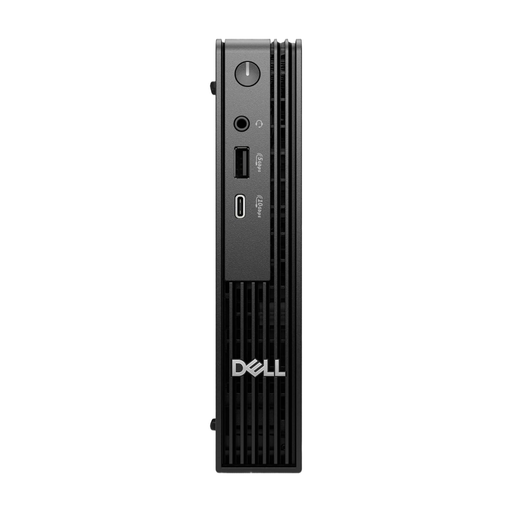 Image unavailable
Dell Pro Micro QCM1250 MJ5TK TPM, Core i7-14700T, 16 GB DDR5, 512 GB NVMe SSD
The Micro form factor is designed for a space-conscious Windows workspace. Check that the connections are suitable for your monitors and peripherals.
Windows 11 Pro.
View at Joybuy
 Image unavailable
HP Z1 Tower G1i A40T1ET#ABD, Core Ultra 9 285, 64 GB DDR5, 1 TB M.2 SSD
The Tower form factor is worth considering if you have room for a larger case and need Windows.
DDR5 memory at 5600 MHz; Windows 11 Pro; DisplayPort and HDMI.
View at Joybuy
Frequently asked questions
Do more parallel build jobs always make a build faster?
No. You can’t infer a particular build time from this alone. Kitware documents that CMake can set the maximum number of build processes running at the same time. For your project, test a setting that suits the resources available.
Do several people need to share one user account on the same PC?
No. If several people use the same Windows PC, they can have separate user accounts with their own settings and documents, as Microsoft Support explains. If you’re only sharing the desk, the main things to check are space and connections.
How do I set up a Windows PC for builds using Docker Desktop?
Check the Docker documentation for your intended installation mode and the container backend you need. Docker explains the differences between per-user and system-wide installations, as well as the supported backends. This is only relevant if you use Docker Desktop.
Could an additional licence fee apply to a development environment?
Yes, if your team uses Docker Desktop in certain circumstances. Docker lists a paid subscription for professional use in larger organisations, government entities and commercial use outside the free tier, among other cases. This does not mean that every desktop PC or build tool requires a licence.
What rights do private buyers have when shopping online?
For a qualifying distance contract, European Union consumer information generally describes a 14-day cancellation period. If goods are faulty, you also have statutory rights against the seller; this is separate from any voluntary manufacturer’s guarantee. Check separately whether these consumer rules apply to a specific business purchase.


