Writers who need two text views
If you want to see your verse alongside an earlier draft, notes or another scene while editing, a clear, readable split is what matters most. Literature & Latte explains how to split the Scrivener editor.


A compact desktop is enough for writing a novel in verse, as long as your chosen monitor can display two text views clearly at your preferred font size. An all-in-one is an alternative if you want the computer and screen in one unit. Before buying, check the operating system, the ports on the specific PC configuration and what’s included; also test how your software exports your line breaks. A larger internal SSD is no substitute for a separate backup of your manuscript.
If you want to see your verse alongside an earlier draft, notes or another scene while editing, a clear, readable split is what matters most. Literature & Latte explains how to split the Scrivener editor.
If you want to keep using your current editor or existing projects, check the operating system and licence first. Switching between Windows and macOS may require a separate Scrivener licence, as Literature & Latte explains.
If you’re working on a manuscript over the long term, you should keep a separate copy as well as storing it internally. According to Literature & Latte, Scrivener initially saves automatic backups on your computer by default.
First decide whether you want a separate monitor or an all-in-one. Then choose an operating system that works with your editor and existing projects. A mini PC kit could be right for you if you want to select and set up the missing components yourself.
For anyone choosing a desktop PC to write a novel in verse, the top priority depends on how they work and what equipment they already have.
| Priority | What to check before buying | Who will find this especially important? |
|---|---|---|
| Reading space for two views | Test both text views at your preferred font size. Also check that the monitor size and resolution work with the video output on the specific PC configuration. | If I want to read my manuscript and reference material at the same time, both need to be clear at my usual font size. Around 33% of consumers put readability first. |
| Writing software and verse export | Check the operating system and licence for your specific software version. For Scrivener 3, Literature & Latte lists macOS 11+ or 64-bit Windows 10+ for the download versions shown. Also export a sample using your usual line breaks. | If I want to keep using my current editor and projects, the operating system and licence need to be compatible. Around 27% of consumers prioritise being able to continue using their writing software. |
| Separate manuscript backup | Check where automatic backups are saved. Also keep a copy somewhere separate and test that you can restore it. | If I want to carry on working on my draft after a computer failure, I need a recoverable copy stored away from the computer. Around 20% of consumers put manuscript backups first. |
| Complete writing setup | Check what’s included with the exact model and configuration number. Consider whether you already have a monitor, input devices, memory, SSD, operating system and, where relevant, software. | If I want to set up a complete workspace, I need to know in advance what else I’ll need and how much setup work is involved. Around 20% of consumers prioritise having a complete overview of the equipment. |
A split editor or side-by-side windows won’t help much if your verse lines look too narrow or too small at your chosen font size.
Test the planned split with actual lines of verse and your preferred font size before choosing your PC and monitor.
Depending on the configuration, memory, an SSD or an operating system may be missing. A kit can therefore mean extra work choosing and setting up components.
Make a complete list of the components you’ll need for the specific configuration and check what’s actually included.
A backup on the same computer won’t protect you if that computer fails. According to Literature & Latte, Scrivener initially saves automatic backups on your computer by default.
Keep another copy somewhere separate and test that you can restore it.
Similar model names can refer to different configurations. According to Literature & Latte, a Scrivener licence for Windows doesn’t unlock the macOS version, or vice versa.
Check the full model number and what’s included. If you’re changing operating systems, check that you have a licence for the version you want.
The A5 Pro 2026 is a compact Windows mini PC for a workspace with a separately chosen monitor.
The Cubi NUC 1M family includes compact Windows desktops for a workspace with an external monitor.
The Pro Mini 400 G9 is a compact Windows desktop family with a range of configurations.
The Mac mini is a macOS desktop with an external monitor; the iMac has a built-in display.
The NUC 14 Pro is available as a mini PC or a kit for a writing setup you put together yourself.
This selection features Mac mini desktop PCs for a writing setup with a separately chosen monitor.
 No image available
For a writing setup with a separately chosen monitor. The description lists 16 GB Unified Memory, a 256 GB SSD, HDMI and Thunderbolt 4.
No image available
For a writing setup with a separately chosen monitor. The description lists 24 GB Unified Memory, a 512 GB SSD, HDMI and Thunderbolt 4.
 No image available
For a writing setup with a separately chosen monitor. The product title lists 24 GB Unified Memory and a 1 TB SSD; the description lists HDMI and Thunderbolt 4 ports.
No image available
For a writing setup with a separately chosen monitor. The product title lists the M5 Pro, 24 GB Unified Memory and a 512 GB SSD; the description lists HDMI and Thunderbolt 5.
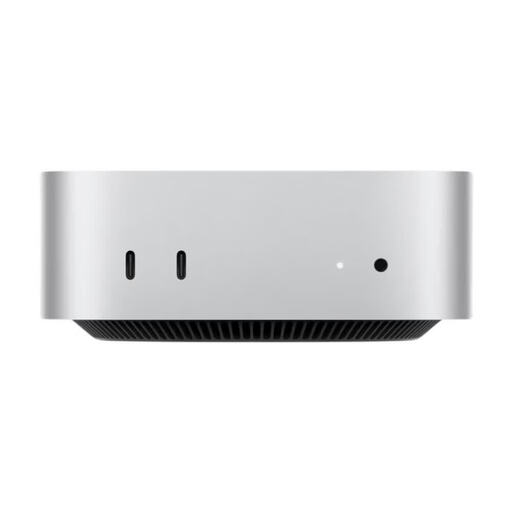 No image available
For a writing setup with a separately chosen monitor. The product title lists 32 GB Unified Memory and a 1 TB SSD; the description lists HDMI and Thunderbolt 4 ports.
No. Literature & Latte explains that Scrivener can show two documents side by side or one above the other within the editor. Windows can also arrange two separate windows on one screen. What matters is whether both views remain readable at your preferred font size.
Before choosing a device, export a short test manuscript with your usual line breaks and check the output file. Literature & Latte describes custom Compile settings for the Poetry Manuscript template; the result depends on the destination format and the settings you choose.
Not necessarily. According to Literature & Latte, Scrivener initially saves automatic backups in a folder on your computer by default. Keep a separate copy as well and check that you can restore it.
No. According to Literature & Latte, a Scrivener licence for Windows doesn’t unlock the macOS version, or vice versa. Before switching, check which licence you’ll need for the new operating system.
In Germany, consumers generally have a 14-day right to cancel distance contracts, although exceptions and the terms of the specific contract apply. Statutory rights relating to faulty goods are against the seller and are separate from a voluntary guarantee, as explained by the Federal Portal and the Verbraucherzentrale.