Which buying criteria matter?
Mac mini with macOS
A good fit if: Safari on macOS is a regular part of your testing plan and you’re looking for a compact computer.
Consider: Testing Safari on a Mac still doesn’t replace testing on the mobile devices you actually need. Also check the specific memory and monitor configuration.
Configured Windows mini PC
A good fit if: Desk space is limited and the configuration you choose supports your browsers, work applications and monitors.
Consider: The operating system, memory and connections vary by model and variant, so check the specific listing rather than relying on the product range alone.
Larger Windows desktop
A good fit if: You have room for a larger case and are looking for a specific component or expansion configuration.
Consider: Upgrade options depend on the model. COMPUTER BILD rated them as limited on the HP OmniDesk Desktop AI M03 it tested (27 May 2026).
Chrome for Developers and MDN Web Docs point out that a simulated mobile view doesn’t capture every difference between mobile browsers. So choose a computer based on your actual testing needs and check its exact configuration.
| Consideration |
What to check before buying |
Who should pay particular attention? |
| Browser and device coverage |
List the browsers, operating systems and devices you need; in particular, check whether Safari on macOS is essential for your testing. |
If I need to cover specific browsers and devices, I’ll choose a computer based first on that testing plan. Around 33% of consumers put browser and device coverage first. |
| Testing and development across multiple tasks |
Compare the installed RAM and SSD in the specific variant, and check whether memory can be upgraded on the exact model. |
If I use browsers, developer tools and other applications at the same time, I’ll compare the specifications of the variant on offer. Around 25% of consumers prioritise working across multiple tasks. |
| Desk space and monitor connections |
Count your monitors and the connections you need, then check these against the actual video outputs and your intended setup location. |
If desk space is limited, the case and connections need to suit my workspace. Around 25% of consumers put desk space and monitor connections first. |
| Total cost and lifespan |
Check what’s included, which monitors and input devices you’ll need, and the terms of any manufacturer’s warranty. |
If I’m planning a complete workstation, I’ll factor in the parts I need and any future changes. Around 17% of consumers prioritise total cost and lifespan. |
Joybuy PCs for website testing
Compare the following Joybuy PCs against your testing plan, the connections you need, the specific specifications and the space available.
 No image available
SOYO Y5Pro Mini PC, Intel Core i5 8250U/8350U, 8 GB DDR4, 256 GB SATA SSD
Could be a good fit if you’re looking for a mini PC with Windows 11 for testing and two HDMI outputs.
Windows 11; 8 GB DDR4; 256 GB SATA SSD; two HDMI outputs; Bluetooth 5.2; Wi-Fi 5. The product title lists Intel Core i5 8250U/8350U.
View at Joybuy
 No image available
HP Z2 Mini G1a Ryzen AI Max+ Pro 395, 128 GB RAM, 2 TB SSD
A compact Windows 11 Pro configuration to consider if its listed specifications suit your work applications and testing plan.
128 GB RAM; 2 TB SSD; Thunderbolt 4, USB-C and Mini DisplayPort. Listed dimensions: 200 × 85,5 × 168 mm.
View at Joybuy
 No image available
HP Z1 Tower G1i A40SYET, Core Ultra 7 265, 32 GB DDR5, 1 TB SSD
This tower configuration could be a good fit if you have room for a larger case and are looking for specific specifications to support the applications you use at the same time.
Windows 11 Pro; 32 GB DDR5 at 5600 MHz; 1 TB M.2 SSD; DisplayPort and HDMI. The product title also mentions vPro.
View at Joybuy
 No image available
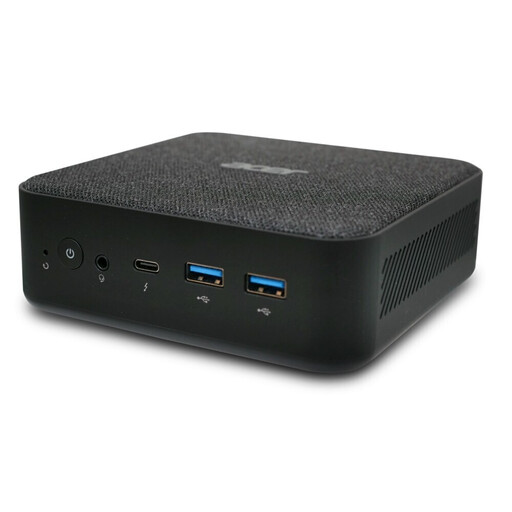
Acer Revo RB102 Mini PC, Core Ultra 5 125U, 16 GB RAM, 512 GB SSD
A Windows 11 Pro mini PC configuration to consider if you’re looking for a compact computer with the listed memory and storage.
16 GB RAM; 512 GB SSD.
View at Joybuy
 No image available
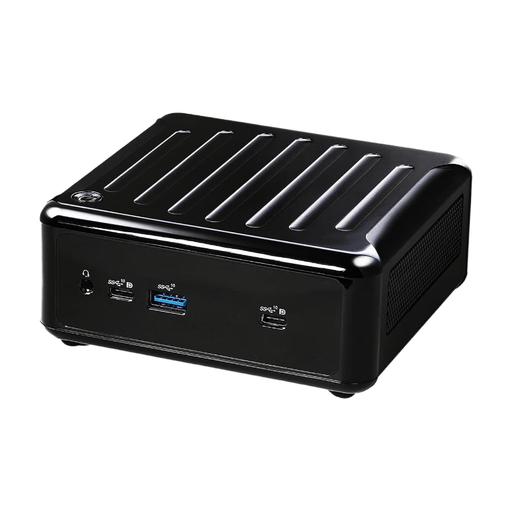
ASRock 4x4 BOX-4500U/EU/AI, AMD Ryzen 4500U
Could be a good fit if you’re specifically looking for a desktop PC with AMD Ryzen 4500U; check the rest of the specifications against your testing plan.
View at Joybuy
Frequently asked questions
Is the mobile view in a desktop browser enough for smartphone testing?
No, not if you need to check how a website behaves on specific mobile devices or in mobile browsers. Chrome for Developers highlights differences in APIs, CSS support and certain behaviours. Use emulation as a first approximation, then also test on the devices that matter to you.
How do I set up the computer for several test monitors?
Check that the number of monitors you have and their connections match the outputs on the full PC configuration. Information about display support across a product family doesn’t replace checking the specific listing.
Who should I contact if there’s a fault?
For consumer purchases, the seller is generally responsible for the statutory guarantee. In its article dated 13 August 2026, Verbraucherzentrale explains that this generally lasts for two years from delivery and notes that a voluntary warranty may have different terms. It also outlines additional rules for sales contracts entered into from 31 July 2026, if you choose a repair.
Which compliance information should I check for a PC sold in Germany?
Check the information for the specific version, particularly the CE marking, product identification, manufacturer details, German-language instructions and declarations of conformity. The Bundesnetzagentur lists these as points covered by its market surveillance. Clarify any missing or conflicting information before buying.
Does a desktop PC already need its own EU energy label?
The study published by the European Commission in September 2026 prepares the ground for a possible legal act; by itself, it doesn’t introduce a new labelling requirement. The Commission describes existing ecodesign requirements for computers covered by Regulation (EU) 617/2013, while monitors are covered separately.


