Choose your desktop based on the analysis software you need first, then consider data volume, RAM, SSD storage and monitor connections. According to Microsoft, Power BI Desktop is a Windows application. DuckDB can spill some data to disk when running local queries, so you’ll need both enough RAM and free SSD space for large datasets. A mini PC saves desk space, while upgrade options always depend on the specific configuration.
Who is this desktop PC for?
Analysts working with large local files
If you load, join or sort datasets locally, make sure you have enough SSD space for working files and temporary results as well as enough RAM. DuckDB explains how some larger data processing tasks can spill to disk.
Power BI users working from home
If you prepare public data in Power BI Desktop, you’ll need a compatible Windows environment. Microsoft describes Power BI Desktop as a Windows application.
Analysts with limited desk space
A compact desktop can be easier to fit into a small workspace. Even so, check that its video connections match your monitors, and confirm which accessories are actually included.
What should you look for when buying?
Mini PC
A good fit if: desk space is limited and the software you need runs on the device’s operating system.
Things to consider: Check the upgrade options for the specific configuration; a tested GEEKOM A5 Pro did not include a keyboard or mouse.
Compact Windows desktop
A good fit if: you need Power BI Desktop and want to connect the computer to one or more monitors you already own.
Things to consider: A model range doesn’t guarantee the same specification across every configuration. Compare the RAM, SSD, video outputs and what’s included with the version you choose.
Desktop with planned upgrades
A good fit if: you may need more RAM or storage in the future.
Things to consider: The Lenovo ThinkCentre neo 50q Gen 4 manufacturer datasheet lists support for up to 32 GB of RAM; drive options and brackets depend on the configuration.
macOS desktop
A good fit if: your analysis tools support macOS and you prefer a compact computer.
Things to consider: According to Microsoft, Power BI Desktop is a Windows application, so if you need it, don’t choose a computer based on its form factor alone.
| Buying priority |
What to look for |
Who is it important to? |
| RAM and working storage |
Compare your data and temporary files with the available RAM and free SSD space. Check whether the specific configuration can be upgraded. |
If I join large files locally, I need space for working files and temporary data. Around 36% of consumers therefore prioritise local data processing. |
| Software compatibility |
Decide which programmes you need, then check the operating system and specific configuration. |
If Power BI Desktop is essential, I want to choose a compatible Windows environment above all. Around 29% of consumers prioritise Power BI compatibility. |
| Space and monitor connections |
Check that the video outputs match your monitors, and make sure the package includes any input devices you need. |
If space is limited, I want a compact computer without compromising on suitable monitor connections. Around 21% of consumers prioritise a small workspace and connecting their monitors. |
| Future upgrades |
Check the RAM slots, drive options, required brackets and accessories for the exact configuration. |
If my storage needs grow, I want to know what I can upgrade before I buy. Around 14% of consumers prioritise future upgrades. |
Which buying mistakes should I avoid?
-
Assuming that any “desktop PC” lets you upgrade the storage
According to the manufacturer datasheet, an additional drive option for the Lenovo ThinkCentre neo 50q Gen 4 depends, among other things, on a bracket that is included only with certain configurations.
Before buying, check the specification and upgrade requirements for the exact model.
You may not be able to fit a drive you want to add later without the right bracket.
-
Comparing compact Macs and Windows mini PCs on size alone
Microsoft describes Power BI Desktop as a Windows application. A macOS computer is not an equivalent replacement simply because it has a similar form factor, if you need that specific programme.
First decide which software is essential, then choose your operating system and form factor.
-
Assuming the computer comes with everything you need for a complete workspace
A tested GEEKOM A5 Pro did not include a keyboard or mouse. Video connections also vary between devices.
Check what’s included and compare the connections on the exact configuration with your monitors.
Missing input devices or incompatible monitor connections may mean extra setup is needed.
Which brands are worth considering for these requirements?
Dell
The Dell Pro Slim Plus QBS1250 is a compact Windows desktop. For the configuration described, Dell Germany lists an Intel Core Ultra 5 235, 16 GB of RAM and a 512 GB SSD.
- The connection and specification details apply to a specific configuration.
- The model name alone doesn’t tell you the specification of another version or whether it’s suitable for your dataset size.
HP
The HP OmniDesk M03-0790ng is listed with Windows 11 Home, 32 GB of RAM and a 2 TB SSD in the configuration described.
- HP lists DisplayPort and HDMI connections for up to two monitors.
- A COMPUTER BILD review rated a tested OmniDesk Desktop AI M03 configuration as fast and quiet, but noted limited upgrade options. This doesn’t automatically identify the store configuration described here.
GEEKOM
The A5 Pro 2026, with a Ryzen 5 7530U, 16 GB of RAM and a 1 TB SSD, is a mini PC option.
- GEEKOM describes the RAM and storage in this configuration as upgradeable.
- This is the manufacturer’s claim; check the upgrade requirements for the exact configuration. A tested device did not include a keyboard or mouse.
Lenovo
The ThinkCentre neo 50q Gen 4 is a small desktop with operating system and drive options that vary by model.
- Lenovo’s datasheet lists two DDR4 SO-DIMM slots and support for up to 32 GB of RAM across the range.
- A second drive option may require a bracket that isn’t included with every configuration.
Apple
The Mac mini is a compact macOS alternative, available with a range of memory and SSD configurations.
- Apple lists display and connection options according to the chip and configuration.
- If you need Power BI Desktop, bear the operating system in mind: Microsoft describes the application as Windows software.
Desktop PCs at Joybuy
This selection includes compact mini PCs and desktop PCs for local data work or running Windows applications. Before buying, check that the operating system, RAM, SSD and connections suit your programmes and monitors.
 No image available
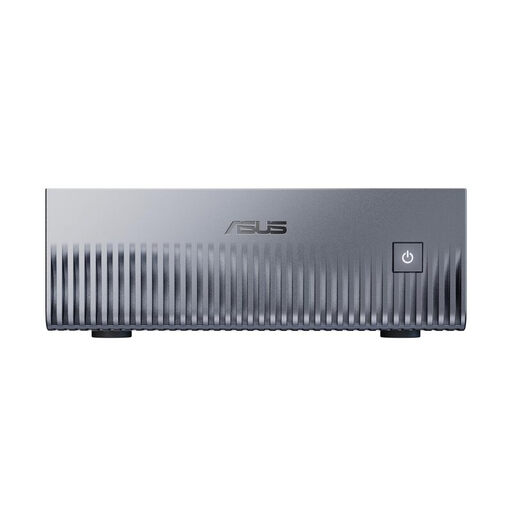
ASUS Ascent GX10 Mini AI Supercomputer
The compact mini PC form factor could suit a small workspace; check first that Linux (DGX OS) is compatible with your analysis software.
NVIDIA Grace Blackwell GB10, 128 GB unified memory and 2 TB SSD.
Linux (DGX OS).
Joybuy
 No image available
HP Z1 Tower G1i A40T1ET#ABD, Core Ultra 9 285
The tower form factor could suit a permanent Windows workstation; check that the connections match your monitors.
64 GB DDR5 RAM and 1 TB M.2 SSD.
Windows 11 Pro.
Joybuy
 No image available
Dell Pro Plus SFF QBS1250 Slim Desktop PC
This compact Windows configuration could suit local data work and Windows software; compare its storage capacity with your needs.
Intel Core Ultra 7 265, 32 GB DDR5 RAM and 512 GB NVMe SSD.
Windows 11 Pro.
Joybuy
 No image available
THUNDEROBOT Mini PC Workstation AI Max+ 395
The mini PC form factor could be useful if desk space is limited; check that the listed specification suits your analysis programmes.
128 GB LPDDR5X RAM and 1 TB SSD.
Wi-Fi 7.
Joybuy
 No image available
ACEMAGIC E3B Mini Desktop Computer
The mini form factor and Windows 11 Pro could be a good fit if you’re looking for a space-saving computer for Windows software.
AMD Ryzen 7 7735HS, 24 GB LPDDR5 RAM and 512 GB NVMe SSD.
Windows 11 Pro; two M.2-2280 slots.
Joybuy
Frequently asked questions
Does my desktop need to run Windows for Power BI Desktop?
Yes, if you want to use Power BI Desktop specifically: Microsoft describes it as a Windows application. Before buying, check that the specific configuration offers a suitable Windows environment; a macOS computer isn’t equivalent simply because it has similar hardware.
Will a small amount of RAM be enough if I use DuckDB?
Not necessarily. DuckDB can spill some larger data processing tasks to disk, but that doesn’t guarantee that every query will work with limited RAM. For large joins, consider both memory requirements and available drive space.
What should I check about monitor connections and future upgrades?
Check that the video outputs on the specific configuration match the inputs on your monitors. If you want to add storage, check for free RAM slots and any drive brackets you’ll need, as these can vary by model and configuration.
Are a warranty and statutory rights for faulty goods the same thing?
No. Your statutory rights for faulty goods are against the seller; a warranty is an additional voluntary promise with its own terms. The German Consumer Advice Centre says that, for purchases made from 31 July 2026, the statutory period may be extended to three years if the item is repaired rather than replaced during the two-year period for remedying defects. You’ll need to check separately whether the conditions apply in your case.


