Choose a desktop based on your editing software, the resolution and codec of your footage, and the space you need for originals, project files and backups. For Premiere 26.x on Windows, Adobe recommends at least 32 GB of RAM and 8 GB of graphics memory for 4K. Proxies can make editing easier, but they’re no substitute for originals or backups. Support for German transcription doesn’t prove that a particular dialect will be recognised reliably, so plan to check important passages against the original audio.
Which desktop is right for you?
Interview editors with large archives
If you manage long original recordings, project files and backups, plan separate storage locations. The German Federal Office for Information Security recommends backing up regularly and checking that you can restore your data.
Editors working with demanding timelines
For 4K footage or multiple tracks, make sure the RAM, graphics and media drive suit your editing software and footage. Adobe gives specific minimum recommendations for 4K in Premiere 26.x on Windows; these don’t automatically apply to other programmes or workflows.
Editors using interview transcripts
If you search through recorded conversations, check unusual names and dialect passages against the audio. Adobe lists German as a supported language and describes tools for making corrections, but this doesn’t tell you how accurately your dialect will be recognised.
What should you consider when choosing?
Configurable Windows tower
A good fit if: you use Windows and prioritise internal drives, specific components or future upgrades.
Trade-off: Factor in the case size, the configuration you order and extra backup storage. A high GPU specification alone doesn’t guarantee smooth playback of your codecs.
Compact macOS desktop
A good fit if: your editing software and existing projects are compatible with macOS, and you need a space-saving setup.
Trade-off: Choose memory and SSD capacity to suit your project sizes; you may also need external drives for media and backups.
| Buying criterion |
What to look for |
Who should prioritise it? |
| Working files and backups |
Work out the size of your originals and planned proxies; allow for enough usable SSD capacity and a separate backup location. |
If I manage large original files and proxies locally, I need a separate backup location as well as my working drive. Around 36% of consumers put storage and data backup first. |
| Playback and export |
Check the software version, codec, resolution and number of tracks against the software requirements and the exact PC configuration. |
If I work with demanding video footage, I want to tailor the configuration to my actual editing workflow. Around 29% of consumers prioritise playback and export. |
| Dialect in transcripts |
Check the transcription language and correction tools; test them with short recordings of your own and keep the original audio to hand. |
If I need to find and check interview passages in dialect, I want to be able to compare transcripts with the original audio. Around 21% of consumers put transcription work first. |
| Upgradability and workspace |
Check the exact product number, ports, upgrade options and what’s actually included. |
If I want to upgrade the computer later or set up a complete editing workspace, I check the components and what’s included together. Around 14% of consumers prioritise upgradability and the complete workspace. |
Which buying mistakes can you avoid?
-
Confusing a working SSD with a backup
A large working SSD on its own won’t prevent you from losing interview and project files.
Keep working copies, originals and verifiable backups separate. The German Federal Office for Information Security also stresses that data must be recoverable.
A separate backup drive, plus time for backing up and restoring files, should also be part of your workflow.
-
Choosing based only on the workstation range
Configurations available to order can vary within the same product range. The name alone doesn’t tell you the RAM, graphics or storage specifications.
Check the product number, RAM, GPU, SSD, operating system and what’s included in the specific offer. For the documented Lenovo ThinkStation P3 Tower Gen 2, the monitor, keyboard and mouse are sold separately.
You may therefore need to buy additional peripherals to complete your workspace.
-
Assuming German support guarantees dialect recognition
A language being listed doesn’t prove that proper names or particular dialect passages in your recordings will be recognised reliably.
Test a short excerpt from your own recordings and check important statements against the original audio.
Brands to consider
HP
The HP Z2 Tower G1i is a specific Windows workstation configuration for a local editing setup.
- For configuration C9MU1ET#ABD, HP lists 32 GB of RAM, a 2 TB SSD and an RTX 2000 Ada with 16 GB of graphics memory.
- These are manufacturer specifications, not the results of an independent test with interview footage. Plan for additional drives and backups separately.
Lenovo
The ThinkStation P3 Tower Gen 2 is a Windows tower range; specifications for product number 30HT00CXEZ apply to this particular variant.
- For this variant, Lenovo lists 64 GB of RAM, a 1 TB SSD, dedicated graphics and three years of on-site service.
- The monitor, keyboard and mouse are sold separately. Specifications for this variant don’t necessarily apply to other P3 configurations.
Apple
The Mac mini with M5 Pro is a compact macOS option if it’s compatible with your editing software and existing projects.
- Apple lists configurable unified memory and SSD storage, as well as hardware acceleration for H.264, HEVC and ProRes, among other formats.
- These technical specifications aren’t a comparison test using your interview files. Choose storage capacity and external media and backup drives to suit your configuration.
Dell
The Dell Pro Max Tower T2 is a configurable Windows tower for buyers who want to choose specific components.
- Dell notes that changing the options can change the specifications.
- Manufacturer performance claims don’t show how quickly your own interview files will be edited.
Joybuy products for compact editing setups
This selection includes compact macOS desktops with M5 Pro for editing setups where the software and projects are compatible. Plan storage and backups to suit the size of your interview projects.
 No image available
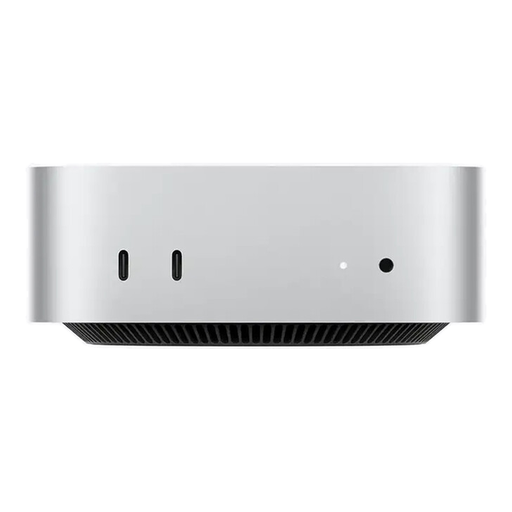
Apple Mac mini M5 Pro, 15-Core CPU, 16-Core GPU, 24 GB, 512 GB SSD
A compact macOS desktop for a space-saving editing setup, provided your editing software and existing projects are compatible.
This configuration comes with 24 GB of memory and a 512 GB SSD. The internal SSD isn’t a substitute for a separate backup of your originals and project files.
View at Joybuy
 No image available
Apple Mac mini MHQN4ZD/A CTO, M5 Pro, 18-Core CPU, 20-Core GPU, 48 GB, 1 TB SSD
A compact macOS desktop for editing, provided your software and projects are compatible with macOS.
This variant has 48 GB of Unified Memory and a 1 TB SSD. Make sure you have a separate backup for your originals and project files.
View at Joybuy
No image available
Apple Mac mini MHQN4ZD/A CTO, M5 Pro, 18-Core CPU, 20-Core GPU, 24 GB, 512 GB SSD
A compact macOS desktop for a small editing setup, provided your software and existing projects are compatible.
This variant has 24 GB of Unified Memory and a 512 GB SSD. Remember to make a separate backup of your original recordings and project files.
View at Joybuy
No image available
Apple Mac mini MHQN4ZD/A CTO, M5 Pro, 15-Core CPU, 16-Core GPU, 24 GB, 1 TB SSD
A compact macOS desktop if your editing software and existing projects are compatible with macOS.
This configuration has 24 GB of Unified Memory and a 1 TB SSD. The internal SSD isn’t a substitute for a separate backup.
View at Joybuy
 No image available
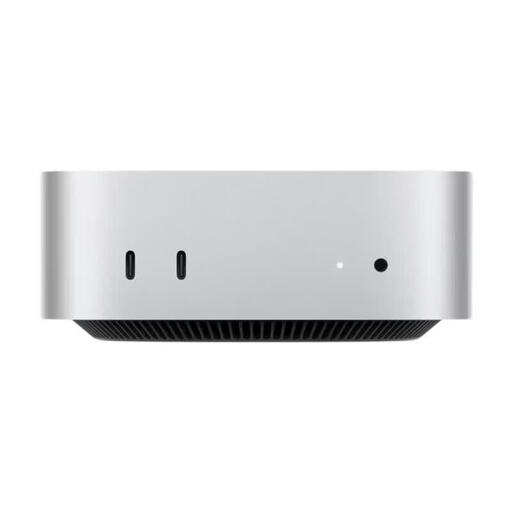
Apple Mac mini MHQN4ZD/A CTO, M5 Pro, 15-Core CPU, 16-Core GPU, 24 GB, 2 TB SSD
A compact macOS desktop for projects where your software and existing files are compatible with macOS.
This variant comes with 24 GB of Unified Memory and a 2 TB SSD. Make sure your originals and project files are also backed up separately.
View at Joybuy
Frequently asked questions
Is a large SSD enough to keep original interview recordings safe?
No. Alongside your working drive, plan a separate, regularly checked backup of your originals and project files. The German Federal Office for Information Security also stresses that you need to be able to restore your data.
How can I edit a lot of footage if the preview is stuttering?
Adobe Premiere offers proxies as working copies. You can switch between the proxy and original while editing, then use the original again for the final export. Allow for the extra storage space and keep your original files.
What RAM and graphics specifications does Adobe recommend for 4K in Premiere?
For 4K or higher in Premiere 26.x on Windows, Adobe recommends at least 32 GB of RAM and 8 GB of graphics memory. These are software recommendations for these conditions, not a guarantee for a particular project or other editing software.
Will a German-language feature automatically transcribe dialect interviews accurately?
Language support alone doesn’t tell you that. Adobe lists German as a supported language and describes ways to correct unusual words and names. Check dialect passages and important statements against your recordings.


