Who are these options suited to?

Club archive managers

If you manage a large collection of original footage and project files, make sure you allow for enough memory and a separate backup location. The German Federal Office for Information Security recommends backing up data regularly.

Teams working with multiple editing tracks

With high-resolution or complex footage, preview and export performance need to suit your editing software and specific configuration. Adobe recommends at least 32 GB RAM for Premiere on Windows when working in 4K and above. This recommendation does not apply universally to other software or macOS.

Teams with an established Windows or Mac workflow

If you want to keep using existing projects and familiar processes, first check that your editing software, operating system and file formats are compatible. Don’t switch systems based on hardware alone.

What should you look for when buying?

Configurable Windows tower

A good fit if: your editing workflow requires Windows or you want to choose specific components and internal drives.

The trade-off: A tower needs floor or desk space, and the options available across a model range are not necessarily included in every configuration on offer.

Compact Mac

A good fit if: your editing software and projects work with macOS, and a compact workspace is important to you.

The trade-off: Choose the right memory and chip option. Specified media engine features alone do not guarantee a particular preview or export speed.

Buying priority What to check before buying Who is this particularly important for?
Project and backup storage Allow for the storage needs of your largest project, working files and a separate backup location. If I manage lots of original footage and project files, I plan for separate working and backup storage. Around 36% of consumers are likely to consider storage and backups their main priorities.
Preview and export Match your editing software, resolution and operating system to the RAM and graphics requirements of the specific configuration. If I edit high-resolution or multi-track footage, I want preview and export to suit my workflow. Around 29% of consumers are likely to prioritise these factors.
Compatibility with existing projects Check the software version, operating system requirements, recording formats and project handover process. If our team wants to keep using existing projects and familiar processes, I check system compatibility before comparing hardware. Around 21% of consumers are likely to make this their top priority.
Future upgrades Check the available slots, drive connections, power supply option and installed components against the full configuration. If I want to upgrade my editing setup later, I check which connections and slots are actually included. Around 14% of consumers are likely to see upgradeability as their most important priority.

Common pitfalls

  • Mistaking a large internal SSD for a complete archiving solution

    If your footage and project files are on a single drive, having plenty of storage space won’t protect them if the drive fails.

    Keep your working storage and backup location separate, and check that you can restore important files. The German Federal Office for Information Security recommends backing up data regularly.

  • Assuming all the options in a model range come as standard

    Processors, graphics cards, RAM and drives can vary between tower models and configurations.

    Check the full configuration before buying, especially the RAM, exact graphics card, SSD and connections.

Key brands at a glance

Apple

The Mac mini and Mac Studio are compact macOS options. Exact specifications depend on the variant you choose.

  • Apple specifies media engine features for H.264, HEVC and ProRes. The base Mac mini M5 Pro has 24 GB of unified memory and a 512-GB SSD.
  • Check that your editing software and project workflow work with macOS, and that the storage capacity you choose is sufficient for original footage and working files. Manufacturer specifications are not comparative video editing benchmarks.

Lenovo

The ThinkStation P3 Tower Gen 2 is a configurable range of Windows towers.

  • Lenovo lists Core Ultra processors and NVIDIA RTX PRO graphics options for the range.
  • Check the graphics card, RAM capacity and SSD actually included. The monitor, keyboard and mouse may be sold separately.

Dell

The Pro Max Tower T2 is a configurable tower for a permanent editing setup.

  • Dell offers different processor and power supply options for this model.
  • Read the exact configuration listed in the offer: changing the options may change the included specifications. The model name alone does not tell you whether the system is suitable for video editing.

HP

The Z2 Tower G1i is a range of Windows workstations with hardware that varies by configuration.

  • HP documents the processor options and four DDR5 slots available across the range.
  • HP notes that features and components vary depending on the individual configuration. Be sure to check the graphics and storage actually installed in the specific offer.

ASUS

The ProArt Station PD5 PD500TE is a specified Windows tower with internal drive and expansion connections.

  • For the configuration described, ASUS lists an Intel Core i9-13900, NVIDIA RTX A4000 with 16 GB, 128 GB RAM and a 2-TB NVMe SSD.
  • The listed 128 GB RAM is already the maximum specified for this configuration, so free RAM slots are not an additional reason to buy it.

Joybuy products for your Mac editing setup

The following Joybuy offers include Mac Studio with M5 Max in different memory and GPU configurations. Before choosing, check that your editing software is compatible with macOS and allow for a separate backup.
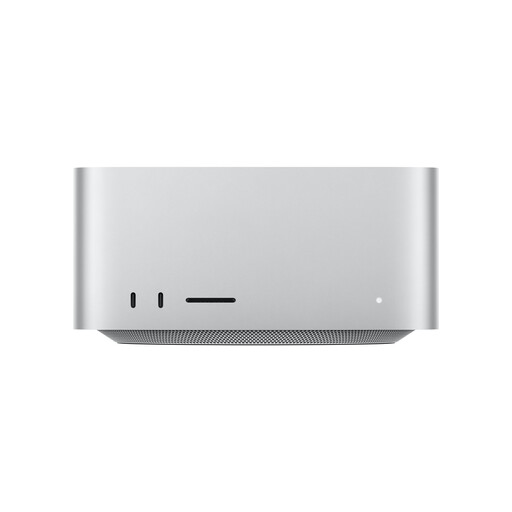
Apple Mac Studio with M5 Max, 36 GB unified memory and 512 GB SSD

Apple Mac Studio M5 Max, 32-core GPU, 36 GB, 512 GB SSD

A compact macOS editing setup, if 512 GB of internal SSD storage suits your plans for storing working files.

18-core CPU, 32-core GPU, 36 GB unified memory and 512 GB SSD. Thunderbolt 5 and an SDXC card reader are listed; check that your editing software is compatible.

Joybuy
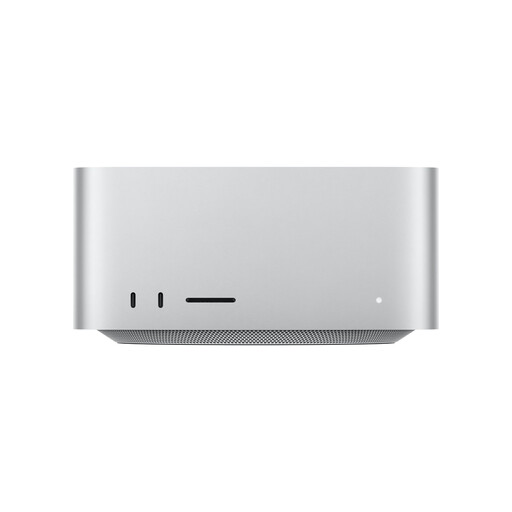
Apple Mac Studio M5 Max, 40-core GPU, 48 GB, 1 TB SSD

Apple Mac Studio M5 Max, 40-core GPU, 48 GB, 1 TB SSD

A configuration with more specified unified memory and SSD storage, suited to a compatible macOS workflow.

18-core CPU, 40-core GPU, 48 GB unified memory and 1 TB SSD. For model number MHL64ZD/A, check the RAM, SSD and GPU configuration against the specific listing before buying.

Joybuy
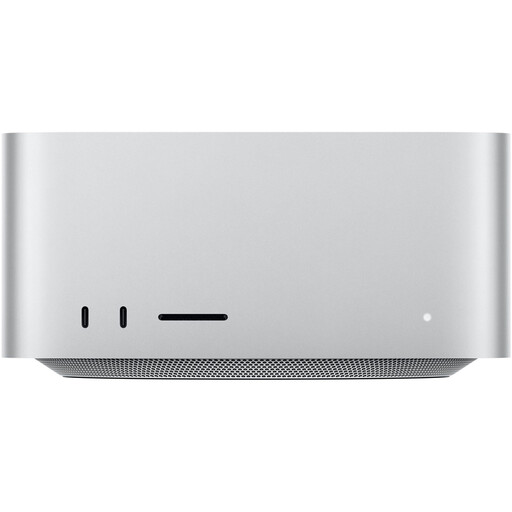
Apple Mac Studio M5 Max, 32-core GPU, 36 GB, 1 TB SSD

Apple Mac Studio M5 Max, 32-core GPU, 36 GB, 1 TB SSD

A macOS editing setup with 1 TB SSD, if that suits your plans for storing active projects better than the 512-GB version.

18-core CPU, 32-core GPU, 36 GB unified memory and 1 TB SSD. Check compatibility with your editing software and keep backup copies separate from the internal drive.

Joybuy
Apple Mac Studio M5 Max, 32-core GPU, 36 GB, 2 TB SSD

Apple Mac Studio M5 Max, 32-core GPU, 36 GB, 2 TB SSD

A macOS setup with a 2-TB SSD for active projects, if that’s what you need from this selection.

18-core CPU, 32-core GPU, 36 GB unified memory and 2 TB SSD. The internal SSD does not replace a separate backup; also check that your editing software is compatible.

Joybuy

Frequently asked questions

Is 24 GB RAM enough for every large film project?

File size alone won’t tell you. For Premiere on Windows, Adobe recommends 32 GB RAM or more for 4K and higher resolutions. This is not a universal minimum for other software or macOS. Check the requirements for your software version and footage.

How can you edit high-resolution footage on a less powerful computer?

In Premiere, proxy files can act as lighter working copies to make editing high-resolution footage easier. Allow for the extra step and storage space they require. According to Adobe, Premiere uses the original media when exporting by default, unless you specifically choose to export using proxies.

Does a second internal SSD count as a backup?

For important club footage, plan for a separate backup that you check regularly. The German Federal Office for Information Security recommends backing up data regularly and notes that you also need to be able to restore it.

What warranty rights apply if a club buys the computer?

EU information on the minimum two-year legal guarantee describes consumer rights against the seller. Whether a particular club purchase counts as a consumer purchase depends on the buyer and the contract, so check before ordering. A voluntary manufacturer’s warranty is separate.