Editing long original footage
You record long videos and need to allow space for originals, working files and cache.


Choose a desktop based on the resolution, codec and editing software you use for your footage, and allow for storage for your originals, working files, cache and, where needed, proxies. A compact Mac desktop could work if its specific configuration and external drives meet the needs of your workflow. A tower is an option if you may want to upgrade its internal drives or graphics later on. Adobe’s recommendations for 4K on Windows apply to Premiere; they are not universal minimum requirements for every video-editing PC.
You record long videos and need to allow space for originals, working files and cache.
You want to choose a setup for previews and exports that suits your editing software and the file formats you use.
You may want to add more internal drives or upgrade your graphics later on.
A good fit if: Your editing software runs on macOS, desk space is at a premium and you can decide on the configuration you need before you buy.
Bear in mind: Long recordings, cache and proxies may require extra external storage. Configurations vary depending on the chip and memory options.
A good fit if: You use Premiere on Windows, or want to choose drives and graphics to suit larger projects and upgrade them later.
Bear in mind: A model range does not guarantee that a specific deal includes the components you need. Check the operating system, RAM, GPU memory and drives.
| Priority | What to check before buying | Who it matters most to |
|---|---|---|
| Storage for long recordings | Check the size of your source files, SSD capacity and drive options; allow for cache and proxies too. | If I keep long original recordings, I also need space for working files and cache. Around 40% of consumers put storage needs first. |
| Editing and preview performance to suit your needs | Match your editing software to your resolution and codec; compare its recommendations with the specific CPU, RAM and GPU configuration. | If I edit regularly, I want a setup that suits my software and footage. Around 33% of consumers prioritise editing and preview performance that meets their needs. |
| Expandability | Check the drive bays, slots and ports on the specific configuration; decide whether you need to add components internally. | If I want to add internal drives or other components later, the specific form factor matters. Around 17% of consumers put expandability first. |
| Total cost of an editing setup | Budget for working drives and other peripherals; check which components are included in the deal. | If I’m putting together a complete editing setup, I factor in storage needs as well as the computer. Around 10% of consumers prioritise the total cost of a ready-to-use editing setup. |
Long recordings and extra working files can take up more space than the project files alone.
Estimate the size of your own files and check the drive options and ports before you buy.
You may need extra fast storage for originals, cache or proxy files.
Manufacturers often list several variants and optional components; the maximum specifications do not automatically apply to every device.
Compare the full configuration of the specific deal with the requirements of your editing software.
If the RAM, GPU memory or drive space does not meet your needs, you may need to upgrade.
Proxies are additional working files and can also take up space on large projects.
Choose a storage location in advance and allow for originals and working copies separately.
You may need extra storage for the proxy files you create.
The Mac mini and Mac Studio are desktop ranges for macOS editing setups; their form factors and configurations vary.
The Z2 Tower G1i is a configurable Windows workstation range where drive and graphics options may be important.
The ThinkStation P3 Tower is a tower range whose configuration and ports you can check against the needs of your editing setup.
These compact desktop PCs are options for a space-saving editing setup. Check the storage, editing software and specific configuration against the needs of your footage.
 No image available
A compact desktop option if you use macOS and have checked that this configuration suits your editing software.
16 GB Unified Memory and 256 GB SSD. The description lists three Thunderbolt 4 ports and HDMI.
 No image available
A compact macOS option if you’ve checked that the configuration on offer suits your editing software and footage.
16 GB Unified Memory and 512 GB SSD. The description lists three Thunderbolt 4 ports and HDMI.
 No image available
A compact macOS option if you’re planning for 24 GB Unified Memory in your editing setup and it meets your software’s requirements.
24 GB Unified Memory and 512 GB SSD. The description lists three Thunderbolt 4 ports and HDMI.
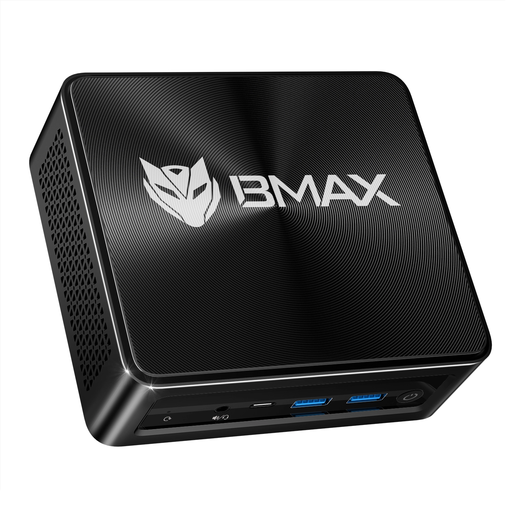 No image available
A compact Windows option if you’ve checked that the specific configuration suits your editing software and video footage.
The listed configuration includes 16 GB RAM and a 512 GB SSD. The product name lists Windows 11 and AMD Radeon 780M Graphics.
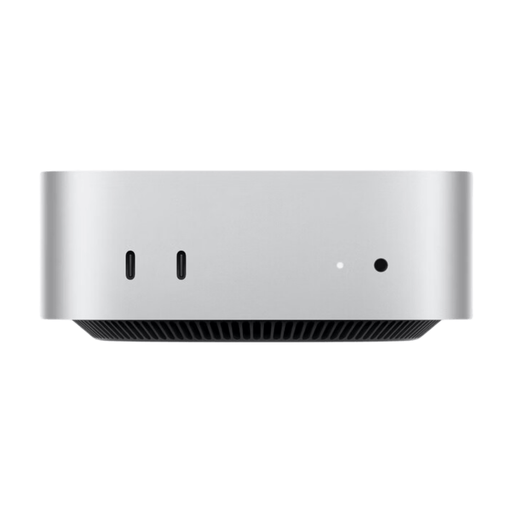 No image available
A compact macOS option if you’re planning to use the larger internal SSD for your workflow.
24 GB Unified Memory and 1 TB SSD. The description lists Thunderbolt 4, HDMI and USB-C.
Not simply because of their length. First, check the file size, resolution, codec and editing software. With Premiere, proxies can make large or complex media easier to edit, but they need extra storage for working files.
Adobe recommends using fast media drives for Premiere and, where possible, a separate SSD for the cache. If you only have two drives, Adobe says the cache and media can be stored on the same working drive.
Premiere’s media cache settings let you set automatic deletion rules based on age or storage space used. These rules apply to cache files and do not replace planning for original footage and proxies.
For a typical online purchase from a business, you generally have 14 days from delivery to cancel your order; exceptions, such as clearly personalised goods, should be taken into account. If the goods are faulty, you are also generally entitled to a statutory guarantee from the seller for at least two years. A voluntary manufacturer’s guarantee does not replace these statutory rights.