4K multi-track editors
You combine several high-resolution family recordings and want to match your computer’s specifications to your editing software. For 4K in Premiere, Adobe recommends at least 32 GB of RAM.


Choose your desktop based on your editing software, resolution and recording format. For 4K in Premiere, Adobe recommends at least 32 GB of RAM, while its minimum requirements are aimed at HD editing. A Windows tower offers different specifications depending on its configuration; a Mac mini could suit you if macOS and its ports fit your workflow. In either case, check the exact model and make sure there’s enough room for your original footage, projects and backups.
You combine several high-resolution family recordings and want to match your computer’s specifications to your editing software. For 4K in Premiere, Adobe recommends at least 32 GB of RAM.
You want to keep the original footage and project files as well as the finished film. Germany’s Federal Office for Information Security describes regular backups as protection against irretrievable data loss.
You edit at a small, permanent workstation and are comparing a compact Mac mini with a tower. Apple lists different memory and SSD configurations for the Mac mini M6, so check the exact version.
A good fit if: you use Premiere on Windows and want to choose the components to suit your project.
Consider: specifications and ports vary by configuration. The name of a product range alone doesn’t prove that a computer is right for your editing software.
A good fit if: you want to use macOS and its media support and ports are compatible with your camera, monitor and editing software.
Consider: RAM and SSD specifications vary by model. Allow for extra storage if your projects and original footage need more space.
A good fit if: Premiere runs on your current computer, but high-resolution original clips stutter while you edit.
Consider: proxy files are smaller copies for editing, and they take extra storage and time to prepare.
| What matters to you | What to check before buying | Who it matters most to |
|---|---|---|
| Previewing multiple tracks | Check that your editing software, resolution and codec are compatible with the RAM, graphics and drivers of the exact configuration. | If a usable preview is important when combining multiple clips, prioritise specifications that support it. Around 36% of consumers put preview performance first. |
| Software and format compatibility | Check the operating system, editing software version and formats used by your camera or mobile phone clips. | If your main concern is making sure your editing software works with your operating system and recording formats, compatibility should be your priority. Around 29% of consumers prioritise it. |
| Space for footage and backups | Allow for the storage needed for original footage, projects and any proxies, and plan to keep a separate backup. | If you want to keep family recordings for the long term, you’ll need space for a separate backup as well as your project storage. Around 21% of consumers prioritise archive storage. |
| Space and extra costs | Check the case, RAM, SSD, video outputs and peripherals included with the version you’re ordering. | If your editing space is limited or you want to avoid buying extra equipment, consider the actual space and specifications you’ll need. Around 14% of consumers prioritise footprint and overall costs. |
For the A40MMET configuration, HP lists a 1 TB SSD, while the Joybuy product page also mentions both 1 TB and 2 TB. These details don’t clearly confirm the SSD capacity you’ll receive with your order.
Check the full model code and confirm exactly what’s included before you buy.
If your working drive fails, you could lose your original footage and project files without a separate copy. Germany’s Federal Office for Information Security recommends backing up your data regularly.
Keep an additional copy of your original footage on a separate storage device.
Adobe’s minimum requirements for Premiere apply to HD editing; its recommendations for 4K and higher resolutions are different.
Compare the requirements for the version of the software you use with the footage you plan to edit. Proxies can be another option for supported clips, but they need extra storage.
The Z2 Tower range includes Windows workstations with a choice of configurations.
The Mac mini M6 is a compact macOS option with a choice of memory and SSD configurations.
The ThinkStation P3 Tower Gen 2 is a configurable range of Windows workstations.
The Pro Max Tower T2 is a Windows tower for which Dell lists a choice of processors and power supplies.
The desktop and compact systems below offer a range of specifications for family video projects. Check that the operating system and exact components suit your editing software and storage needs.
 No image available
For editing multiple tracks, check that the listed RAM and graphics specifications meet the requirements of your editing software.
The product name lists 32 GB RAM, 1 TB and an RTX 5060; the product description mentions a 1 TB SSD and an additional 1 TB hard drive. It also lists Windows 11 Home and 8 GB of dedicated graphics memory.
 No image available
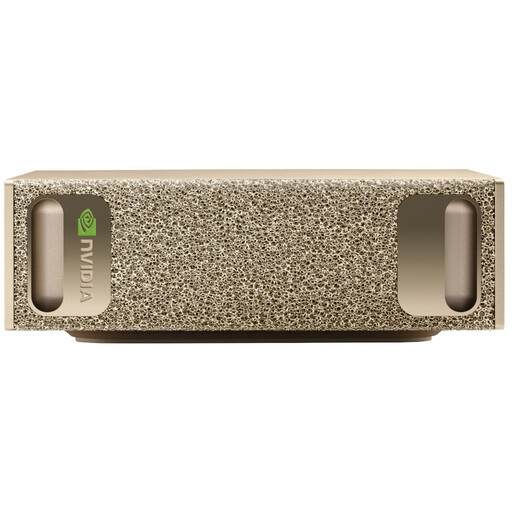
Its compact dimensions may suit a small workspace, but the listed components alone don’t guarantee a particular level of video editing performance.
The specifications list 128 GB RAM, a 4 TB SSD, NVIDIA DGX OS, and HDMI and USB-C video outputs. According to the product description, the USFF case measures 15 × 15 × 5,05 cm.
 No image available
Its 32 GB of RAM is relevant for Premiere at 4K, as Adobe recommends at least 32 GB. This doesn’t guarantee a particular preview performance.
The specifications list Windows 11 Pro, several DisplayPort outputs, and USB-C and USB-A ports. HP lists the A40MMET with a 1 TB SSD, while the product page also mentions both 1 TB and 2 TB. Confirm the SSD capacity you’ll receive before buying.
 No image available
Compare its high-end graphics specifications with the requirements of your editing software and projects, rather than assuming they guarantee a particular level of performance.
The product details list 32 GB RAM, an RTX 5080 with 16 GB of graphics memory, a 2 TB SSD and Windows 11 Home.
 No image available
Check that the graphics memory suits your project. The RTX A400 described has 4 GB, while Adobe recommends 8 GB for Premiere on Windows.
The specifications list 32 GB DDR5, a 512 GB NVMe SSD, Windows 11 Pro, and HDMI and DisplayPort outputs.
No. Adobe’s minimum requirements apply to HD editing. For 4K and higher, Adobe recommends at least 32 GB of RAM; that alone doesn’t guarantee smooth previews for every multi-track project.
In Premiere, you can create smaller proxy files for supported video clips and edit with those. Allow for extra storage; Adobe’s proxy workflow doesn’t apply to every clip, including clips with subtitles.
Keep a separate backup of your original footage as well as the copy on your working drive. Germany’s Federal Office for Information Security lists external storage devices as one option for personal data backups.
For online orders, consumers generally have 14 days from receiving the goods to notify the seller that they’re cancelling. Exceptions and the specific contract should be checked. Germany’s consumer advice centre distinguishes statutory rights against the seller from a voluntary manufacturer’s warranty.
Check the product identity, manufacturer details and required accompanying information for the specific computer you’re buying. Germany’s Federal Network Agency notes that products covered by relevant EU harmonisation rules must carry CE marking where those rules require it. CE marking is not a quality mark for video editing performance.