Suitable devices at Joybuy
The devices below include Mac mini configurations with macOS and compact mini PCs with Windows options. Compare the operating system, actual storage capacity and ports with your development and testing workflow.
 No image available
Apple Mac mini M6, 16 GB, 256 GB SSD
For a macOS-based development workflow; check that your chosen tools run on this specific configuration.
16 GB unified memory, 256 GB SSD, Thunderbolt 4 and HDMI.
View at Joybuy
No image available
Apple Mac mini M6, 16 GB, 512 GB SSD
For a macOS-based development workflow; check the software requirements against the configuration you choose.
16 GB unified memory, 512 GB SSD, Thunderbolt 4 and HDMI.
View at Joybuy
 No image available
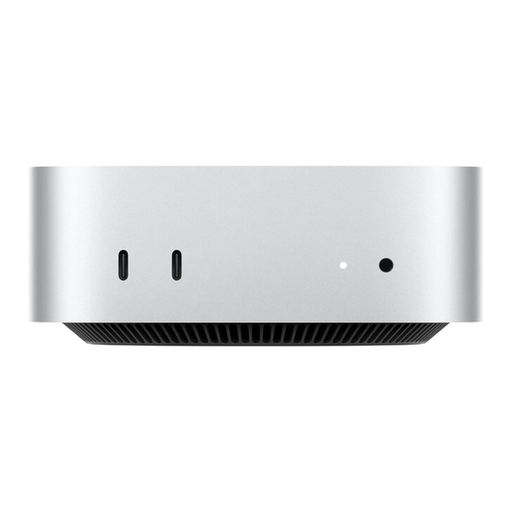
Apple Mac mini MHQK4ZD/A_CTO, 24 GB, 1 TB SSD
A macOS option if your development tools are compatible with this specific configuration.
24 GB unified memory, 1 TB SSD and 2.5 Gbps Ethernet.
View at Joybuy
 No image available
Ninkear M8, 16 GB DDR5, 1 TB SSD
For a compact workspace, provided your required tools are compatible with the Windows configuration on offer.
AMD Ryzen 7 8745HS, 16 GB DDR5, 1 TB SSD, 2.5 Gigabit Ethernet and Wi-Fi 6.
Windows 10/11 operating system option; case dimensions: 130 × 127,5 × 52 mm.
View at Joybuy
 No image available
Ninkear L12 Pro, 16 GB DDR4, 1 TB SSD
For a compact development setup, provided the operating system and required applications suit your workflow.
Intel i9-12900HK, 16 GB DDR4, 1 TB SSD and USB 4.0.
Windows 10/11 operating system option; the product title also states that it’s compatible with Ubuntu. Case dimensions: 130 × 127,5 × 52 mm.
View at Joybuy
Frequently asked questions
Is a desktop PC with a good keyboard enough to make a public engagement website keyboard-accessible?
No. Test the website itself without a mouse, including navigation, forms and visible focus. The W3C Web Accessibility Initiative notes that quick checks don’t replace a full accessibility assessment.
How can I check a hard-to-see keyboard focus indicator during development?
Navigate the page using the keyboard and check that the focus remains visible. Chrome DevTools also documents a way to track the currently focused element using document.activeElement; this development step doesn’t replace testing the site’s usability.
Do I need to buy a particular mini PC to run Docker Desktop on Windows?
No, the case size alone doesn’t determine that. If you use Docker Desktop, compare its documented system requirements and your chosen virtualisation backend with the operating system and specifications of the specific configuration.
What extra equipment might I need with a barebones model?
It depends on the configuration. Minisforum explicitly lists a UM890 Pro barebones configuration without an operating system licence; also check which components and input devices are included before comparing specifications.
Does BITV 2.0 apply to every public engagement website in Germany?
Not simply because a website is publicly accessible. The Federal Government’s Accessibility Portal describes BITV 2.0 as applying to the German federal public administration. Whether the regulation applies to a specific project depends, among other things, on who operates it.


