What should you look for when buying?
First check that the game and platform are compatible, then make sure the connection works from where you sit, and only then consider extra buttons or additional accessories.
| Buying consideration |
What to look for |
Who should pay particular attention? |
| Game and platform compatibility |
Check the controller support information for the specific game, as well as your console or operating system and the controller’s full name. Steam distinguishes between full and partial controller support. |
I want to know before buying whether my detective game can be played fully with the controller and whether it works with my platform. Around 40% of consumers put game and platform compatibility first. |
| Connection from the sofa |
For the exact model, check which connection works with your platform and whether a cable will reach your seat. For Windows PC, 8BitDo lists 2.4 GHz or a cable for the Ultimate 2C Wireless; Bluetooth is listed for Android with this model. |
If you play from the sofa, the connection needs to work with your device and be practical from where you sit. Around 33% of consumers make the connection between their seat and gaming device their top buying priority. |
| Controls for investigative tasks |
Start by checking the game’s control information. Extra buttons are only useful if you can make good use of them for the relevant in-game controls. |
I want to be able to map frequently used controls to suit me, rather than relying on extra buttons alone. Around 17% of consumers prioritise customisable controls. |
| Connections and accessories |
Compare the connection requirements with what’s included in the specific listing. Microsoft points out that controller audio is not supported on Windows when the Xbox Wireless Controller is connected via Bluetooth. |
If an adapter, cable or particular feature is essential for me, I want to know before buying what’s included and which connection is required. Around 10% of consumers prioritise connections and any accessories they may need. |
Joybuy controllers for these gaming scenarios
The Joybuy models listed here are intended for Nintendo Switch, PS4 and PC, and PS5 setups. Also check whether your specific detective game supports controller input.
 No image available
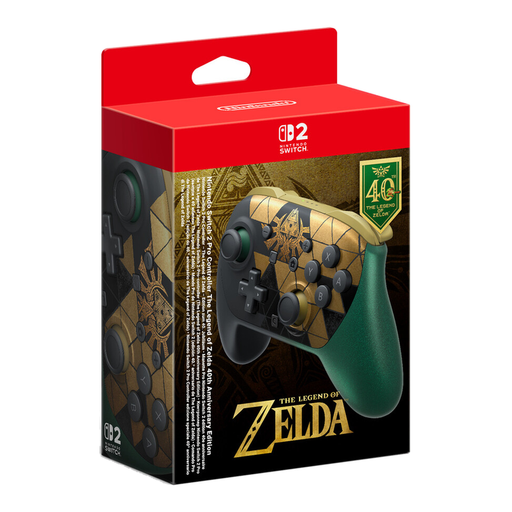
Nintendo Switch 2 Pro Controller, The Legend of Zelda 40th Anniversary Edition
For a Switch 2 setup connected to a TV, provided the specific detective game supports controller input.
Model variant: The Legend of Zelda 40th Anniversary Edition. The product name mentions HD Rumble 2.
Joybuy
 No image available
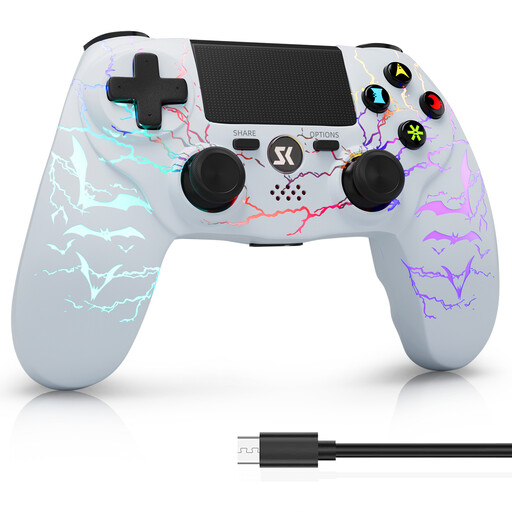
CHENGDAO Wireless Controller for PS4/Pro/PC (Windows), White Bit
An option if your detective game can be played with a controller compatible with PS4/Pro or a Windows PC.
The product name identifies this model as a wireless controller. Before buying, check that it works with your specific game and device.
Joybuy
 No image available
BIGBIG WON Rainbow 2 Pro Wired Controller
For PC, Nintendo Switch or PS4, if a wired connection to where you sit is practical.
The product name identifies this model as wired. Check that it is compatible with your specific platform and game.
Joybuy
 No image available
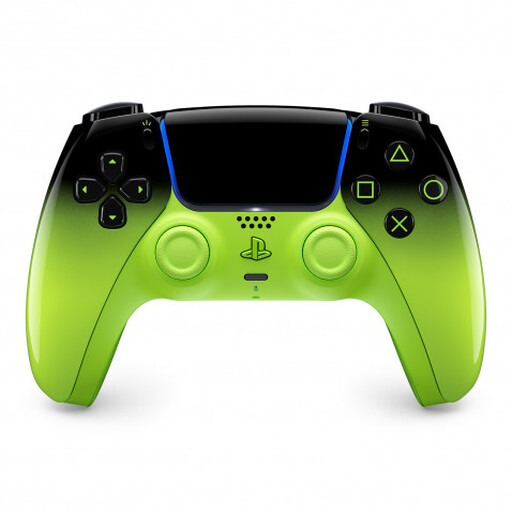
PlayStation DualSense Wireless Controller V3, Remix Green Edition
For PS5 or a supported PC, provided the specific game offers the controller support you want.
Adaptive triggers require game support. According to Sony, haptic feedback on PC also requires a USB connection.
Joybuy
 No image available
Nintendo Switch Pro Controller, Black
For Nintendo Switch in TV mode, if your specific detective game supports controller input.
Nintendo points out that the Switch Lite does not have TV mode; an extra controller does not change this limitation.
Joybuy
Frequently asked questions
Can I play any Steam detective game using only a controller?
No, not every Steam game can be played entirely with a controller. Steam distinguishes between full and partial controller support; with partial support, you may need a mouse or keyboard at times. The Steam pages for “The Case of the Golden Idol” and “Return of the Obra Dinn” list full support for Xbox controllers; support for other devices is not known.
How do I set up a PC gamepad for use with a TV?
Connect your PC to the TV, then launch Steam Big Picture mode if you want to use that interface. Connect the controller using a method listed as compatible with the exact model and your operating system; the GameSir G7 SE manual describes connecting it with a USB-C cable. Also check the controller support information for the specific game.
Do I need a separate receiver for a wireless controller?
It depends on the model, platform and connection. 8BitDo lists a 2.4 GHz receiver for Windows as included with the Ultimate 2C Wireless. For the Xbox Wireless Controller on Windows, Microsoft also lists Bluetooth and USB, as well as connection via a compatible Xbox Wireless Adapter. Check the connection details and what’s included with the specific product.
What are my rights when buying a controller online in Germany?
When buying from a trader, you are generally entitled to a statutory guarantee of at least two years from the date you receive the goods. For an online distance purchase, you generally have a 14-day right to cancel from delivery; the European Union’s consumer information lists exceptions and possible return costs. A voluntary manufacturer’s guarantee is separate from these rights.


