What to look for when buying
First, check that the camera can frame your book and hand movements as you need. Then consider the distance from the book and whether the connection will work with your computer and video app.
| What matters when buying |
What to check |
Who will find this especially important? |
| Readable entries |
Try it with your own book to see whether the page and your hands fit in the frame, and whether the text remains readable in the live view. |
If you mainly look up words and explain entries, you’ll want to show both the text and your hand movements. Around 36% of consumers put readability of the book view first. |
| Switching between your face and the book |
Check whether you can point the camera at the desk from your monitor setup, and whether the angle works for the book. |
If you’re usually on screen during a conversation and only show a page occasionally, you’ll want a desk view that’s easy to use without a complicated rearrangement. Around 29% of consumers prioritise switching between views. |
| Connection and a stable setup |
Check that the USB connection is suitable, your app supports external cameras and the mount stays securely in place. |
If you want to use the camera with your existing computer, it needs to be recognised and stay in position while you turn pages. Around 21% of consumers prioritise a setup that works with their computer. |
| Lighting and clear explanations |
Test the image under the lighting at your demonstration spot, and listen back to a test recording. |
If you need both a clearly visible page and audible speech while explaining, check the lighting and sound in the place where you’ll actually use the camera. Around 14% of consumers focus primarily on lighting and clear speech. |
Related products from Joybuy
The Joybuy products below are webcams. Whether they’re suitable for demonstrating a dictionary depends on how well the framing, focus and positioning work with your book and workspace.
 No image available
Full HD 1080P webcam with microphone
Listed as a webcam for PCs and video calls. Check the live view to see whether your dictionary entry remains clear enough in the view you want.
View on Joybuy
 No image available
Razer Kiyo V2 X Full HD webcam, 1080p, 60 FPS, Black
Listed for video calls and streaming. With the book in its intended position, check whether the focus and framing work for your dictionary view.
The product name specifies 1080p and 60 FPS.
View on Joybuy
 No image available
AOC webcam for PC with microphone, 4K, 99° field of view
Listed as a webcam for PCs and video conferencing. Check with your own dictionary to see whether the wide frame still shows the text at a readable size.
The product name specifies a 99° field of view.
View on Joybuy
 No image available
AOC 4K PRO webcam with Sony IMX363 sensor
Listed for PCs, meetings and streaming. Check that the distance between the camera and book works for the view you want.
The product name specifies PDAF autofocus, a 75° viewing angle and USB-A/USB-C.
View on Joybuy
 No image available
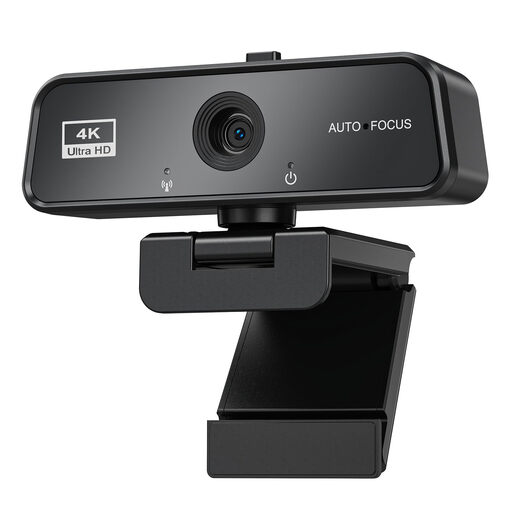
maxineer 4K webcam for PC with autofocus
Listed for video calls and streaming. Check the live view with your dictionary to see whether the focus and framing are good enough for small entries.
The product name specifies 3840 × 2160 and 30 FPS.
View on Joybuy
Frequently asked questions
How can I check whether small dictionary entries are readable on video?
Put your usual dictionary in the place where you plan to use it, then check the live view in the video app you’ll actually be using. Compare the framing you need with the camera’s capture area, and check that it focuses at that distance. The maximum pixel count alone won’t answer these questions.
How do I set up a webcam for a quick desk demonstration?
For Show Mode on the Brio 500, tilt the camera down. If the micro-suction pad isn’t attached, Logitech recommends holding the mount while you do this. On supported Insta360 Link models, switch on DeskView using the Link Controller. Then check the perspective and position of the book in the preview.
What should I check on the mount after using the camera?
Check that the camera is still pointing in the right direction after you’ve turned the pages. Logitech explains how to clean the micro-suction pad on the Brio 500 mount with water if it gets dirty, and to let it air-dry before mounting it again. IPEVO describes how to tighten the joint screws on the V4K arm.
What legal guarantee applies when buying from a trader in the EU?
For goods in the EU, there is a legal guarantee of at least two years from receipt; claims for faulty goods are made against the seller. Any additional manufacturer’s guarantee is separate. Before buying, check the specific guarantee terms and who your contractual partner is. (Your Europe, European Union)
Can I publish a dictionary demonstration or record conversations?
Publishing something online for public access may be covered by the right of making a work available to the public under Section 19a of the German Copyright Act (UrhG). Without knowing the work, how much is shown and what permission you have, it isn’t possible to give blanket approval. Under the conditions set out in law, Section 201 of the German Criminal Code (StGB) covers the unauthorised recording of another person’s private spoken words. Check the relevant rights and whether you’re permitted to record your specific demonstration before publishing it or recording audio. (Laws on the Internet)


