Joybuy products for local archives
The Joybuy products below are external HDDs for local archives: portable models for moving between workspaces and desktop options for a permanent setup.
 No image available
WD Elements Portable 6 TB USB-C
A portable HDD option if you want to move a larger local archive between workspaces.
6 TB; 2.5-inch format; USB-C and USB 3.2 Gen 1; 240 g according to the product description.
View at Joybuy
No image available
WD Elements Portable 4 TB USB-C
A portable HDD for local files if 4 TB is right for your archive and the project versions you plan to keep.
4 TB; 2.5-inch format; USB-C and USB 3.2 Gen 1; pre-formatted for Windows and Mac according to the product description; 240 g.
View at Joybuy
 No image available
WD Elements Portable 2 TB USB-C
A more compact capacity option for a local archive, if 2 TB is enough for the files and backups you’ve selected.
2 TB; 2.5-inch format; USB-C and USB 3.2 Gen 1; exFAT; USB-powered.
View at Joybuy
 No image available
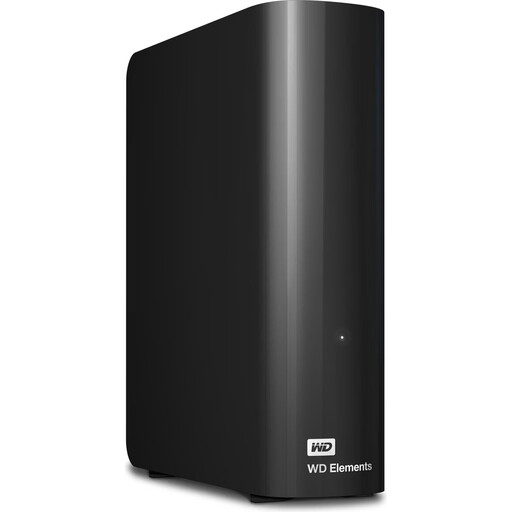
WD Elements Desktop 24 TB
A desktop HDD option for a large local archive at a permanent workstation.
24 TB; 3.5-inch desktop format; USB 3.2 Gen 1; requires the supplied power adapter.
View at Joybuy
 No image available
WD Elements Desktop 6 TB
A desktop HDD for storing local files in one place, if 6 TB is enough for your archive.
6 TB; 3.5-inch desktop format; USB 3.0; NTFS; requires the supplied power adapter. The product description says it must be reformatted for use with macOS.
View at Joybuy
Frequently asked questions
How can I keep older versions of my art files without using the cloud?
On Windows, File History can save versions of selected libraries to an external drive. If needed, add project folders that aren’t in these libraries, and test with a file to make sure you can restore the version you want. On a Mac, Time Machine is a local backup option with its own volume requirements.
Do I need to reformat a new hard drive for Time Machine?
Not always. Apple recommends APFS or APFS (Encrypted) for new Time Machine volumes. If a new volume uses a different format, you may need to erase and reformat it. Back up any existing files before erasing a drive.
Is a password-protected hard drive enough for confidential work?
A password alone doesn’t prove that your data is encrypted. Check the encryption method and keep the recovery key safe. Whether a particular project involves additional contractual or data protection obligations depends on the data being processed and the agreements in place.
What do the manufacturer’s warranty and statutory consumer rights mean when buying a drive?
For consumer purchases in the EU, new goods are generally covered by at least two years of statutory protection if they don’t conform to the contract, as explained by the European Commission. Any additional manufacturer’s warranty is subject to its own terms and applies separately; check what it covers if a drive fails.
How should I dispose of an old archive drive in Germany?
Electrical and electronic waste must not go in household rubbish. The German Environment Agency lists recycling centres and suitable retailer take-back points. Before passing on or disposing of a drive, the BSI recommends securely deleting personal data unless it is already safely encrypted or otherwise protected from access.


