What to look for when buying
For a single pasta countdown, start by checking how easy the timer is to use and how it alerts you. Then consider where you’ll place it and whether you need a silent mode.
| Priority |
What to check |
Who it matters most to |
| Set the countdown quickly |
Check how the timer works and whether you can set minutes and seconds as needed. If you often use the same times, look for a memory function too. |
If I often cook the same type of pasta, I want to set the time quickly and call it up again easily. Around 36% of consumers prioritise quick setting and repeat use. |
| Notice the alarm |
Check the signal type and volume settings on the specific model, as well as where you plan to place it. |
If I’m preparing something else while cooking, I want to notice when the countdown ends. Around 29% of consumers prioritise an easy-to-notice alarm. |
| Read the remaining time easily |
Check that you can see the display where you plan to put the timer, and that a magnet, clip or stand will work in your kitchen. |
If there’s little room on the worktop, I still want to be able to see the timer clearly. Around 21% of consumers prioritise placement and readability. |
| Silent alert |
Check whether silent mode gives a visual alert when the countdown ends, and whether you’ll be able to see it from where you usually are. |
If I don’t want an audible alert, I need a visual one I can keep an eye on. Around 14% of consumers prioritise a silent alert. |
Key brands at a glance
The details below apply to the specific models mentioned and are not a general assessment of each brand’s entire range.
TFA Dostmann
For the 38.2021.01 and 38.2056.04, the manufacturer lists different operating and alert options.
- For the 38.2021.01, TFA Dostmann lists a memory function, magnet, clip, stand and hanging hook. The manufacturer says an AAA battery is included.
- For the 38.2056.04, TFA Dostmann lists three volume settings and an LED warning light.
- The manufacturer says the 38.2056.04 requires two AAA batteries, which are not included.
Technoline
According to Technotrade Import-Export GmbH, the KT 200 is a digital single timer with a countdown and stopwatch.
- The supplier lists a countdown of up to 99 min 59 s for the KT 200, as well as a table stand or magnetic holder.
- The supplier says the required AAA battery is not included. This information applies to the KT 200.
Hama
According to Hama, the 00002949 digital kitchen timer combines a countdown and stopwatch with several placement and display options.
- Hama lists a magnet, stand, hanging hook and adjustable display brightness for this model.
- According to Hama, the timer has three alarm modes and a flashing LED alert when the countdown ends. These are the manufacturer’s claims, not the result of an independent audibility test.
ADE
According to ADE, the KT102 is a digital dual timer for two countdowns running at the same time.
- ADE lists a large display and adjustable or switchable-off audible alerts for the KT102.
- If you only need to keep an eye on one pan of pasta, the second countdown isn’t necessary.
Joybuy products
The following Joybuy products are digital timers for a single countdown. Their time ranges, controls and alerts vary by model.
 No image available
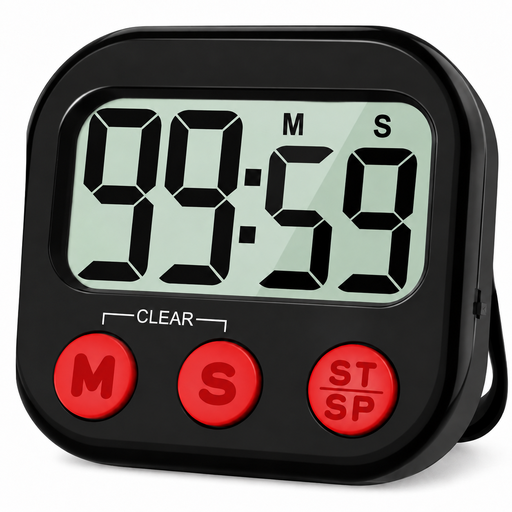
Digital Interval Timer with Stopwatch, 99 min 59 sec
For a single pasta countdown, this model offers a timer of up to 99 min 59 sec.
The product description lists an LCD display, adjustable alarm volume, stand, magnet and hanging hook.
Joybuy
 No image available
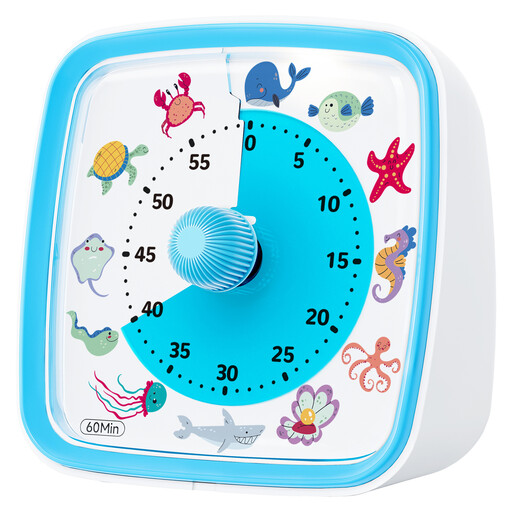
Visual Timer for Children, 60-minute Countdown
The countdown is suitable for cooking times of up to 60 minutes and can be paused and restarted, according to the product description.
An audible alert at the end is also listed. Two AAA batteries are required and are not included.
Joybuy
 No image available
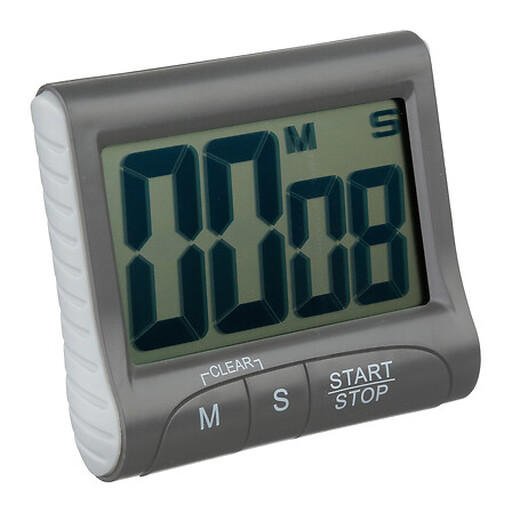
5Five Grey Digital Timer
The product description lists button controls and an audible alert when the countdown ends.
This model has a display and a hook for hanging, and can also stand on a worktop. Keep it away from water and extreme heat.
Joybuy
 No image available
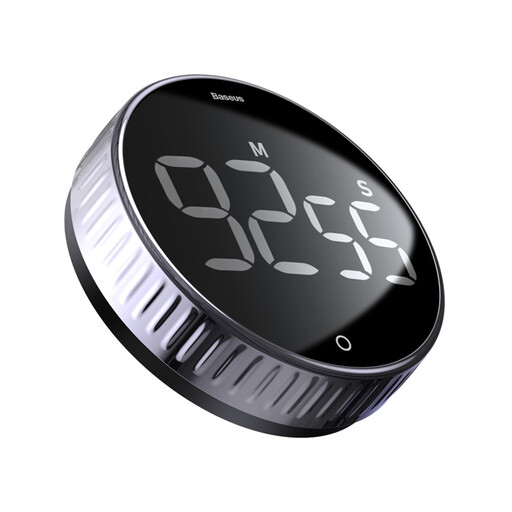
Baseus heyo Rotary Countdown Timer, Black
For cooking times of 1 to 60 minutes, you can set the countdown by turning the dial, according to the product description.
This model has a large LCD display, an audible alert when the countdown ends and a built-in rechargeable battery.
Joybuy
Frequently asked questions
How do I set the cooking time for my pasta?
Set the countdown according to the cooking time and preparation instructions for the pasta you’re using. For example, Barilla lists a cooking time of 9 minutes for Radiatori Al Bronzo. This applies to that particular type, not all pasta.
Where can I attach a magnetic timer?
Choose a surface that works with the magnet and lets you see the display. If that’s not suitable, the TFA 38.2021.01, according to TFA Dostmann, and the Hama 00002949, according to Hama, offer other placement options. Check which ones work in your kitchen.
What should I know about batteries and disposal?
Check the battery type and what’s included with the specific model: the AAA battery is not included with the Technoline KT 200, according to Technotrade Import-Export GmbH, but is included with the TFA 38.2021.01, according to the manufacturer. In Germany, the Federal Environment Agency recommends taking used batteries to collection points and disposing of electrical appliances separately from household waste. Batteries that can be easily removed should be taken out before returning the appliance.
Can I return a timer bought online?
In Germany, online purchases generally come with a 14-day right to cancel. The consumer advice centre notes that you must notify the retailer or other contracting party that you wish to cancel. Check the information for your specific purchase, as exceptions and return arrangements depend on the circumstances.


