Who would benefit from a digital pasta timer?

Pasta with ingredients already prepared

When your ingredients are ready to go, a countdown that’s quick to set helps you keep track of when to check and drain the pasta. TFA Dostmann describes a memory function for repeated time settings on one of its models; Barilla gives a cooking time of 9 minutes for Radiatori Al Bronzo.

Pasta and sauce with different cooking times

If you’re keeping an eye on a sauce or another time-sensitive step as well as the pasta, check whether the timer can actually display and run multiple countdowns at the same time. ADE and TFA Dostmann list this feature on selected models.

Cooking with specific alert or placement needs

An adjustable alarm may be useful if an audible alert would be disruptive; a light alert will only work if you can see the timer from your cooking area. If you’re short on worktop space, also check that the magnet, hook or stand suits the spot you have in mind.

What should you look for when buying one?

A single countdown

Best for: when only the pasta has its own finish time and you want to set a cooking time.

Keep in mind: a saved setting is not a second countdown running at the same time.

Two or three countdowns

Best for: when the pasta and sauce, or other steps, have different finish times.

Keep in mind: extra timers aren’t necessary if you only have one time-sensitive cooking step.

Adjustable sound and a light alert

Best for: when you want to adjust the alarm to suit the noise levels around you.

Keep in mind: a silent light alert is only useful if you can keep the timer in view.

What to look for What to check when buying Who will find this most useful?
Easy-to-set pasta timer Compare the countdown, setting increments, start and stop functions, and maximum time range with the cooking time given for the pasta you’re using. When the pasta is the only thing left to cook, I want to set the time without any unnecessary steps. Around 33% of consumers put a straightforward pasta countdown first.
Timing several steps Look for countdowns that are explicitly stated to run at the same time, with displays that are easy to tell apart. I need separate finish times for the pasta and sauce that I can read independently. Around 27% of consumers prioritise keeping track of cooking times running in parallel.
Hearing or seeing the alert Check whether the sound can be adjusted or switched off, and whether you’ll be able to see a visual alert from where you plan to place the timer. I want to know when the cooking time is up without an alert disturbing me in the kitchen. Around 20% of consumers pay particular attention to having an alert that suits their needs and is easy to notice.
Placing the timer where you can see it Check that the magnet, stand or hook works with your chosen spot and that you’ll be able to read the display from your cooking area. When the worktop is full, I still want to be able to see the timer clearly. Around 13% of consumers prioritise placing their timer somewhere easy to see.
Reusing a time setting Check whether the specific model saves a time setting and how to restart it; also check the battery type and what’s included. If I often cook the same type of pasta, I don’t want to enter the time again every time. Around 7% of consumers prioritise being able to reuse a cooking time.

Avoiding common buying mistakes

  • Confusing memory with multiple running timers

    A saved time can make it easier to set the timer again, but it won’t automatically keep track of pasta and sauce with different finish times.

    Check that the model explicitly states it can run countdowns at the same time, rather than simply saving a time setting.

  • Choosing a silent alert you can’t see

    An LED alert can only replace a sound if you can see the timer from your cooking area.

    Choose the alarm mode and where you’ll place the timer together. If it has a magnet, check that the surface you plan to use is suitable.

  • Assuming batteries are included

    What’s included varies by model: the TFA Dostmann 38.2021.01 is listed with one AAA battery, while the TFA Dostmann 38.2056.04 requires two AAA batteries, which are not included.

    Before buying, check the battery type, how many are needed and what’s included for the specific model.

  • Relying on a timer to keep ingredients safe

    A cooking-time alarm does not monitor temperature or make sure perishable ingredients are stored hygienically.

    The German Federal Institute for Risk Assessment recommends keeping perishable foods chilled until they are prepared. Use the timer only for the cooking step it’s designed for.

A guide to popular timer brands

TFA Dostmann

The models mentioned cover a single countdown with memory, adjustable alerts, and two or three timers running in parallel.

  • According to TFA Dostmann, models 38.2021.01 and 38.2056.04 both count down for up to 99 min 59 s. The 38.2056.04 also has an LED warning light and loud, normal and off volume settings.
  • The memory function on the 38.2021.01 does not mean the model can run two countdowns at the same time.

ADE

The KT102 is designed for cooks who want to keep track of two different cooking times at once.

  • ADE lists two simultaneous countdowns, a magnet, a stand and an alarm that can be switched off, with three volume settings.
  • The KT102 requires two AAA batteries. How easy the alarm is to hear will depend on where you’re cooking.

Silit

The Attimo is a single-task timer with a touch display, magnet and stand.

  • WMF lists count-up and countdown functions, as well as an audible alert, for the Attimo; there is no information confirming that this model can run two countdowns at once.
  • According to WMF, two AAA batteries are included.

Tescoma

The digital PRESTO 99 min is a magnetic option for timing a single stage of cooking.

  • Tescoma lists a maximum time of 99 min 59 s, an alarm and one AAA battery included.
  • There is no information for this model about adjustable volume or multiple countdowns running at the same time.

GEFU

According to GEFU, the digital CONTARE 12330 can be placed using its magnet or stand.

  • GEFU lists an adjustable time of up to 99 min 59 s and one AAA battery included.
  • The manufacturer states that the CONTARE is not dishwasher-safe.

Timers for individual cooking times

These timers are designed for individual cooking times. Compare the countdown, alert, display and mounting options with your cooking area, and check the time range against the cooking instructions for your pasta.
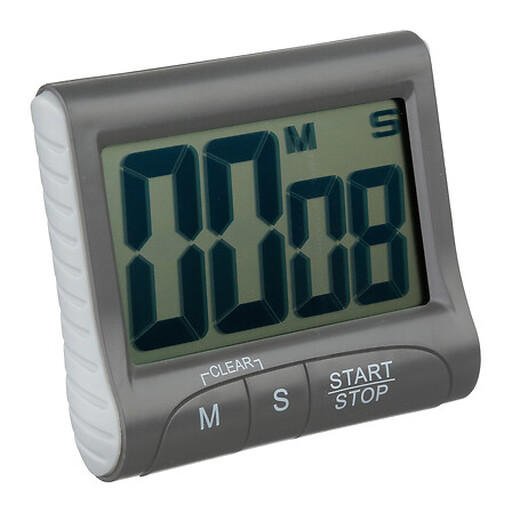
5Five grey digital timer

5Five Grey Digital Timer

A countdown with an audible alert is described for timing a single pasta cooking step.

One AAA battery is included. The built-in hook lets you hang it up; the product description advises keeping the timer away from water and extreme heat.

View at Joybuy
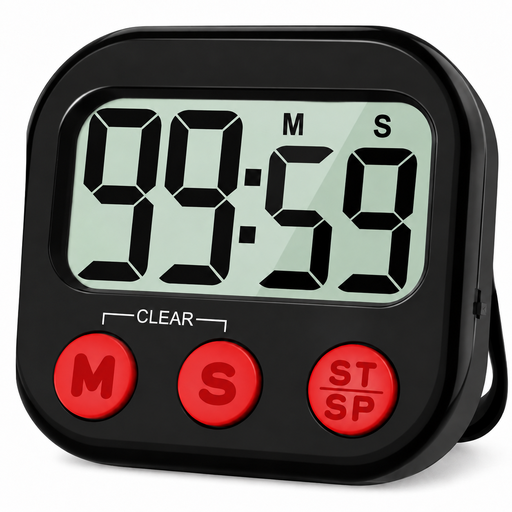
Digital interval timer with stopwatch, 99 min 59 sec

Digital interval timer with stopwatch, 99 min 59 sec

A countdown with an alarm is described for timing a single time-sensitive cooking step.

The specifications list a maximum of 99 min 59 s, a volume control, a stand, a magnet and a hanging hook.

View at Joybuy
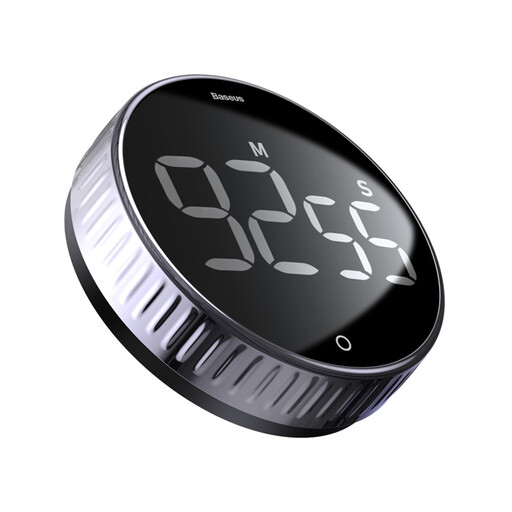
Baseus Heyo rotating countdown timer, black

Baseus Heyo Rotation Countdown Timer, Black

Countdown and count-up functions are listed for timing a single cooking period.

A magnet on the back and the option to stand it upright give you different ways to position the timer in your cooking area.

View at Joybuy
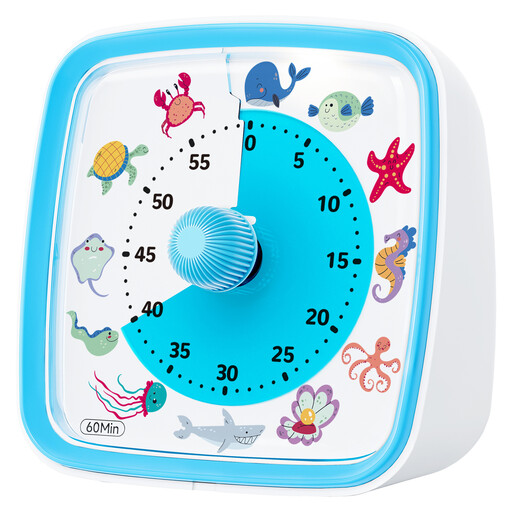
Visual timer for children, 60-minute countdown

Visual timer for children, 60-minute countdown

This 60-minute countdown is described for timing a single cooking period; compare the time range with the instructions for your pasta.

The description lists a pause function and a shrinking colour display.

View at Joybuy
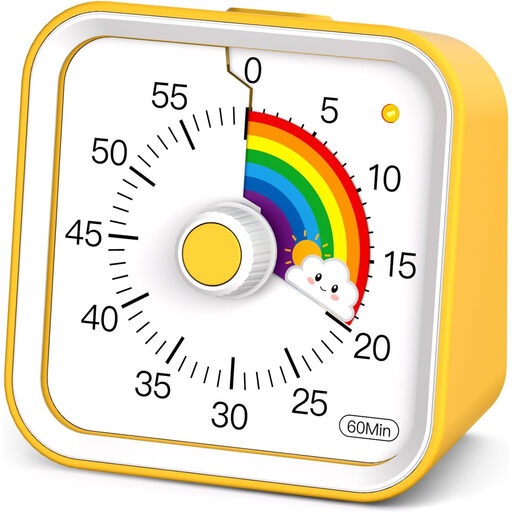
Visual timer for children with pause function, 60-minute countdown, Yellow Rainbow

Visual timer for children with pause function, 60-minute countdown (Yellow Rainbow)

The description lists a 60-minute countdown with a pause function for timing a single cooking step.

The timer requires two AAA batteries, which are not included according to the description.

View at Joybuy

Frequently asked questions

When should I start the countdown for the pasta?

Use the cooking time and preparation instructions for the pasta you’re making, rather than assuming all types need the same time. For example, Barilla gives a cooking time of 9 minutes for Radiatori Al Bronzo; this is not a guideline for other types of pasta. Check the pasta when the alarm sounds.

Do I automatically need a dual timer for prepared ingredients?

No. If only the pasta has its own finish time, a single countdown is enough. If the pasta and sauce are cooking at the same time but need to finish at different times, two countdowns running in parallel may help. ADE lists this feature for the KT102; TFA Dostmann lists it for the 38.2025.

Can I leave prepared perishable ingredients unrefrigerated until it’s time to cook?

A timer can’t tell you how to store ingredients. The German Federal Institute for Risk Assessment recommends keeping perishable foods chilled until they are prepared. Use the timer only to keep track of the cooking step.

How should I position the timer, and what should I know about caring for it?

Check whether the surface you have in mind is magnetic; if not, you may be able to use a built-in stand or another specified mounting option. Check the battery type and what’s included. GEFU explicitly states that the CONTARE is not dishwasher-safe.

Can a broken digital timer be put in household waste in Germany?

No. The German Environment Agency explains that waste electrical and electronic equipment must be collected separately from unsorted household waste. Take the timer to an appropriate collection or take-back point. Where possible, remove the batteries before handing it in and dispose of them separately.