Roast cooks keeping an eye on resting time
If you want to keep track of when a single countdown ends and hear the alarm while cooking, choose a signal and display that suit where you plan to put the timer.


For resting a roast, choose a timer whose alarm you can hear from wherever you usually are and whose display you can read in a suitable spot. For a single countdown, a compact model with a magnet or stand will do; if your side dish or sauce also needs its own finish time, a timer with two separate timers is a better choice. A timer does not measure the core temperature and cannot ensure poultry is thoroughly cooked.
If you want to keep track of when a single countdown ends and hear the alarm while cooking, choose a signal and display that suit where you plan to put the timer.
When worktop space is limited, different placement options can help. Depending on the surface, you can attach a timer magnetically or prop it up on a stand.
If you also need to keep track of a side dish or sauce while the roast rests, two separate timers let you monitor different finish times.
| Priority | What to check before buying | Who is this important for? |
|---|---|---|
| Hearing the alarm | Check for adjustable volume levels, a visual alert and a clear line of sight to where you plan to put it. | If I can’t keep looking at the display while cooking, I need an end-of-countdown alert I’ll still notice. Around 36 % of consumers prioritise an alarm they can hear. |
| Easy-to-see placement | Check the dimensions, whether it has a magnet or stand, and the surface it is designed to attach to. | When worktop space is limited, I want to be able to see the timer without taking up a permanent spot on the worktop. Around 29 % of consumers focus on placement. |
| Easy to set | Check how it is operated, how easy the display is to read in your chosen spot and whether the time range is long enough. | When I’m cooking, I want to be able to set and read the resting time quickly. Around 21 % of consumers say ease of setting is their main priority. |
| Two timers at once | Look for explicit support for simultaneous timing and a display that lets you tell the timers apart. | If my roast and side dish have different finish times, I want to track both countdowns separately. Around 14 % of consumers prioritise running timers in parallel. |
A timer tells you when the set time has elapsed. It cannot tell you whether meat, particularly poultry, is thoroughly cooked.
Use the timer to track the resting time and check separately that the meat is cooked through. The German Federal Institute for Risk Assessment recommends cooking poultry thoroughly throughout, until it reaches at least 70 °C in the centre for two minutes. This recommendation applies to poultry.
A timer and stopwatch function does not automatically mean that two countdowns can run simultaneously.
If your roast and side dish have their own finish times, check specifically whether the model supports two separate timers running at the same time.
The battery type and whether batteries are included vary by model.
Check the product details before buying. The TFA 38.2056.04 requires two AAA batteries, while the Technoline KT 200 requires one AAA battery; according to the manufacturers, neither model includes batteries. If necessary, have the right batteries ready separately.
The 38.2056.04 and 38.2025 models cover different needs: a single countdown or two timers running at the same time.
According to the manufacturer, the 00002949 model is aimed at buyers looking for a large, dimmable display and several alert and placement options.
The KT 200 is a digital single-countdown timer that, according to the manufacturer, can be stood up or attached magnetically.
The CONTARE is a compact option for a single countdown, with a magnet and stand.
This selection includes digital kitchen timers for single countdowns and flexible placement in a small kitchen.
 No image available
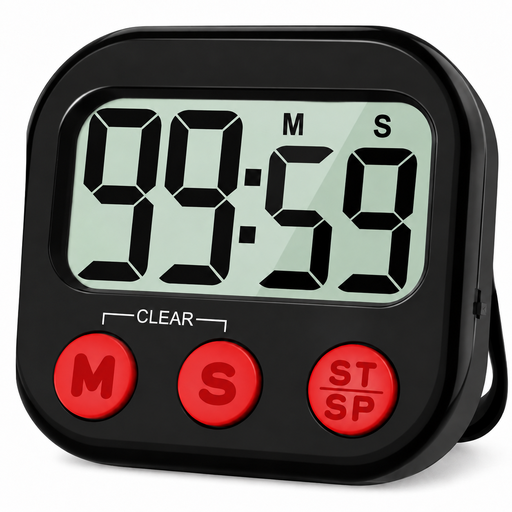
For a single countdown when you want to choose an alert and placement to suit your kitchen.
The title lists an adjustable alarm volume and a time range of up to 99 minutes and 59 seconds.
A magnet, stand and hanging hook offer different placement options.
 No image available
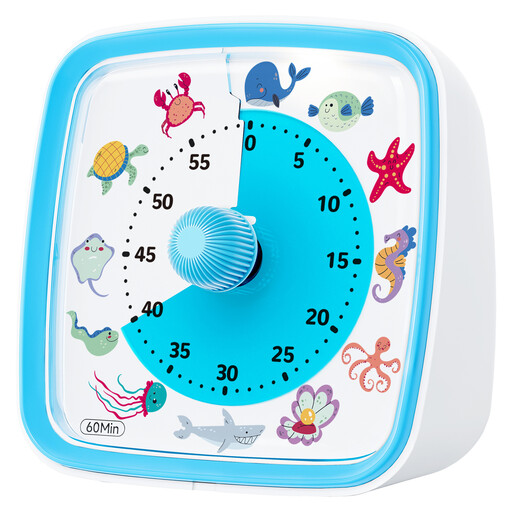
For a single countdown when seeing time pass can help you keep track of the resting time.
The title lists a 60-minute countdown; the description mentions an audible alert at the end and a coloured display that shrinks as time passes.
The stated time range is not long enough for periods over 60 minutes.
 No image available
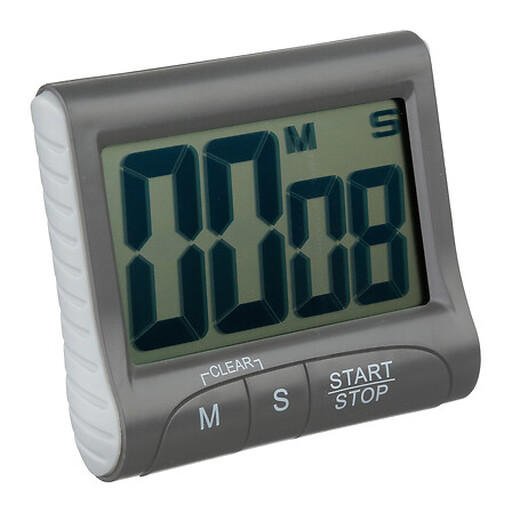
For a kitchen countdown when standing it up or hanging it is a better fit for the space available.
The description lists a countdown with an alarm, plus a built-in hook for hanging or the option to stand the timer up.
No. A countdown measures time, not core temperature. The German Federal Institute for Risk Assessment recommends cooking poultry thoroughly throughout, until it reaches at least 70 °C in the centre for two minutes. This guidance applies to poultry and is not a general target temperature for every type of roast.
A timer with two separate timers is useful when your roast and side dish or sauce have different finish times. For a single countdown to track the roast’s resting time, a single timer is enough.
Choose a magnet or stand to suit the space available and where you need to be able to see it. TFA Dostmann lists a magnet, hanging loop and stand for the 38.2056.04; Technoline lists magnetic attachment or tabletop use for the KT 200.
No, what’s included varies by model. The TFA 38.2056.04 requires two AAA batteries, while the Technoline KT 200 requires one AAA battery; according to the manufacturers, neither includes batteries. The GEFU CONTARE includes one AAA battery, according to the manufacturer.
No. An ordinary kitchen timer does not monitor temperature. For keeping hot food hot, the German Federal Institute for Risk Assessment recommends at least 60 °C throughout; simply resting a roast on the worktop does not automatically mean it is being kept hot under controlled conditions.