What should you look for when buying?
For viewing a stamp, magnification figures aren’t the only thing that matters. The visible field of view, a stable position and whether the workshop can use a computer are also important.
| What matters when buying |
What to check |
Who is it important to? |
| Detail and field of view |
Compare reflected-light illumination, adjustable focus, the visible area and how the magnification figure is calculated. LEUCHTTURM gives the DM 3 a maximum visible area of around 20 × 15 mm; BRESSER bases its magnification figure on a full-screen image on a 27-inch monitor. |
If I want to examine the print and paper surface, I need a field of view that lets me find the area again, rather than relying on the highest magnification figure alone. Around 36% of consumers put this detailed inspection first. |
| Stable positioning |
Check whether the stand is adjustable, what’s included and the working distance at the magnification you need. |
If I want to look at the same printed area repeatedly, I need to be able to position the microscope steadily over the stamp. Around 29% of consumers place particular importance on a stable position. |
| Viewing without a computer |
Check whether the microscope has an integrated screen and how images can be saved or transferred. The LEUCHTTURM DM 3 comes with a 3.5-inch screen and a 4 GB MicroSD card. |
If there’s no school computer at the workstation, I want to view the subject directly on the device and transfer images later if needed. Around 21% of consumers put computer-free use first. |
| Capturing images on a school computer |
Check that the operating system, USB connection and software installation options are compatible with the school’s equipment. BRESSER lists Windows 10 and 11 for the DST-1028 5MP; Celestron lists Windows and Mac software for model 44308. |
If I want to capture and discuss images on an existing school computer, the microscope needs to work with the technology approved for use there. Around 14% of consumers prioritise computer-based documentation. |
Microscope picks at Joybuy
This Joybuy selection includes a microscope experiment kit. Whether it’s suitable for viewing stamps in a school workshop depends on the optical features you need.
 No image available
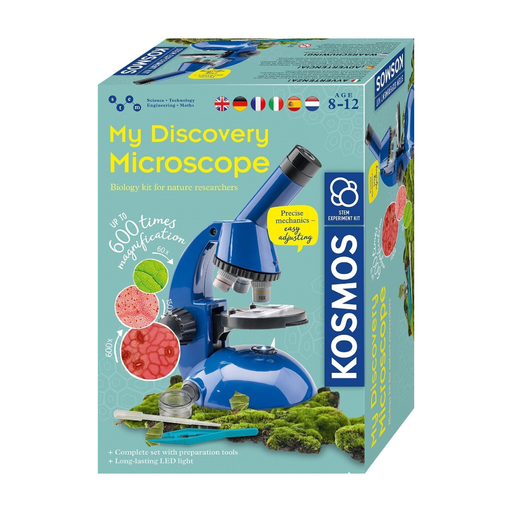
KOSMOS 636050 Explorer microscope experiment kit for children aged 8 and over
The product title describes this as an experiment kit for children aged 8 and over. If you’re planning to use it to look at stamps in a workshop, check before buying that the reflected-light illumination, focus and field of view suit your needs.
According to the product information, the kit isn’t suitable for children under 3. Small parts and functional sharp points, corners or edges present a risk of injury. The product description says that batteries must only be inserted or replaced by adults.
View at Joybuy
Frequently asked questions
Does a digital microscope workshop always need a computer?
No. A model with its own screen can let you view samples without a computer. LEUCHTTURM lists a built-in screen for the DM 3; the BRESSER and Celestron USB models described here use a computer to display images.
How can you keep the same printed area in view when looking at it repeatedly?
A fixed position makes it easier to compare the same area. According to the manufacturer, the Celestron 44308 comes with a height-adjustable stand; the stated working distance for the BRESSER DST-1028 5MP depends on the magnification.
What should you bear in mind when pupils are using the microscope?
Follow the instructions for the specific model and make sure there’s appropriate supervision for your group. The LEUCHTTURM instructions for model DM4 state that the device is not a toy and that electronic products used in schools must be supervised by responsible, trained staff. This instruction applies to that specific model and isn’t a general legal age limit for all digital microscopes.
Which markings are relevant when buying in Germany?
When carrying out market surveillance, the German Federal Network Agency (Bundesnetzagentur) checks, among other things, for the CE mark, identifiable manufacturer details and German operating instructions with the required warnings. Whether CE marking is mandatory depends on the EU rules that apply to the specific product; the mark alone isn’t an independent quality seal for image quality.
Who is responsible if a device is faulty, and where should an old device go?
For a private consumer purchase in the EU, the European Commission’s Your Europe website explains that the statutory two-year legal guarantee applies to your contract with the seller, not the manufacturer. If the school is making the purchase, check the relevant contract terms separately. Germany’s Federal Environment Agency (Umweltbundesamt) advises that waste electrical equipment must be collected separately and can generally be taken to municipal collection points.


