Teachers working with fibre slides
If you want to compare individual fibres on slides and record your observations for lessons, look for transmitted light, a suitable slide holder and a digital camera.


For fabric surfaces and yarn, a reflected-light microscope with a stable stand and a suitable screen connection is a natural starting point. For individual prepared fibres, a transmitted-light microscope with a slide holder and digital camera is a better fit. A combined model is worth considering if you want to do both tasks at the same workstation. Check the sample height, school PC, software and image output: a high magnification figure alone tells you little about how clearly details can be seen.
If you want to compare individual fibres on slides and record your observations for lessons, look for transmitted light, a suitable slide holder and a digital camera.
For yarn and fabric viewed directly on a workbench, reflected light and enough room for the sample are essential.
If you want the whole class to see the microscope image, you’ll need the right connection and a reliable way to display it on your existing screen.
First decide whether you want to view a fabric surface directly or compare individual fibres prepared as slides. Then you can choose the right lighting, sample holder and image output for your needs.
| Your priority | What to look for when buying | Who should prioritise this? |
|---|---|---|
| Compare individual fibres | Check transmitted light, the slide holder and the camera separately; thin samples need to be prepared appropriately. | If I want to compare and document individual fibres on a slide, I need a suitable transmitted-light setup. Around 36% of consumers put fibre comparison first. |
| View fabric and yarn directly | Check the reflected light, working distance and space for the fabric sample you plan to use. | If I want to show fabric or yarn on the workbench without preparing a slide, the sample needs to fit under the objective. Around 29% of consumers prioritise viewing fabric directly. |
| Share images with the class | Check compatibility with the classroom screen, the operating system and the software you need. | If the class is to view the image together or I want to record it, the image output needs to work with the equipment we already have. Around 21% of consumers prioritise sharing a live digital view. |
| Work without a suitable PC | Check whether you can view images without a computer and what power supply and external connections are required. | If there isn’t a suitable school PC at the workbench, I want to view the image directly on the device. Around 14% of consumers put PC-free operation first. |
With digital handheld microscopes, the stated magnification may refer to the image displayed on a particular monitor. It doesn’t replace checking the focused image and the recorded result.
Try the intended task on a suitable sample, and distinguish optical specifications from on-screen magnification and image file size.
Viewing a fabric surface directly is a different task from comparing individual fibres on a slide. These tasks may need different lighting and a different way to hold the sample.
Before you buy, decide whether your lessons will cover fabric surfaces, prepared individual fibres or both.
Comparing individual fibres requires suitable sample preparation, which can take extra time in a workshop.
The microscope designs covered here differ in whether they need a compatible PC or have their own screen. A USB connection alone doesn’t tell you whether you can display the image directly on the classroom screen.
Plan the image path from the microscope to your existing screen, and check the connections, operating system and any software permissions you need.
If your planned setup needs a compatible computer, cables or software permissions, the school will need to arrange access to them.
The range includes transmitted-light microscopes with USB cameras, digital handheld models and combination reflected- and transmitted-light microscopes.
The ODC 895 is a USB-powered device for viewing surfaces, while the OBE sets are designed for transmitted light and PC connectivity.
The Handheld Digital Microscope Pro, model 44308, is designed for viewing three-dimensional samples with a PC.
The AD246S-M and AD249S-M are screen-based models with an HDMI option, suited to workstations where direct display matters.
The products shown here are suited to viewing prepared fibre samples. If you need to display images digitally in lessons, check before buying that the model supports the connection and display method you need.
 No image available
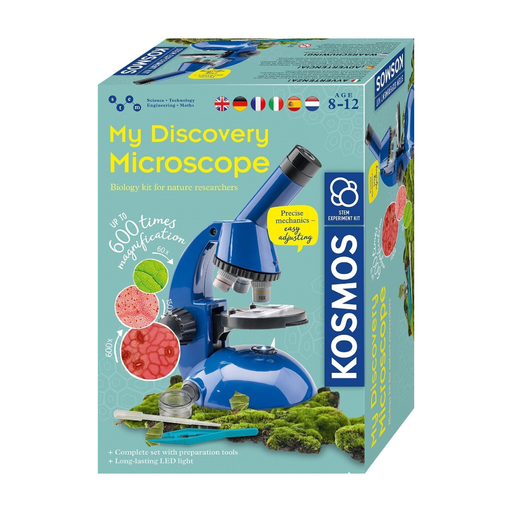
According to the product description, this kit is designed for fibres and prepared samples. Slides and sample preparation accessories are useful for working with these types of samples.
2 AA batteries are not included. According to the product description, they should be inserted and replaced by an adult.
The description warns that the kit contains small parts and parts with functional sharp points, which present a risk of choking and injury. The kit is not suitable for children under 3 years old.
To compare individual fibres on a slide, prepare a suitable sample. If you want to show yarn or the fabric surface directly, a suitable reflected-light setup may be a better option; check that the piece of fabric fits under the objective.
Not just because it has a USB connection. Check whether the specific model outputs images through a compatible school PC or has its own HDMI output. You’ll also need to be able to use the required software on the school computer.
A stable stand helps you hold the sample in place and bring it into focus. For repeated comparisons, a mechanical stage on models equipped with one makes it easier to move the slide precisely. Also follow the instructions for storing the microscope and slides.
A voluntary manufacturer’s warranty is different from your statutory rights if a product is faulty. The two-year consumer rule explained by the European Commission applies to sales to consumers and shouldn’t automatically be assumed to cover a school purchase. Before ordering, check who the contracting party is, the warranty terms and who to contact.
For the specific electrical or electronic device, check which EU requirements apply and whether they require CE marking. The relevant RoHS restrictions also apply, unless an exemption is available. The German Federal Network Agency also lists product identification, manufacturer details, German-language instructions and, where applicable, a declaration of conformity as points to check. CE marking is not an independent endorsement of image quality.