
Lieferung heute & morgen

Qualitätsgarantie

Willkommens-Angebote freischalten: KOSTENLOSE Lieferung | Bis zu 80 % RABATT | Kostenlose 30-Tage-JoyPlus-Testphase
App herunterladen
By Joybuy Product Recommendation Officer, July 16, 2026
Sharing photos and videos with family is a wonderful way to stay connected, especially over long distances. But not everyone uses social media, and sending pictures by email can be cumbersome. A digital photo frame offers a modern and personal solution. It allows you to display special moments right in the living rooms of parents, grandparents, or friends.
This article serves as a guide. We'll highlight the key features to consider when making your choice and present a selection of models that meet different needs. Our goal is to provide a solid basis for an informed decision, helping you find the perfect device for your needs.
Selecting the right model depends on a few key technical features. Here are three central points to help you decide.
Display quality is the heart of any digital photo frame. The screen size, usually measured in inches, determines how prominent the frame looks in a room. Common sizes range from 8 to over 15 inches.
Just as important is the resolution. A higher resolution means sharper and more detailed images.
Some models also feature an anti-glare display, which reduces reflections in bright light.
The method you use to transfer photos from your phone to the picture frame is a crucial factor for convenience.
A Wi-Fi photo frame is the standard today. It connects to your home network and allows you to transfer photos and short videos via a dedicated app. This enables family members from anywhere in the world to send new pictures directly to the frame. An electronic photo frame with an app is therefore a very practical solution for letting grandparents easily be part of family life.
For intuitive on-device operation, a touchscreen photo frame is recommended. It allows you to swipe through your gallery, adjust settings, or favourite pictures without needing a remote control or smartphone.
The internal storage determines how many photos and videos the frame can hold. Capacities often range from 8 GB to 64 GB and more. As a rule of thumb, 32 GB of storage can hold tens of thousands of photos, depending on their resolution and file size.
Many models offer additional flexibility through expansion slots:
Here is a selection of products that cover different use cases—from large-format displays to classic photo walls.
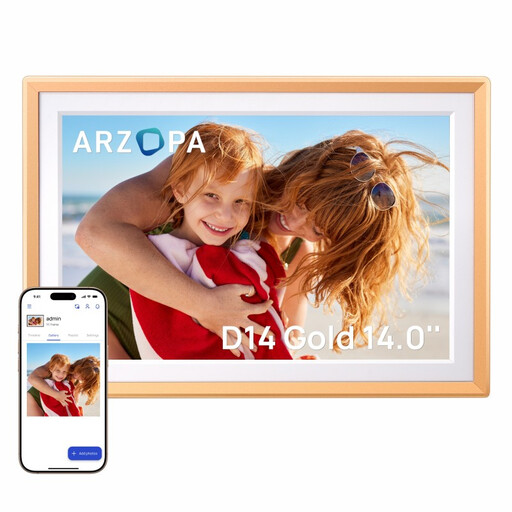
Why It Stands Out The ARZOPA D14 stands out with its large 14-inch display and an elegant metal frame. The high resolution ensures detailed playback of photos and videos. Media transfer is handled effortlessly via the companion app.
Key Features
Who Is It For? For anyone looking for a large, high-resolution display to showcase photos impressively. It's an ideal photo frame gift for family, as multiple users can share pictures easily and quickly.
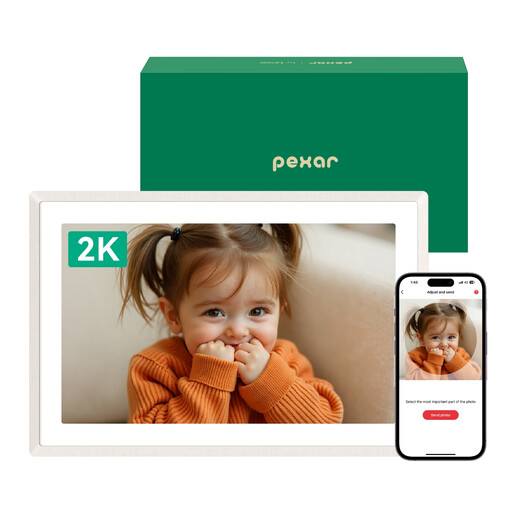
Why It Stands Out This model from Pexar by Lexar focuses on outstanding image quality with its 2K resolution and an anti-glare screen. The integrated backlight creates a warm ambiance and highlights the frame on the wall.
Key Features
Who Is It For? For users who prioritise maximum sharpness and an anti-glare display. The simple setup and popular Frameo app make it a very accessible option for those who are less tech-savvy.
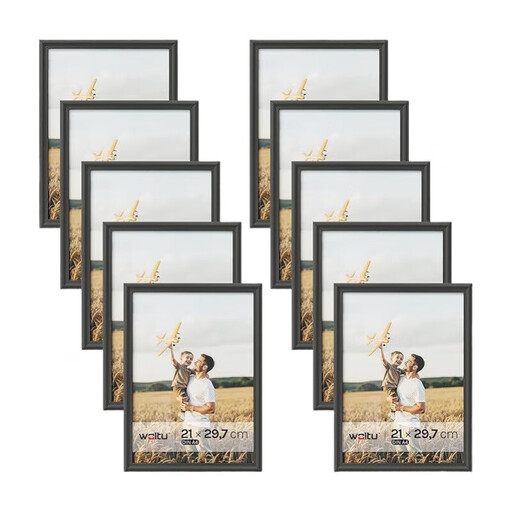
Why It Stands Out As a classic alternative or complement to a digital model, the Woltu set offers the opportunity to create an entire gallery wall. The ten solid wood frames in a uniform design create a harmonious overall look.
Key Features
Who Is It For? For anyone who prefers the timeless charm of a physical photo gallery or wants a mix of digital and analogue elements in their interior design.
If you prefer a more customised solution and want to build your own picture frame, you can find more components and accessories in our custom picture frame kit category.
The most common method is using a smartphone app connected to the Wi-Fi photo frame. After installing the app (e.g., Frameo, Arzopa), you can select photos and videos from your phone's gallery and send them directly to the frame. Some models also support transfers via email, SD card, or USB drive.
For its core function of displaying already saved pictures, a constant Wi-Fi connection is not required. However, an internet connection is needed to receive new photos and videos via the app or email, as well as for features like weather forecasts. There are also non-Wi-Fi models where transfers are done exclusively via memory cards or USB drives.
For most users, 16 GB or 32 GB of internal storage is more than sufficient. This provides space for thousands of photos. If you plan to store many videos or display an extremely large photo collection, a model with 64 GB or more, or one with an SD card slot for easy storage expansion, would be a good choice.