The key question is whether you want to show your own photos occasionally or leave an image on display in the room for longer. In either case, first check that the specific TV supports your files and USB storage device. Samsung describes Art Mode on The Frame and importing your own images via USB. If you want to display the same image for a long time, bear in mind the risk of burn-in on OLED TVs, as outlined by Sony. Choose a size, screen performance and energy use that suit your room and how long you plan to use it.
Which TV is right for you?
Slideshow from a USB stick
If you want to view your own photos together without a streaming service, check that the exact model is compatible with your files and storage device. LG notes that supported file extensions and codecs vary by model; Sony says playback problems can occur even with supported formats.
A landscape image in your living room
If you want to keep an image on display for longer, check the picture mode and how the TV behaves when showing an image for an extended period. Samsung describes Art Mode and importing your own images via USB on The Frame. Sony warns that OLED screens may suffer permanent burn-in from images displayed for long periods or repeatedly.
Photos to enjoy together
If you want to view a changing selection of photos together, consider the screen size and how the images will look in your room. If possible, use some of your own typical photos and the planned seating positions as a basis for comparison.
What should you look for when buying?
First, decide whether you want to show a short slideshow or leave an image on display for longer. Then you can compare file compatibility, picture quality, placement and ongoing running costs to suit your needs.
| What matters to you |
What to check before buying |
Who should consider this? |
| File compatibility |
Check file extensions and the USB file system against the manual for the exact model number; test some of your own files if possible. LG notes that supported file extensions and codecs vary by model, while Sony warns that some playback exceptions may occur. |
I want to open my own photos directly from the USB storage device I already have, without needing another device. Around 29% of consumers would put file compatibility first. |
| Displaying an image for longer |
Check the recommended picture mode and guidance on displaying still images for long periods. Sony says OLED screens may suffer permanent burn-in from images displayed for long periods or repeatedly. |
If I want to leave a landscape image on display in my living room for longer, I’ll look for a suitable picture mode and consider how the screen behaves. Around 22% of consumers would prioritise displaying an image for longer. |
| How your photos look |
Compare the screen size you want and, if possible, view your own photos from the planned seating positions. |
For a changing slideshow, I want to assess the detail and overall look of the images together. For around 21% of consumers, how the photos look is the main consideration. |
| Room and placement |
Measure the space for a stand or wall mount, and check windows, reflections and your planned viewing angle. Manufacturer information about screen features is no substitute for checking how it looks in your room. |
I need to make sure the screen size, reflections and available space for a stand or wall mount will work in my room. Around 14% of consumers would focus above all on how well the TV suits their room. |
| Energy use and ongoing costs |
Compare the energy labels for the specific models and consider optional art services separately from features for displaying your own photos. The European Commission lists TVs as a product category covered by the EU energy label. |
If the TV will be on for long periods, I want to weigh up energy use and additional services separately. Around 14% of consumers would put energy use and ongoing costs first. |
Common misconceptions when buying
-
A USB port will definitely play all your photos
Supported file extensions, codecs and storage devices vary by model. Sony warns that a file may not play even if it uses a supported format.
Check your photos and storage device against the manual for the exact model number, and try some sample files if possible.
-
A still image displayed for a long time is the same as a short OLED slideshow
Sony says OLED TVs may suffer permanent burn-in if images are displayed for long periods or repeatedly.
Before choosing a screen, think about whether you’ll change the images or leave them on display for long periods, and check the manufacturer’s guidance for the specific model.
-
You automatically need an art subscription to display your own photos on The Frame
Samsung describes importing your own images via USB separately from its art shop and subscription for additional artworks.
When checking the features, distinguish between displaying your own images and accessing additional artworks on offer.
Key brands at a glance
Samsung
If you want your own images to stay on display beyond a short slideshow, The Frame with Art Mode is one option to consider.
- Samsung lists Art Mode and a matte screen for the 65-inch LS03F. A Samsung manual explains how to import your own images onto The Frame via USB.
- The manual does not automatically confirm the storage and file specifications for every model variant. Check the exact model number and your files.
LG
The OLED48C57LA is a 48-inch 4K OLED option for viewing changing selections of photos.
- LG lists OLED and 4K for this model and describes USB playback on OLED TVs.
- According to LG, supported file extensions and codecs vary by model. Also bear in mind the risk of leaving unchanged images on OLED screens for long periods, as described by Sony.
TCL
The 55C7K adds a 55-inch QD-Mini-LED TV to the comparison.
- TCL lists a 55-inch screen and QD-Mini-LED for this model.
- A manufacturer’s peak brightness figure does not tell you how accurately your photos’ colours will appear or whether your files are USB-compatible.
Philips
The 55PUS8500/12 is a 55-inch 4K option with Ambilight for enjoying photos together.
- Philips lists 4K and Ambilight for this model.
- Ambilight does not guarantee more accurate photo playback. Check USB photo playback and file formats for the exact model number.
Sony
Sony is worth considering if you use local files on USB. The manual in question applies specifically to the K-55XR8A, also known as BRAVIA 8.
- Sony describes USB playback of photo files for this model.
- Sony warns that files may not play even if they use a supported format. The manual does not apply to all Sony TVs.
Joybuy products for photos and your living space
This selection includes a 55-inch Mini-LED TV for comparing screen size and room suitability, plus a 55-inch The Frame TV with Art Mode for a display designed to complement your living space. Check that your own photos are compatible with the specific model.
 No image available
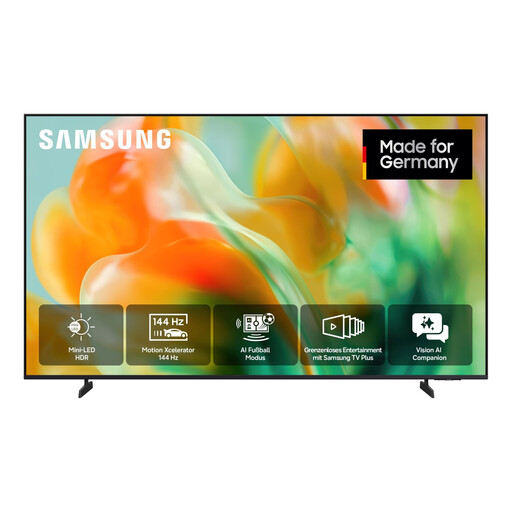
Samsung GU55M80H M80H Mini-LED TV, 55-inch, 4K
A 55-inch screen could be a good choice for enjoying photos together. Check playback of your own photos against this model’s manual.
55-inch; 4K; Mini-LED.
View at Joybuy
 No image available
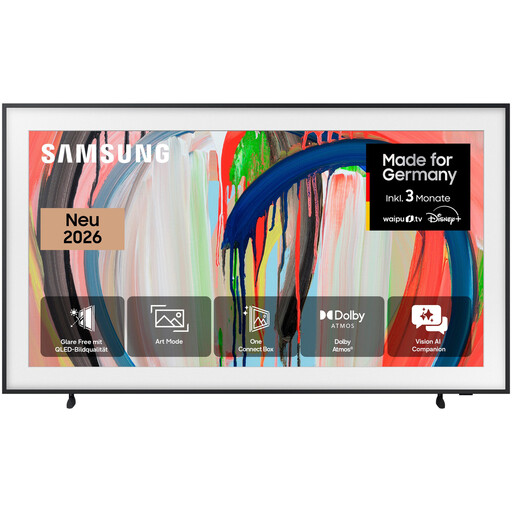
Samsung The Frame GQ55LS03HAU, 55-inch, 4K QLED
The product name includes Art Mode, designed to display images in your living space. Check how to import your own photos on this specific model and whether your files are supported.
55-inch; 4K QLED; Art Mode; Anti-Glare.
View at Joybuy
Frequently asked questions
Is a USB port on the TV enough?
No. A USB port alone does not guarantee that your photos will play. LG notes that supported file extensions and codecs vary by model, while Sony says playback problems can occur even with supported formats. Check your files and storage device against the manual for the exact model number.
How do I start and stop a slideshow from USB storage?
The menu steps vary by model. Sony’s manual for the K-55XR8A says to connect the storage device, open Photos or USB from the TV menu, then select a file. For OLED TVs, LG describes selecting the USB input and recommends ejecting the storage device using the TV’s function before unplugging it.
Do I need an art subscription to display my own images on The Frame?
Samsung’s manual does not indicate that you need a subscription to import your own photos. It describes importing your own images via USB separately from the art shop and subscription for additional artworks.
What should I know about electricity costs and faults?
Compare the EU energy labels for the specific TVs to assess energy use, rather than assuming costs based on screen technology alone. In Germany, the statutory guarantee against the seller is separate from a voluntary warranty.


